Claude Code with Playwright MCP is an agentic QA workflow where Claude Code uses the Playwright Model Context Protocol server to connect a coding agent to a live browser. The agent navigates the application, reads the actual DOM, captures real selectors, and generates executable Playwright tests from what it observes — instead of guessing page structure from a prompt alone. Three official Playwright AI agent roles — planner, generator, and healer — divide the work into exploration, script creation, and maintenance. For teams managing the resulting test assets, a test management platform like TestQuality provides the execution, tracking, and GitHub/Jira linkage that keeps AI-generated coverage operational.
At a Glance
Claude Code with Playwright MCP
Browser-aware generation, not prompt-only guessing.
What MCP adds: Claude Code gets live browser access — DOM inspection, real selector capture, screenshot collection — instead of inferring page structure from the prompt.
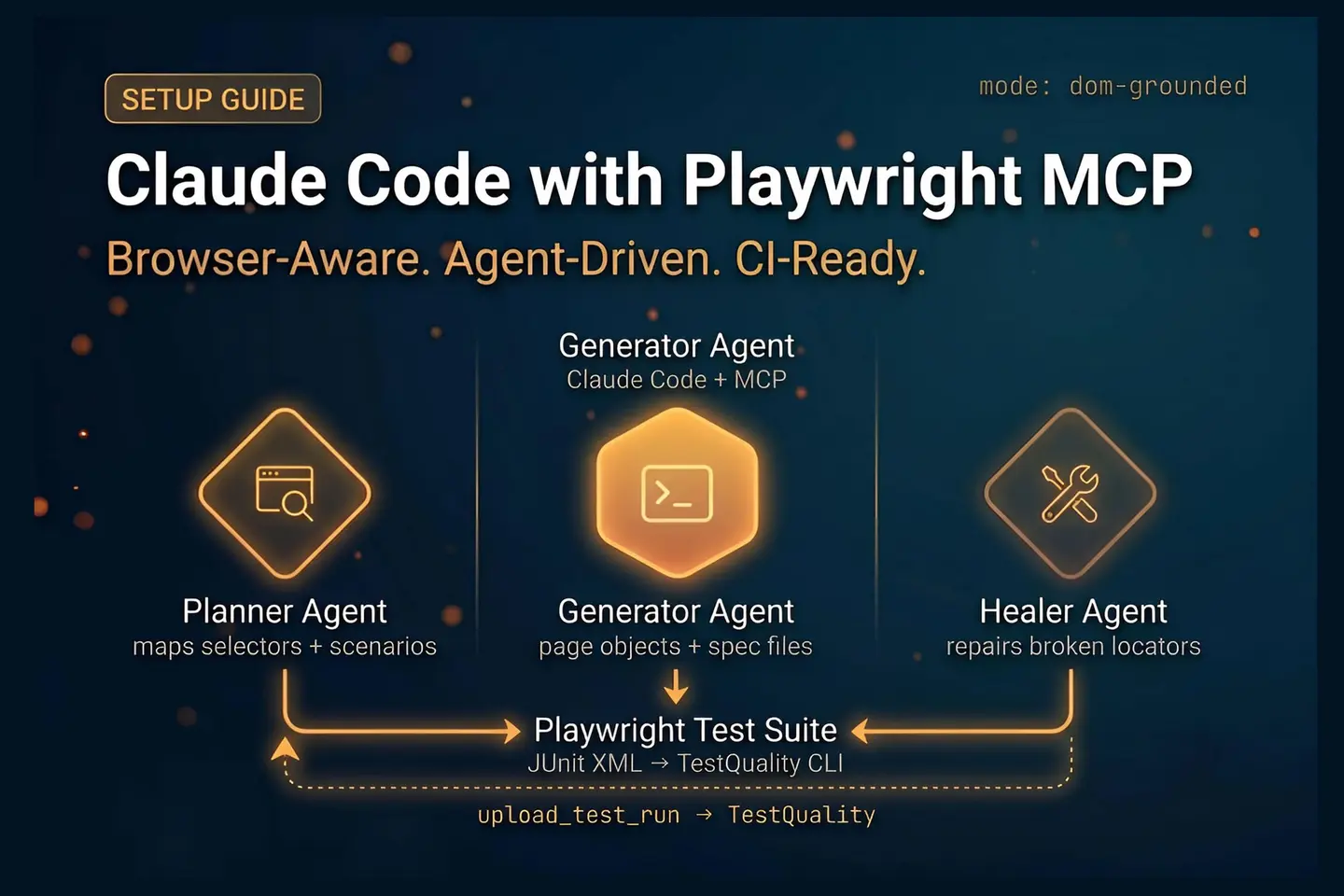
Three agent roles: Planner explores the feature and maps scenarios. Generator converts the plan to Playwright scripts. Healer repairs broken tests after UI changes.
What custom skills do: Encode locator strategy, assertion rules, domain logic, and framework structure so agents produce output that fits your team’s standards.
One-command workflow: A slash command wraps the full sequence — exploration, planning, generation, execution — into a single repeatable invocation.
Top limitation: Prompt-only generation without MCP produces guessed selectors. Scripts look plausible in the editor and fail at runtime.
AI test automation becomes more useful when the agent can see the application state, not just infer it.
What is Claude Code with Playwright MCP actually doing?
Claude Code with Playwright MCP connects a coding agent to a live browser so it can inspect the real application, gather actual DOM structure, and generate browser automation from observed state — not from what the prompt implies. That distinction is the entire point of adding MCP to the workflow.
Claude Code can respond to text prompts on its own. What it cannot do without a connector is operate browsers, inspect DevTools output, navigate flows, or capture real page selectors. MCP is that connector. The Playwright MCP server gives Claude Code access to browser actions and live page inspection during a session.
Once connected, the agent can do things a prompt-only workflow cannot reliably do: open the application, log in with provided credentials, navigate to a target feature, read the live DOM, explore success and failure paths, and turn those observations into Playwright tests. According to the official Playwright locator guidance, resilient tests should prefer user-facing and stable selectors over implementation-detail selectors. A browser-aware agent has a much better chance of applying that principle than one working from a prompt alone.
GitHub’s Octoverse 2025 report found that nearly 80% of new developers used Copilot within their first week, evidence that AI assistance is now a default expectation in development workflows, not an advanced option. The same expectation is reaching QA: teams are adopting browser-aware agents not to replace Playwright, but to remove the manual locator-hunting that slows down first-draft automation.
This is not just about convenience. Locator quality is often the difference between automation that works in CI and automation that fails unpredictably. Getting the locator right at generation time — rather than debugging it after the fact — is where the MCP layer earns its place in the stack.
How do the three Playwright AI agent roles divide the work?
The three official Playwright AI agent roles — planner, generator, and healer — split the automation lifecycle into exploration, script creation, and maintenance. Each role has a focused purpose; together they form a pipeline that is easier to govern than a single all-in-one prompt.
The planner agent handles exploration first. It opens the application, navigates to the target feature, inspects selectors, and maps the paths worth validating. For a transfer-funds feature, that means capturing the from-account and to-account fields, amount input behavior, submission states, and the scenarios worth testing: valid transfer, missing amount, zero amount, negative amount, non-numeric input, self-transfer.
The generator agent reads the planner’s output and converts it into Playwright artifacts. Not a single flat script — structured output: page objects, spec files, and test data, organized the way a maintainable framework should be organized. The separation matters because maintainability tends to collapse quickly when AI-generated code gets dumped into one file.
The healer agent comes into play after the suite is running. When UI changes break locators, the healer analyzes the failures and repairs the scripts. That is not a nice-to-have. UI changes are routine, and any automation strategy that does not design for healing builds technical debt from the start.
Gartner projects that by 2028, at least 15% of day-to-day work decisions will be made autonomously by agentic AI, up from effectively zero in 2024. The planner/generator/healer split is an early, practical version of that pattern applied to QA workflows.
The split mirrors how mature QA teams already think: plan coverage, generate automation, maintain it as the application evolves. The agents make that sequence faster. They do not remove the need for QA judgment at each stage.
Why does prompt-only generation without MCP produce fragile tests?
Without MCP, Claude Code generates Playwright scripts from prompt context, codebase hints, and common UI patterns — not from the live application. The result is guessed selectors that look plausible in the editor and fail at runtime.
The gap is concrete. Consider a transfer-funds form. Without MCP, the agent might assume the amount field uses an id="amount" attribute, or that the submit button has a predictable class name. It might not know whether the from-account field is a native select or a custom dropdown, whether the form validates on blur or on submit, or whether the application accepts negative values at all. Assumptions get baked into the script.
With Playwright MCP active, the agent navigates to the form, reads the actual DOM, captures the real selector for each field, and explores the validation behavior directly. The scripts it generates are based on what exists on screen, not on typical UI patterns. The practical difference shows up in CI: browser-aware scripts execute against real state; guessed scripts fail on the first selector mismatch.
A useful internal test for any generated Playwright suite is whether the scripts can complete a full run in a headless CI environment without selector errors on the first pass. If they cannot, the generation step was not grounded enough. Adding MCP is the most direct way to fix that.
What goes into a custom skill for Playwright automation standards?
A Playwright automation standards skill is a file that encodes your team’s locator strategy, assertion conventions, wait patterns, framework layout, and domain-specific validation logic so agents apply them consistently — rather than producing generic output that does not match how the team actually writes and reviews code.
Without a standards skill, even a browser-aware agent generates technically correct Playwright code that may not match team conventions. Selector priority might be wrong — XPath where the team prefers getByRole. Assertions might use toBeVisible where the team expects toHaveText. Test files might be flat when the team uses a page object pattern. Those inconsistencies accumulate fast in a generated suite.
A practical standards skill defines:
- Preferred locator order — for example:
getByRole, thengetByLabel, thendata-testid, then CSS class as a last resort - Assertion conventions — which matchers to prefer for what state
- Wait strategy —
waitForSelectorvs. auto-waiting, timeout values - Framework structure — page object expectations, spec file naming, test data location
- Domain rules — for banking: amount validation, account state checks, rejection criteria for zero and negative inputs
That last category is where the skill carries the most strategic value. Generic Playwright knowledge is built into the agent. The business rules that make your application’s test coverage meaningful are not. The skill is how you put them there.
How do you set up the Claude Code and Playwright MCP workflow?
The setup has four main parts: install Playwright, register the Playwright MCP server in the project, install the official Playwright AI agents, and create the custom skill, orchestration agent, and slash command that wrap the workflow into a single repeatable invocation.
The sequence is straightforward.
1. Install Playwright and select your language
Add Playwright test dependencies to the project. TypeScript is the common choice. Add tests under the default end-to-end directory and install Playwright browsers.
2. Install the Claude CLI if needed
If the local workflow depends on the CLI and the command is unavailable, install it before proceeding. Project-level MCP registration requires it, and missing it produces a “command not recognized” error at the next step.
3. Add the Playwright MCP server at project scope
Add the server at project scope. This creates an mcp.json file inside the project. Start the server after registration so Claude Code can access the available browser tools in the session.
4. Reload the editor environment
Reload the editor window so the MCP configuration is picked up. Tool access does not become available until the session refreshes.
5. Install Playwright AI agents
Initialize the agents with the option intended for Claude Code. This installs the planner, generator, and healer roles into the environment.
6. Create the automation standards skill
Write the skill file covering locator strategy, assertion rules, wait strategy, stability rules, reporting expectations, framework structure, and any domain-specific validation logic relevant to the feature area.
7. Create the orchestration agent
The orchestration agent acts as the coordinator. It loads skills, invokes the planner and generator agents in the correct sequence, reads project guidance, and controls output structure. This is the layer that makes the workflow repeatable across contributors.
8. Create the slash command
A command like /generate-playwright-test accepts a feature name as an argument and triggers the full sequence. Instead of pasting a long instruction every time, you pass the feature and the system handles the rest. Standardized prompts become reusable operations.
What does the one-command workflow actually produce?
The one-command workflow produces structured Playwright artifacts — a test plan, page objects, spec files, and test data — from a single slash command invocation. The orchestration agent handles the sequence; you supply the feature name.
In a transfer-funds example, the slash command triggers this sequence: load skills and the orchestration agent, start browser exploration through Playwright MCP, log in to the application, navigate to the feature, inspect selectors and page structure, explore valid and invalid paths, create a detailed test plan, generate the Playwright artifacts, execute the tests, and surface product bugs alongside test outcomes.
The output is separated by purpose. Page objects capture the UI structure. Spec files hold the scenarios. Test data is isolated rather than hardcoded. That structure matters for maintainability: when a UI change breaks a locator, you change it in one page object, not in every spec file that touched the same element.
One thing the workflow surfaced during feature exploration: negative amount inputs were accepted by the application. That is not a test failure caused by bad automation — it is correct automation identifying a product defect. The same browser-aware setup used for generation can also expose application behavior that acceptance criteria did not anticipate. That discovery value is worth planning for when you design the exploration step.
For teams already using regression plans, this generation workflow fits naturally after the planning stage described in a Playwright regression testing and test plan guide — the agent-generated specs feed into the same regression structure the team already governs.
What happens to AI-generated Playwright tests after generation?
After generation, AI-produced Playwright tests need the same treatment as any other QA artifact: review, version control, organization into runs, and traceability back to the requirements they cover. Generation is the first step. Governance is what makes the output operational.
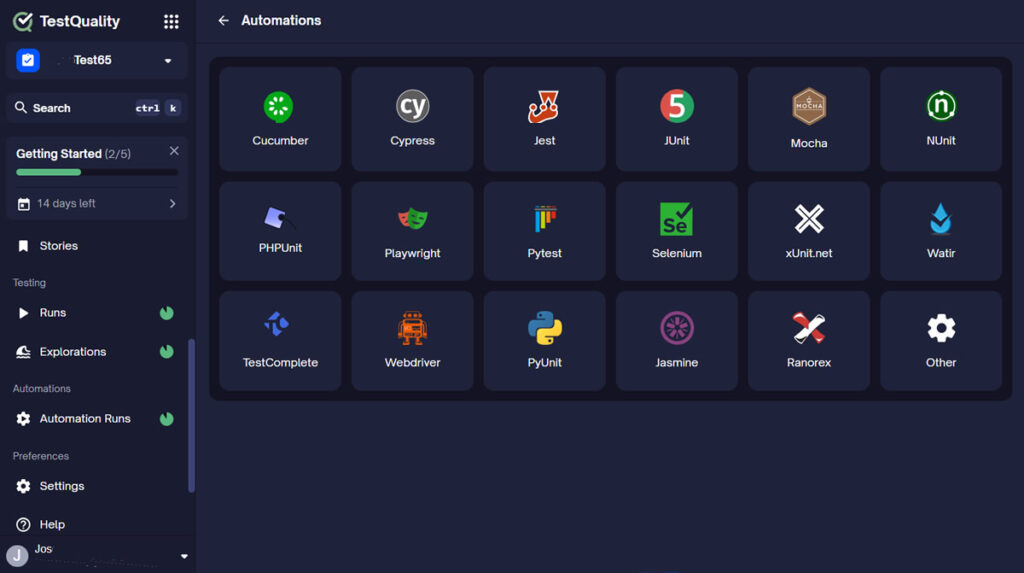
The gap teams run into is not generation quality — it is what happens after the scripts land in the repository. Generated tests are reviewed and committed, but the broader questions go unanswered: which requirements do they cover, which run did they last pass, which failures have been filed as defects, and who is responsible for them when they start failing at a new rate?
This is where a test management platform connects to the workflow. TestQuality accepts JUnit XML results from Playwright runs uploaded via the TestQuality CLI. The CLI command testquality upload_test_run pushes results into a named project and test cycle. Pass/fail status, test names, and execution metadata flow into run history and reporting automatically once the upload completes.
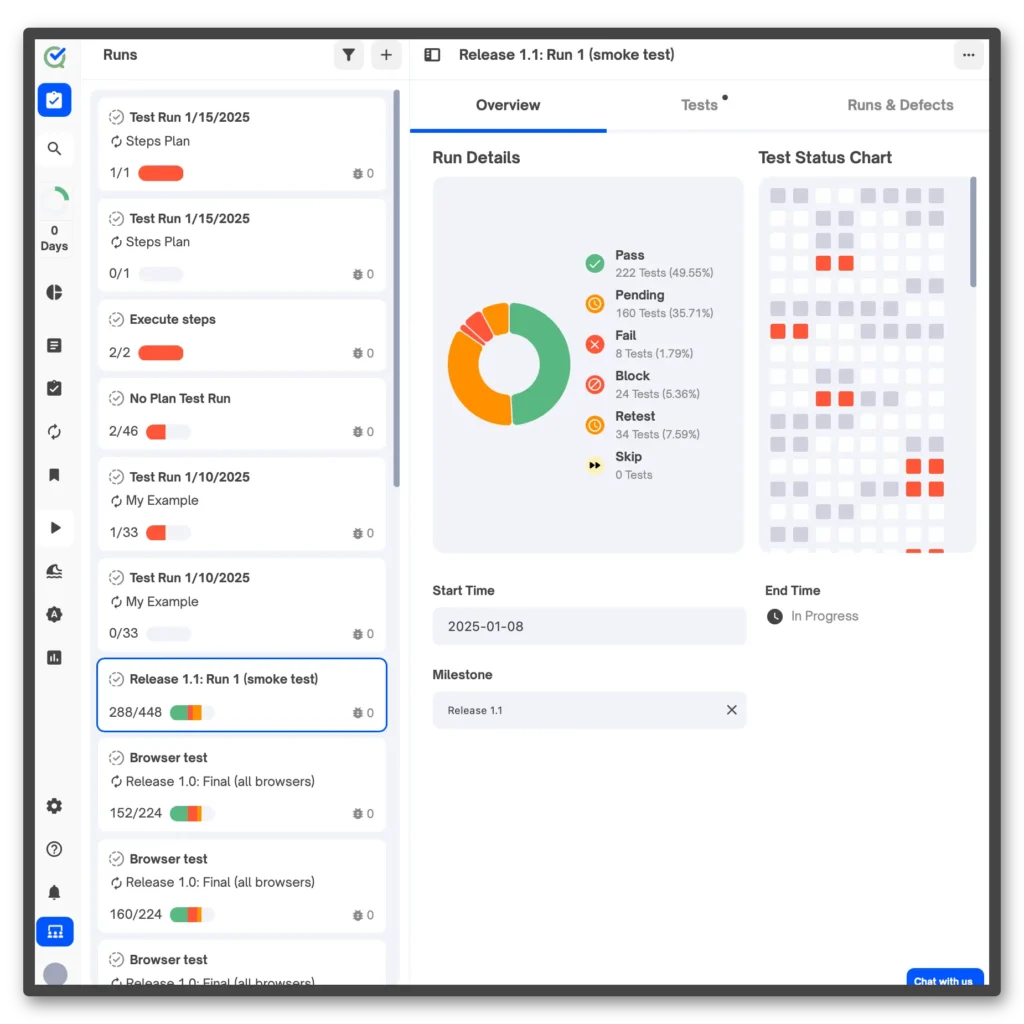
Defect logging from a failed test is intentionally a manual step. A tester reviews the failure, confirms whether it represents a real defect or a test environment issue, and logs it in TestQuality.
Once it exists there, the native GitHub and Jira integrations sync the defect to the team’s tracker without manual copying. That confirmation step matters — automated defect creation from every CI failure produces noise, not signal.
The practical takeaway: configure Playwright to output JUnit XML via the reporter setting in playwright.config.js, add the CLI upload step to your CI pipeline, and the generated suite becomes a tracked, reportable artifact rather than a folder of scripts nobody monitors after the first week.
What are the most common mistakes with Claude Code and Playwright MCP?
The most common mistakes are skipping MCP entirely, using generic prompts without a standards skill, and treating generated output as final without review. Each mistake is avoidable, and each one degrades the quality of output in a predictable way.
Skipping MCP. The most costly mistake. Without browser access, the agent guesses selectors. The scripts look like working Playwright code and fail at the first page.locator() call in a real browser session.
Generic prompts without a skill. You get generic Playwright code. No locator priority, no domain rules, no framework structure. The output needs as much rewriting as starting from scratch.
Ignoring framework structure. Generated code becomes unmaintainable fast when it lands in one flat file. The orchestration agent produces structured artifacts, but only if the skill and orchestration layer tell it what structure to apply.
Not defining locator strategy explicitly. Agents need to know the priority order — getByRole first, data-testid as a fallback, CSS class as a last resort. Without explicit guidance, outputs are inconsistent across features.
Treating generated tests as final. They still need a review pass before they go into CI. The generation step accelerates first-draft creation; it does not replace QA judgment about what the suite should actually cover.
Forgetting domain rules. Banking, healthcare, and e-commerce each carry different risk profiles. The standards skill is where those rules live. An agent without domain context produces coverage that is technically correct and business-incomplete.
Not planning for healing. UI changes are routine. If the workflow does not include the healer agent from the start, maintenance debt accumulates after every sprint.
How does TestStory.ai fit into an AI-driven QA workflow alongside Playwright MCP?
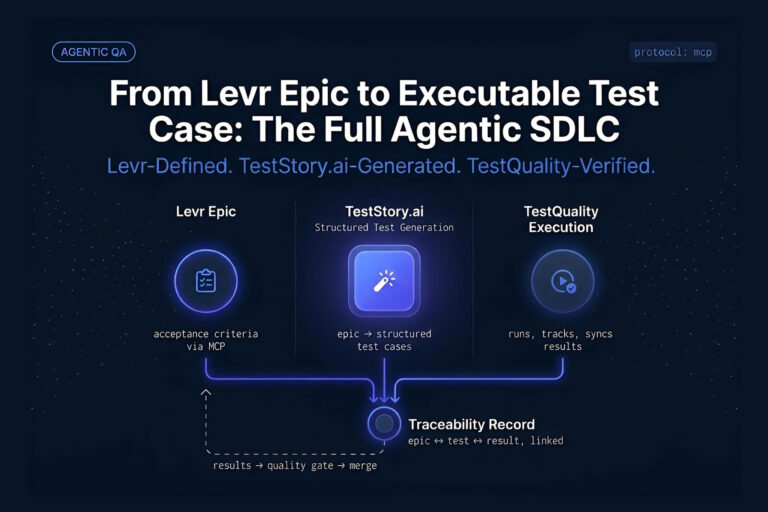
TestStory.ai handles the requirements-to-test-cases step that sits upstream of Playwright automation. While Claude Code and Playwright MCP convert live browser observations into executable scripts, TestStory.ai converts project assets — user stories, Jira issues, epics, process diagrams, source code, or full repositories — into structured, story-driven test cases that sync directly into TestQuality.
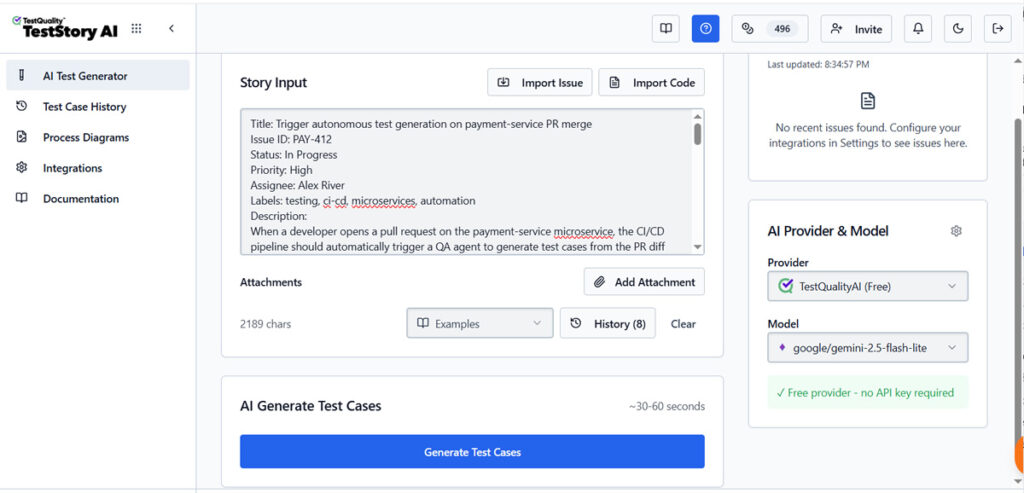
The two tools operate at different points in the QA workflow and are not redundant. TestStory.ai generates the test case coverage from requirements.
Claude Code with Playwright MCP automates the execution of that coverage. Used together: TestStory.ai defines what should be tested; the agentic Playwright workflow generates the automation that tests it.
TestStory.ai also integrates with MCP-compatible agentic developer tools — Cursor, Claude Code, VS Code with Copilot, and Roo — so test case generation fits inside the same development environment where the automation work happens. That means a QA engineer working in Claude Code can generate structured test cases from a Jira issue via TestStory.ai, then trigger the Playwright MCP workflow to generate automation for those cases, without switching contexts.
The canonical flow:
- Feed a Jira issue, user story, or epic into TestStory.ai
- TestStory.ai generates structured test cases from that input
- Cases sync automatically into TestQuality
- Group cases into a run or cycle for the current release
- Execute — manually or by uploading Playwright JUnit XML results via the TestQuality CLI
- Review coverage trends; defects link back to Jira or GitHub automatically
500 TestStory.ai credits are included with every TestQuality subscription each month — no additional cost, no separate signup required for teams already using TestQuality.
Turn requirements into structured test cases before you automate.
TestStory.ai generates story-driven test cases from your Jira issues, user stories, or epics — then syncs them into TestQuality for execution and tracking.
Try the Free Test Case Builder →Technical Deep Dive FAQ
What is Claude Code with Playwright MCP?
What is the Playwright MCP server?
Why do Playwright scripts generated without MCP fail at runtime?
What do the planner, generator, and healer agents each do?
What should a Playwright automation standards skill include?
What does a slash command do in the Claude Code Playwright workflow?
How do Playwright JUnit XML results get into TestQuality?
Does this workflow replace manual testing or traditional Playwright scripting?
TestStory.ai fitting into the same MCP-compatible toolchain as Claude Code answers where test cases get generated. It doesn’t answer where those tests — and their results — get tracked once the run finishes.
Worth a Look
When the agent writes the test, who tracks the run?
Claude Code and Playwright MCP handle test generation and execution well — but that loop still needs a home. Levr, an agent-first project control plane, takes a different approach: tests live in the same graph as the issues they cover, not in a separate tool bolted on afterward.
Tests link to acceptance criteria — coverage is a live relationship, not a static report
Agents call start_run, record_results, and finish_run directly — pass/fail data doesn’t get stranded in a CI log
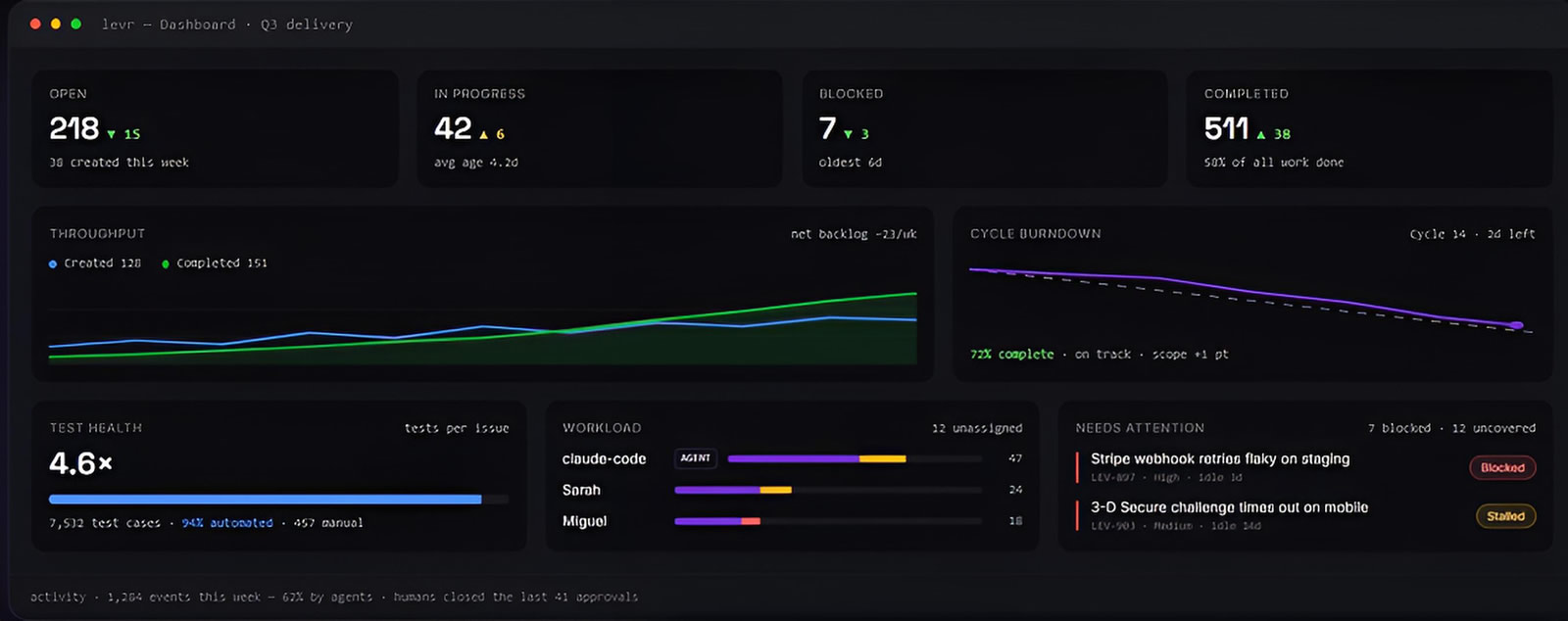
See Levr’s agent-run execution →
Key Takeaways
Claude Code with Playwright MCP — what actually matters
Context-aware generation, not prompt-only guessing.
MCP is foundational: Without browser access, the agent guesses selectors. Scripts look plausible in the editor and fail at runtime. Add MCP first.
Three roles, three stages: Planner maps coverage, generator writes scripts, healer maintains them. Splitting the work is easier to govern than one all-in-one prompt.
Skills carry domain knowledge: Generic Playwright logic is built into the agent. Your locator strategy, assertion conventions, and business rules are not. Put them in a skill.
Slash commands create repeatable operations: One command replaces a long prompt. Every contributor runs the same workflow every time.
Generation is the start, not the finish: Upload JUnit XML to TestQuality via the CLI, review failures manually, and log confirmed defects to Jira or GitHub through native integrations.
The future of QA is not prompt-only automation. It is context-aware automation with standards built in from the start.
About the Author
Jose Amoros is part of the TestQuality marketing team, focused on agentic QA, AI-powered test management, and the operational handoff between AI-generated test artifacts and governed execution workflows. He writes regularly about CI/CD integration, Gherkin/BDD practices, and shift-left testing. Jose Amoros at TestQuality.
Further Reading
- Playwright locator strategy — official documentation
- TestQuality CLI overview
- TestQuality CLI command reference
- Playwright regression testing and test plan best practices
- Playwright test agents and MCP architecture guide
- TestQuality features — test cases, reporting, CI/CD, and integrations
- TestQuality blog — agentic QA, automation, and test management
- TestQuality documentation
Start Free Today
Transition from script-writing to outcome-orchestration.
TestStory.ai generates structured test cases from your user stories, acceptance criteria, or architecture diagrams — then syncs them directly into TestQuality for execution, tracking, and team collaboration.
Get 500 TestStory.ai credits every month included with your TestQuality subscription — no extra cost.
No credit card required on either platform.