At a Glance
CLI Coding Agents for QA: What You Actually Get
Terminal-resident, repo-aware, and capable of running your entire test loop autonomously.
Scope advantage: CLI agents operate across your entire repository — not just open files — letting you assign multi-file refactors, coverage gap analysis, and bulk selector updates without leaving the terminal.
Verification is the job now: The SDET role shifts from writing boilerplate to auditing agent output — plan mode, Git commits before edits, and dedicated review time are non-negotiable workflow controls.
Test management closes the loop: Agent-generated tests need a system of record — JUnit XML upload into TestQuality organizes runs into named projects and cycles, links failures to GitHub and Jira defects, and turns terminal experiments into traceable assets.
“The engineering shift isn’t from humans to AI — it’s from writing tests to orchestrating the agents that write them, and owning the quality bar they must meet.”
A CLI coding agent is an AI assistant that runs directly in your terminal, with full access to your repository’s file system. For QA engineers and SDETs, this is a meaningful upgrade over chat-based AI: instead of pasting code snippets into a browser window, you work with an agent that indexes your test framework, reads your dependency files, and executes multi-step tasks across your entire project directory. The practical result is faster test scaffolding, autonomous maintenance of failing assertions, and the ability to push agent-driven test runs into your CI/CD pipeline. That said, every hour an agent saves you in generation often comes with a corresponding hour in output verification — the shift is real and worth planning for from day one.
What is a CLI coding agent and why should QA engineers care?
A CLI coding agent is an AI assistant that runs inside your terminal and operates directly on your repository. For QA engineers, this matters because the agent can traverse your directory structure, read framework configuration, and execute multi-step tasks — accelerating test creation, debugging cycles, and framework maintenance at a scope no chat interface can match.
The core difference from a browser-based AI tool is residency. When you open a terminal session, the agent indexes your existing test framework, maps your folder structure, and reads your dependency files before you type a single instruction. That context load is what enables you to issue high-level tasks — “find every selector referencing the deprecated nav component and replace it across the full suite” — rather than managing individual prompts against manually pasted code.
According to the Anthropic Claude Code product page, terminal-based agentic workflows allowed Ramp to cut incident investigation and resolution time by 80%. For an SDET, that benchmark translates directly: less time hunting flaky test root causes, more time on test strategy and coverage design.
How is a CLI coding agent different from an IDE AI assistant?
An IDE AI assistant is a chat panel scoped to your open files. A CLI coding agent is a process that interacts with your entire project directory, runs shell commands, manages parallel sessions, and executes scripts without requiring you to drive the interaction through a UI.
Tools like AI tools for developers including Cursor and Copilot deliver excellent inline autocomplete and are worth using for syntax-level work. But they require you to open the right file and direct the interaction manually. A terminal agent is more like a background process: you can spawn two terminal windows and run one agent updating your API mock data while a second refactors your page object models in a separate directory. Neither session blocks the other.
Session state is explicit. You control context by scoping the agent to a specific directory at launch, clearing memory when the context drifts, or saving a conversational thread to resume the following day. That control matters in large repositories where an overly broad context degrades output quality.
| Feature | IDE AI Assistant | CLI Coding Agent |
|---|---|---|
| Primary interface | Graphical chat panel, inline text completion | Command line, shell execution |
| Context scope | Active files or manually attached editor tabs | Entire project directory, full file system access |
| Execution capability | Suggests code; user runs it manually | Runs shell scripts, installs dependencies natively |
| Parallel workflows | One active chat session per window | Multiple independent terminal instances |
| Best for QA | Syntax help, localized refactoring, quick explanations | Bulk test generation, CI/CD integration, framework-wide analysis |
Which test tasks are CLI coding agents best suited for?
CLI coding agents are strongest on tasks that require deep repository context: analyzing coverage gaps, scaffolding new end-to-end frameworks, replacing deprecated selectors across a large suite, and diagnosing build failures by reading CI log output directly. They handle repetitive structural work faster than any manual or UI-prompt approach.
When evaluating AI test case generation tools, terminal agents stand out for bulk operations. If a component update breaks fifty selectors, the agent scans the full test directory, identifies every affected file, and applies the fix in a single pass — a task that would take an SDET hours to do manually.
They also generate useful artifacts beyond test scripts: documentation for undocumented legacy test suites, Dockerfiles for isolated API test environments, and mock server route configurations. For any task where the bottleneck is navigating a large codebase rather than devising test logic, a CLI agent accelerates the work significantly.
How do you set up a CLI coding agent for QA work?
Setup starts by navigating to your test project root before launching the agent — not your home directory. From there, run the initialization command so the agent reads your framework manifest (package.json, pom.xml, pytest.ini), then establish memory files and any protocol connections before issuing file-modifying instructions.
Three setup habits separate reliable workflows from unpredictable ones.
First, always launch the agent from your test project root, not from a parent directory. Starting too high in the file system floods the agent’s context with irrelevant files and degrades the quality of everything it produces.
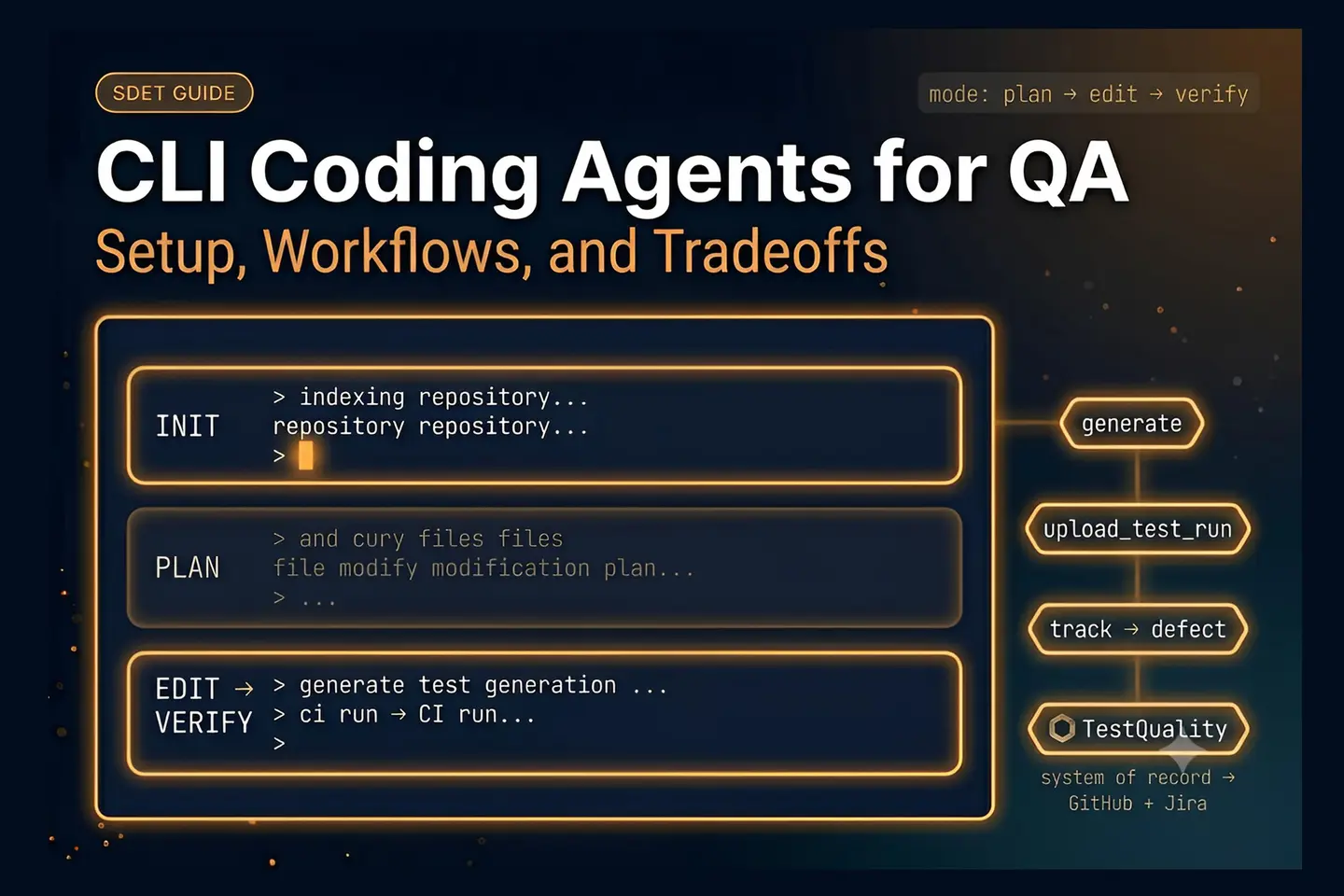
Second, adopt plan mode as a mandatory first step for any complex task. Plan mode forces the agent to enumerate every file it intends to modify and explain its logic before touching a single line. Review that plan the same way you would review a pull request. Only switch to edit mode once the approach is approved.
Third, for agentic testing with Playwright and other browser automation workflows, configure a Model Context Protocol (MCP) connection. MCP acts as a live bridge between the CLI agent and the browser automation tool — enabling the agent to open pages, interact with DOM elements, and read console errors during generation rather than guessing at the UI state.
How do you use a CLI agent to generate and maintain test cases?
You generate and maintain tests by replacing ad hoc prompts with reusable skill files. A skill file is a structured instruction set saved in your repository that encodes your team’s naming conventions, assertion patterns, setup and teardown standards, and logging rules. The agent reads the skill file at the start of every session and applies those rules automatically.
The maintenance case is where CLI agents are most compelling. Rather than manually tracing how an API contract change ripples through your test suite, you feed the updated Swagger documentation into the terminal and instruct the agent to locate and update every affected request payload. This same pattern applies to an AI test case generator for Jira workflows: when a ticket’s acceptance criteria change, the agent can re-draft the corresponding test cases without requiring the SDET to restart from scratch.
Independently, the Anthropic Claude Code product page documents that CLI agents are now running the full maintenance loop autonomously — reading CI failure output, modifying the relevant code, and re-running the suite until all checks pass. That capability is available today, and the entry point is disciplined skill file authorship. <!– CUSTOM HTML BLOCK: MID-ARTICLE CTA –> <div style=”background:#eef4ff;border:1px solid #c0d4f5;border-radius:6px;padding:36px 40px;margin:48px 0;text-align:left;”> <p style=”font-size:1.1em;font-weight:700;color:#3b6fd4;text-transform:uppercase;letter-spacing:0.1em;margin:0 0 12px 0;”> Try It Now </p> <p style=”font-size:1.35em;font-weight:700;color:#1a1a2e;margin:0 0 16px 0;line-height:1.3;”> Turn Acceptance Criteria Into Structured Test Cases — Instantly </p> <p style=”color:#333;line-height:1.8;margin:0 0 28px 0;”> Paste any user story into <strong>TestStory.ai</strong> and watch the orchestration layer generate structured, Gherkin-formatted test cases instantly — covering happy paths, edge cases, and the failure scenarios your team would typically miss. No account required. </p> <div style=”display:flex;flex-wrap:wrap;gap:12px;justify-content:flex-start;”> <a href=”https://testquality.com/free-test-case-builder/” target=”_blank” rel=”noopener” style=”display:inline-block;background:#3b6fd4;color:#fff;padding:15px 34px;border-radius:4px;font-weight:700;text-decoration:none;”> Try TestStory.ai Free → </a> </div> <p style=”margin:16px 0 0 0;font-size:.85em;color:#6b7fa8;”> No credit card required. </p> </div>
How do you integrate CLI agents into a CI/CD pipeline for automated test runs?
You integrate CLI agents into CI/CD by configuring them to run headlessly — triggered by pipeline events like a failed nightly suite — where the agent reads failure logs, diagnoses the broken test, and can push a corrected commit back to the branch without interactive input.
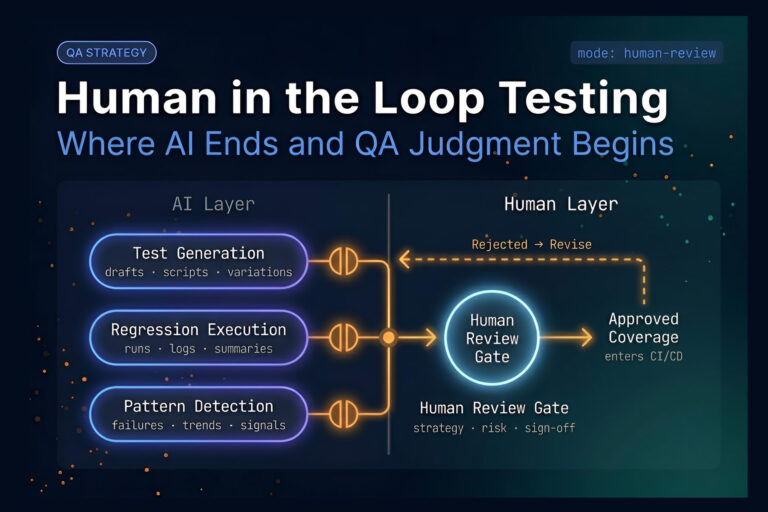
The key configuration shift is removing any interactive prompts from the agent’s startup sequence. Pipeline runners have no terminal for you to approve plan mode output, so teams typically either pre-approve an agent scope (test files only, no production code) or add a required human review step before any AI-generated fix merges to main.
According to a demonstration by Cursor VP Lee (via Greg Isenberg’s YouTube channel), advanced engineering teams are already running CLI agents headlessly in CI to audit for security vulnerabilities, resolve build failures, and push fixes — all without human intervention at execution time. Following an agentic SDLC guide helps teams establish the boundaries that make this safe: which directories the agent can modify, which branch targets are off-limits, and when a human approval gate is required.
Where does test management fit when a CLI agent is running your test loop?
Test management provides the permanent system of record for everything CLI agents produce. Without it, agent-generated tests live only in terminal sessions — no run history, no trend data, no traceability to defects.
TestStory.ai connects with MCP-compatible agentic tools — Cursor, Claude Code, VS Code with Copilot, and Roo — making test case generation a native step inside CLI workflows. Once the agent drafts and refines test cases in the terminal, those assets need a structured home.
TestQuality functions as that system of record. After your CLI agent finalizes a test suite, Playwright (or your framework of choice) outputs results in JUnit XML format. You then use the TestQuality CLI — specifically the testquality upload_test_run command — to push those results into a named project and test cycle. From that point, run history is tracked automatically: pass/fail trends, flakiness detection, and execution metadata accumulate across every subsequent run. When a tester confirms a genuine failure, they log the defect in TestQuality and its GitHub and Jira integrations sync the defect record to the team’s tracker. Terminal experiments become traceable, long-term testing assets.
What are the real tradeoffs of using CLI coding agents in QA workflows?
The primary tradeoff is verification overhead. CLI agents operate quickly and confidently — they will generate a test that executes cleanly while asserting the wrong conditional, creating a false positive that outlives the agent session. Catching that requires the same rigor you would apply to reviewing a junior developer’s pull request.
Research cited by Mackard in the YouTube analysis “Why Replacing Developers with AI is Going Horribly Wrong” documents a 19% velocity drop for some engineers who average 11 hours per week verifying and correcting subtle AI-introduced errors. That figure is not a reason to avoid CLI agents — it is a planning input. Teams that treat agent output as pre-reviewed code will absorb that productivity loss invisibly. Teams that build explicit review checkpoints into their workflow — plan mode approval, Git commits before any agent edit, dedicated review time in sprint planning — recover it.
The other tradeoff is context contamination. A single misunderstanding of your architecture can propagate through multiple files in seconds. The mitigation is the same discipline that governs any agentic QA workflow: tight context scoping, skill files that encode your actual standards, and version control as a rollback mechanism. The engineers who get the most out of CLI coding agents are not the ones who trust the output most — they are the ones who verify it most systematically.
Technical Deep Dive FAQ
What is a CLI coding agent?
A CLI coding agent is an AI assistant that runs inside a terminal and interacts directly with a repository’s file system. Unlike browser-based AI tools that require manual code pasting, a CLI agent indexes the project directory at launch, reads framework configuration files, executes shell commands, and performs multi-step tasks — such as refactoring a test suite or diagnosing a CI failure — without requiring a graphical interface or per-step user input.
What does an agentic QA engineer actually do differently?
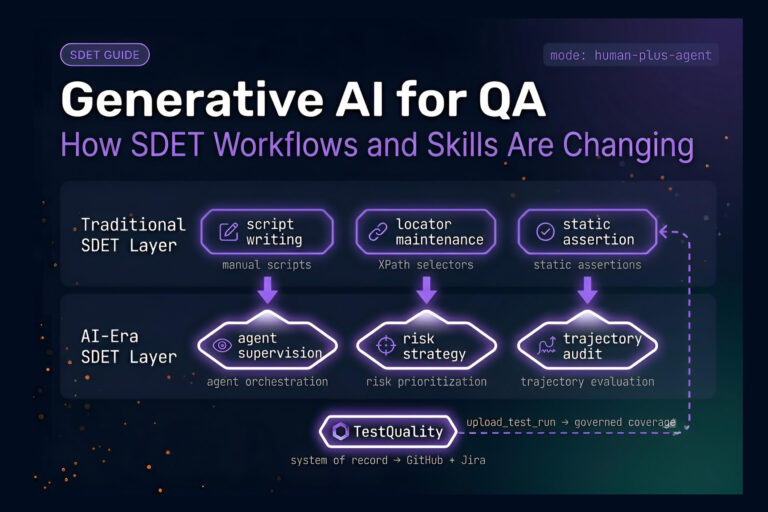
An agentic QA engineer delegates repetitive, context-heavy tasks — selector updates, coverage gap analysis, test scaffolding, CI failure triage — to CLI agents and shifts their own focus to test strategy, output verification, and quality infrastructure. The role does not disappear; it moves up the abstraction stack. The engineer defines the standards the agent must meet, authors the skill files that encode those standards, reviews agent output, and owns the judgment calls the agent cannot make reliably.
How do I prevent a CLI agent from breaking my existing test framework?
Three controls reduce risk significantly. First, always run plan mode before edit mode — the agent lists every file it intends to touch and explains its approach before writing a single line. Second, commit your current state to Git before any agent session that involves file edits; if the output is wrong, a hard reset restores your baseline in seconds. Third, scope the agent’s launch directory to your test project root rather than a parent directory, which limits the blast radius of any misinterpretation.
What is a skill file and why does it matter for test generation?
A skill file is a structured instruction set saved in the repository — typically a markdown or plain text file — that encodes the team’s testing standards: naming conventions, assertion patterns, setup and teardown sequences, logging rules, and any custom library usage. When a CLI agent reads a skill file at session start, it applies those rules to every test it generates or modifies. Skill files eliminate the need to re-explain standards in each prompt and are the primary mechanism for producing consistent, reviewable agent output at scale.
What is the difference between an MCP connection and a skill file?
A skill file is a text-based instruction set — it tells the agent how to write code according to the team’s standards. A Model Context Protocol (MCP) connection is an active communication bridge that allows the agent to operate external software in real time. In a QA context: skill files govern how the agent writes a test; an MCP connection to Playwright allows the agent to actually open a browser, navigate to a URL, and read live DOM state while generating or validating that test. Both are useful; they operate at different layers.
Can CLI coding agents run headlessly in a CI/CD pipeline without human input?
Yes, with the right guardrails in place. Headless CLI agent runs in CI require removing all interactive prompts from the agent’s startup sequence, pre-defining the directories and file types the agent is authorized to modify, and typically adding a human approval gate before any AI-generated fix merges to the main branch. Teams with mature agentic workflows scope pipeline agents narrowly — test files only, no production code — and treat auto-merge as a capability to earn gradually rather than a default starting point.
How does JUnit XML connect CLI agent test output to TestQuality?
Once a CLI agent generates and runs a test suite, the test framework — Playwright, pytest, JUnit, Cypress — outputs results in JUnit XML format via its reporter configuration. The TestQuality CLI then uploads that XML file using the testquality upload_test_run command, associating results with a named project and test cycle in TestQuality. From that point, pass/fail history, trend data, and flakiness patterns accumulate automatically across every subsequent run. Defect logging from failed tests remains a deliberate manual step — a tester reviews the failure and confirms whether it represents a genuine defect before logging and syncing to GitHub or Jira.
Will CLI coding agents replace SDET roles?
No. CLI agents accelerate the mechanical, context-heavy parts of test work — scaffolding, selector updates, failure diagnosis, bulk refactoring — but they lack the judgment required for test strategy, risk prioritization, and architecture-level coverage decisions. The SDET role is evolving from writing boilerplate code to orchestrating agents, setting the quality bar they must meet, verifying their output, and owning the infrastructure that makes that verification systematic. That is a more strategic role, not a smaller one.
Key Takeaways
What to Take Into Your Next Sprint
Six things worth remembering when you pick up a CLI coding agent for the first time.
Launch from the project root: Scoping the agent to your test directory at startup is the single fastest way to improve output quality — broad context degrades focus.
Plan mode before edit mode — always: Treating the plan output as a pull request to review is the primary control mechanism against context contamination and framework breakage.
Skill files are the multiplier: Agents that read a structured skill file produce consistent, reviewable output at scale; agents running on ad hoc prompts produce inconsistent output that costs more to verify than to write manually.
The 19% velocity drop is a planning input, not a dealbreaker: Teams that build explicit review checkpoints into sprint planning recover the overhead that teams treating agent output as pre-approved code absorb invisibly.
JUnit XML + CLI upload closes the traceability gap: Agent-generated tests become long-term assets only when they move from the terminal into a named project and cycle in TestQuality — run history, trend analysis, and defect linkage depend on that step.
CI integration earns trust incrementally: Scoping pipeline agents to test-file modifications only, with a human approval gate before merge, is the baseline. Auto-merge is a capability to reach after the team has verified the agent’s judgment repeatedly — not a starting configuration.
“The engineers who get the most out of CLI coding agents are not the ones who trust the output most — they are the ones who verify it most systematically.”
Start Free Today
Transition from Script-Writing to Outcome-Orchestration
TestStory.ai generates structured test cases from your user stories, acceptance criteria, or architecture diagrams — then syncs them directly into TestQuality for execution, tracking, and team collaboration. Whether your CLI agent drafts the first version or your team writes tests manually, TestQuality gives every run a permanent home with full trend history and GitHub/Jira defect linkage.
✦ Get 500 TestStory.ai credits every month included with your TestQuality subscription — no extra cost.
No credit card required on either platform.