
Unified AI-Powered QA Test Management
From test planning to test case management to measuring and reporting, TestQuality’s unified, AI-driven platform has every feature you need to run a high-performance testing process.
AI Test Case Generation
TestQuality includes the TestStory.ai test case generator (in preview). Quickly generate quality manual test cases from user stories, epics or issues, imported from Jira, Linear or GitHub.
TestQuality plans include 500 TestStory AI credits per month (one test case generation per credit). Use TestQuality’s AI model, powered by Google Gemini, or bring your own key and use any model you choose. TestStory runs on TestQuality’s QAMind AI engine on top of foundation models from Google, OpenAI and Anthropic.
Try TestStory.ai free →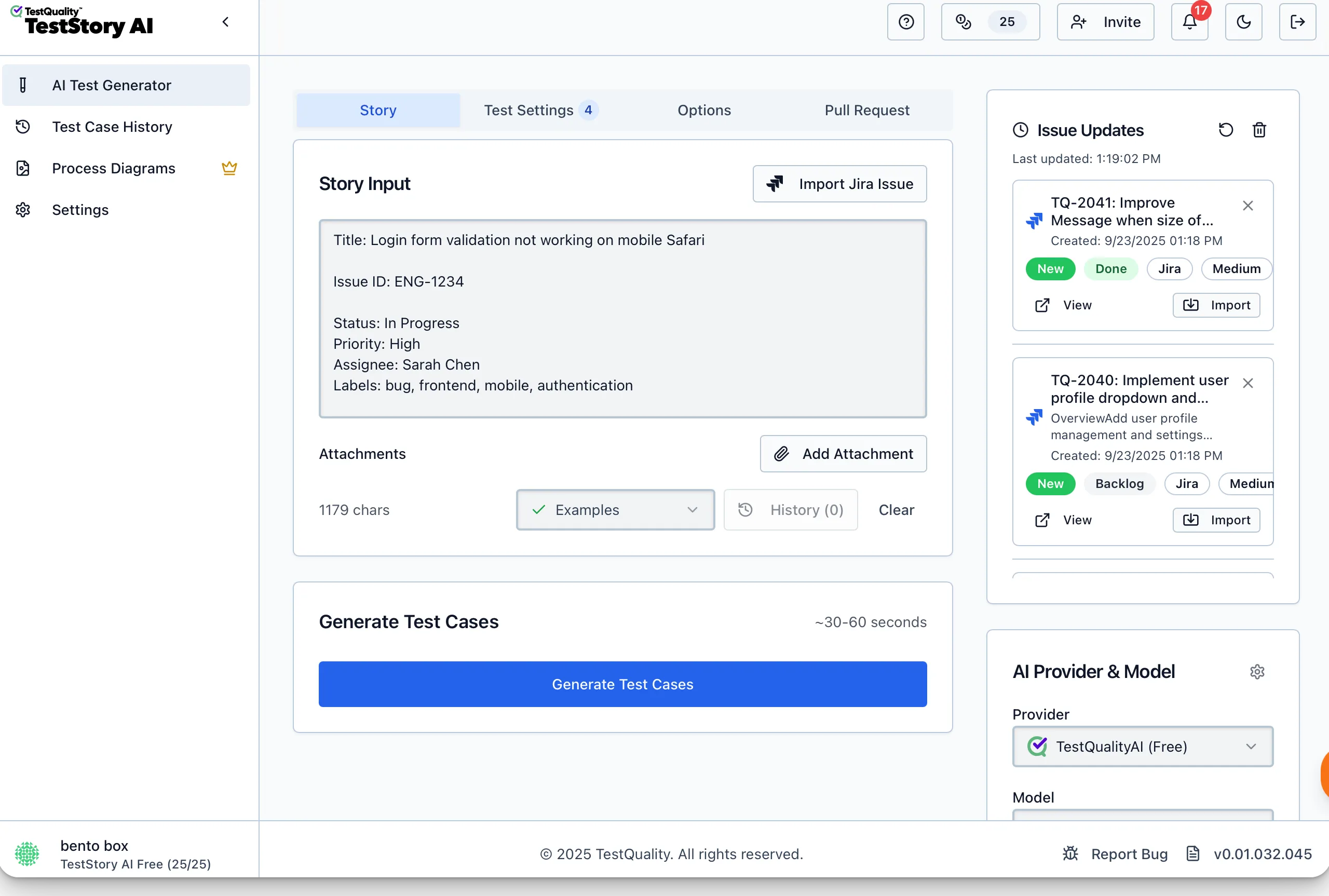
Free test case builder
Build step-by-step test cases with screenshots, steps, expected results and more.
Rich markup
Notion-style formatting makes steps, screenshots, instructions and expected results easy to follow.
Free test case hosting
Share test cases across QA and dev teams, and run manual testing with TestQuality’s unified test management.
QA Test Plan Builder
A solid test plan should guide your team and anchor your QA effort. In most test management tools a test plan is just a group of tests. With TestQuality your plan is more than a document: objectives, scopes, strategies and milestones drive your whole test management process.
Start with the free Test Plan Builder →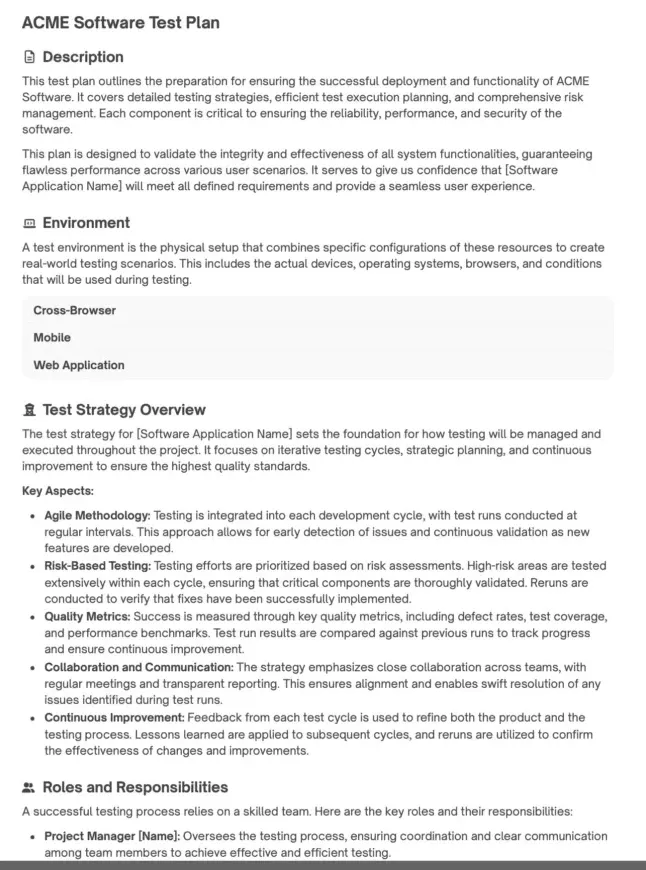
Free test plan builder
Forget templates and spreadsheets. Build a world-class plan for your QA strategy, goals and milestones.
Live test plan sections
Environments, case types, schedules and milestones, phases and cycles that guide and drive your testing, not just document it.
Free test plan hosting
Host and share plans with your QA and dev teams and present them to stakeholders, then execute them in TestQuality.
Unified Test Management
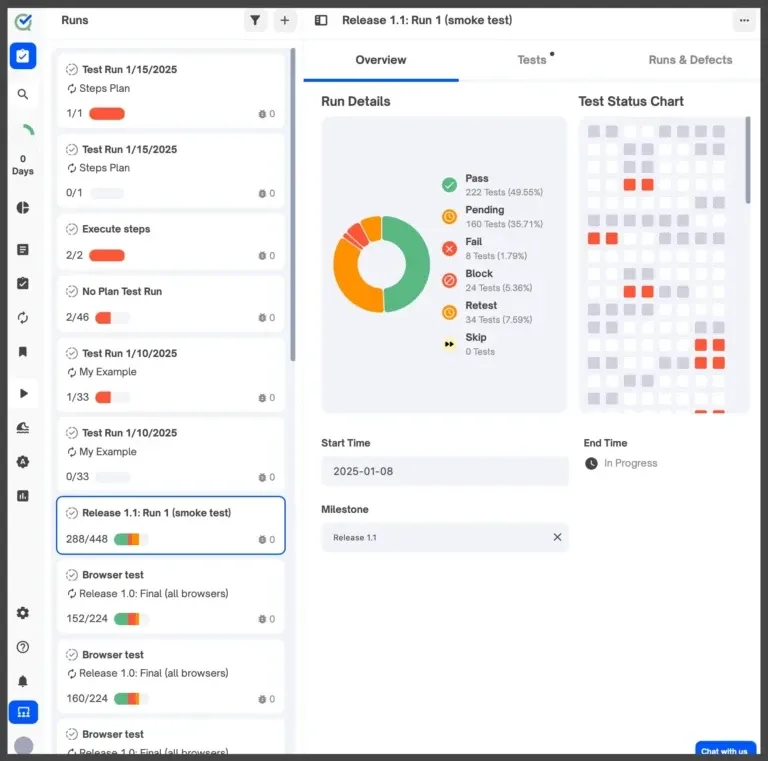
Keep all your testing organized in one place. A centralized, unified test repository makes tests easy to find and manage, avoids redundancy, and keeps testing consistent from release to release.
Centralized test repo
Create, organize and track test cases in folders, with repeatable test cycles for each testing phase.
Import test cases
Migrate from CSV, XML, Gherkin, TestRail or other tools via the UI, CLI or API.
Custom fields
Custom fields on test cases and cycles, optional or mandatory.
Reports & dashboards
Report on every aspect of your testing, with at-a-glance status dashboards.
Insights
Measure quantity, quality, reliability and manual/automated mix over time, and spot flaky or low-value tests.
Test parameterization
Datasets create variations of a test automatically when it’s sent to a run.
To-do lists
Every user has a to-do list of their pending tests, assignable in cycles, cases or runs.
Watchlists
Get notified in TestQuality and Slack about runs and failures on watched projects, folders, tests and cycles.
Notifications
Alerts in TestQuality and Slack for failures, milestones or any testing event you choose.
Exploratory and Ad hoc Testing
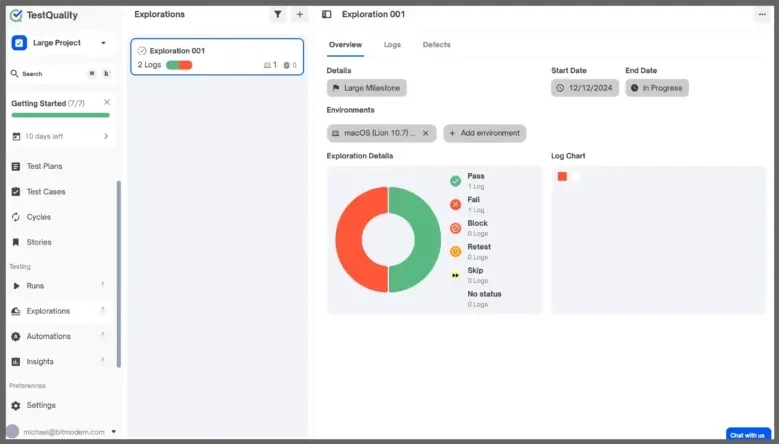
Explorations let testers run ad hoc and exploratory testing without predefined test cases or scripts, so they can dig into areas that need deeper analysis or sit outside the structured test cycle.
GitHub Pull Request (PR) Testing
TestQuality’s exclusive GitHub PR testing makes sure every pull request is thoroughly tested before it’s merged, keeping your main branch intact and your development workflow moving.
GitHub test management →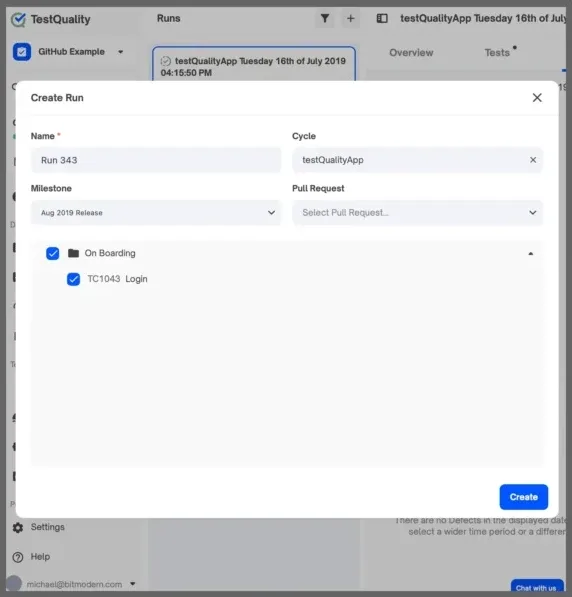
Gherkin / BDD Testing
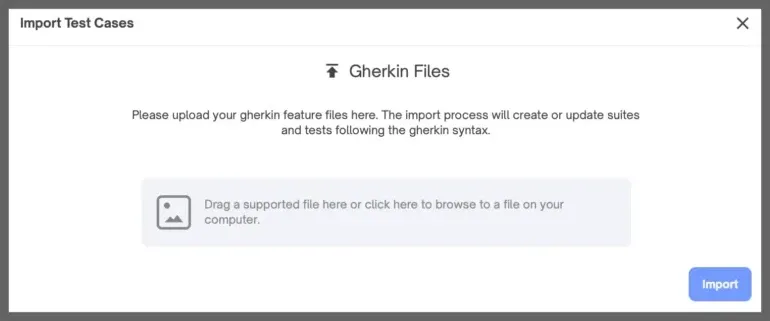
Drive your Behavior Driven Development testing: drag and drop Gherkin feature files into TestQuality, assign them to cycles and milestones, and start testing. TestQuality also integrates with Cucumber to manage and report your Cucumber results.
Gherkin import
Drag and drop feature files and start BDD testing in minutes.
Cucumber integration
Manage, organize and report Cucumber test results in TestQuality.
BDD to test case
BDD features map to traditional test steps, so any tester can test them without mastering Gherkin.
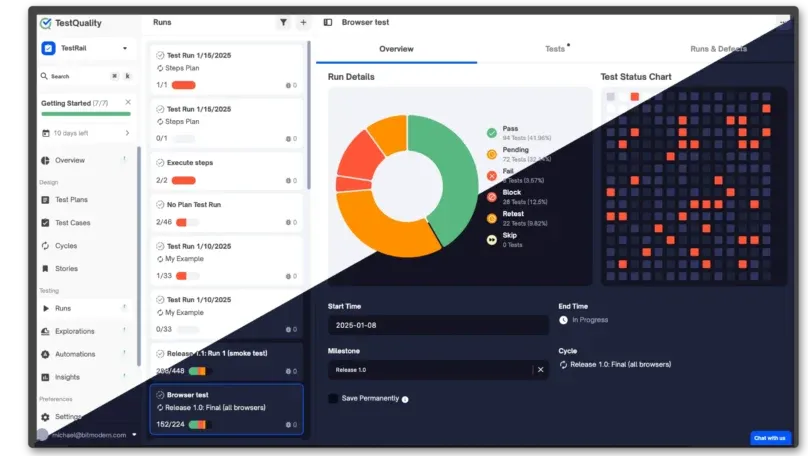
Light or dark
Choose light or dark mode, and switch at any time. Every tester on your team can pick their own preference.
What only TestQuality does
- 01
Test plan driven
The only test management solution that helps you build a robust, results-driven test plan and then powers your test management directly from it.
- 02
100% history log
Every user and database action is logged and retained for reporting and auditing, for full traceability and accountability.
- 03
Manual to automation
Built for a blended mix of manual and automated testing, helping teams automate more and more of their tests over time.
All TestQuality Features
What’s included in each plan. See pricing for seats and prices.
| Feature | Free | Team & Business | Enterprise |
|---|---|---|---|
| Test Plan Authoring | |||
| Objectives, Scopes, Roles & Responsibilities, Requirements, Deliverables, Risks & Mitigations, Test Strategy, Tasks, and Entry & Exit Criteria | |||
| Milestones | |||
| Visual Test Plan Builder | |||
| Test Plan Document Hosting and Sharing | |||
| Test Plan Versioning | |||
| Customer Experience & Support | |||
| Priority Support | |||
| Regular customer check-ins | |||
| Personalized 1:1 Demos | |||
| Fast Avg Issue Response Time | <24hrs | <24hrs | |
| Onboarding and Migration Assistance | |||
| Feature Requests and Upvoting | |||
| Interfaces | |||
| Web Browser | |||
| Jira App | |||
| API | |||
| Scriptable CLI (Command Line) | |||
| Integrations | Jira Stories | 30+ | 30+ |
| Unified Test Management | |||
| Manual Testing | Test Case Authoring | ||
| Automation Testing Integration | |||
| BDD (Gherkin) Testing | |||
| Ad hoc / Exploratory Testing | |||
| Shift-Left / Developer First Testing | |||
| GitHub Pull Request Testing | |||
| Enterprise Features | |||
| SSO (Single Sign On) | |||
| Test Parameterization | |||
| Auditing | |||
| Project Admin Permissions | |||
| Priority Support | |||
| Test Case Design and Authoring | |||
| Create, View, Edit, and Clone Test Cases | |||
| Test Case Link to Defect (GitHub & Jira) | |||
| Test Case Link to User Stories | |||
| Labels, Attachments, and comments on Test Cases and Cycles | |||
| Native Support for BDD (Gherkin / Cucumber) | |||
| Test Case Organization | |||
| Hierarchical Test organization | |||
| Flexible User Permissions and Roles | |||
| Searching and Filtering in Test Plans and Cycles | |||
| Test Runs | |||
| Create, Edit, and Clone Test Runs | |||
| Ad hoc Test Runs (Exploratory Testing) | |||
| Personalize Test Run Statuses | |||
| Branch Support | |||
| Measure | |||
| Track requirement coverage & status directly on issues, as an attribute | |||
| Watch/Follow Notifications | |||
| Dashboards and Reports | |||
| Track progress on Test Execution/Cycles | |||
| Configuration | |||
| CLI for Automation Integration | |||
| Multi-level Customizable Permissions | |||
| Integrations | |||
| GitHub | |||
| Jira (Integration and Native App) | Jira Stories | ||
| Selenium | |||
| Playwright | |||
| Cypress | |||
| PyTest | |||
| JUnit, NUnit, PyUnit | |||
| TestNG | |||
| Cucumber (Gherkin) | |||
| Jenkins | |||
| CSV/XML Import & Export | |||