Evaluating an AI test case builder is less about how flashy the AI looks in a demo and more about how cleanly it drops into the stack your team already runs.
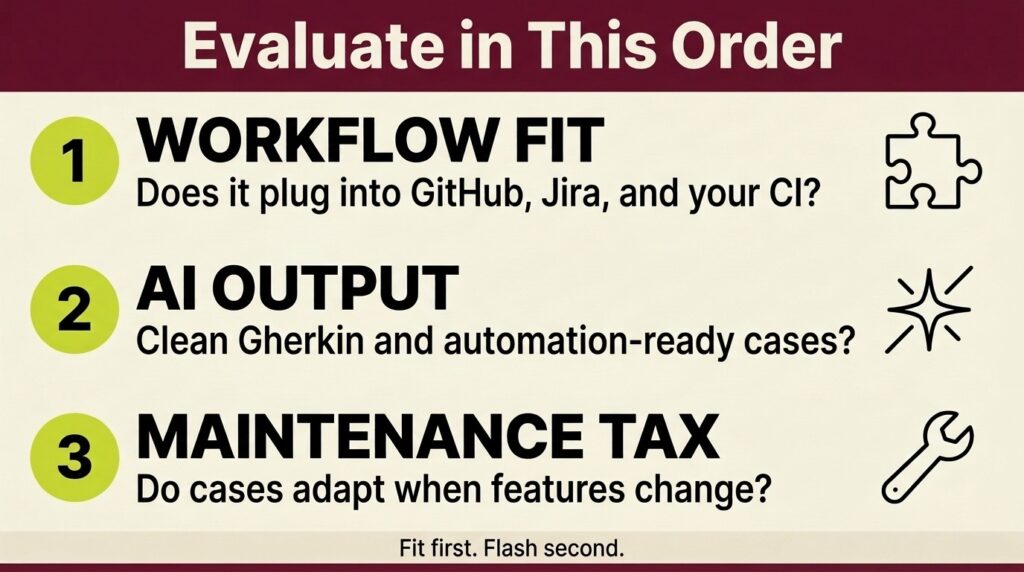
- Integration complexity is the top barrier to scaling AI in quality engineering, so tools that plug into GitHub, Jira, and your CI pipeline earn points before the AI is ever judged.
- Output format is a make-or-break detail: the best fits export clean Gherkin, BDD, and automation-ready cases your frameworks already understand.
- Human review gates and requirements-to-test traceability separate tools that build trust from tools that create rework.
- A real trial means running your actual requirements through the tool, not admiring a vendor's curated demo dataset.
Score every candidate on workflow fit first and raw AI output second, and you will end up with test building software your team actually opens on a Monday morning.
Most teams shopping for an AI test case builder start with the wrong question. They ask, "Which tool writes the best test cases?" when the question that predicts success is "Which tool disappears into the way we already work?" That distinction matters more than ever. The World Quality Report 2025 found that while roughly 89% of organizations are piloting or deploying generative AI in quality engineering, integration complexity is the single biggest barrier to scaling it, cited by 64% of respondents. A solid AI test case builder evaluation treats that finding as the headline, not a footnote.
This guide walks QA engineers and developers through a workflow-first way to compare AI-driven testing tools so the winner is the one that fits your pipeline, not the one with the loudest launch video.
What Does AI Test Case Builder Evaluation Mean for Your Workflow?
An AI test case builder evaluation is the process of scoring candidate tools against how your team plans, writes, executes, and maintains tests day to day. Two tools can generate near-identical scenarios from the same user story, yet one saves you hours a week while the other adds a copy-paste tax every sprint. The difference is almost never the model. It's where the tool sits relative to your requirements, your repos, and your reporting.
Why Workflow Fit Beats Raw AI Quality
Raw generation quality is real, but it hits a ceiling fast. Once several tools can turn a requirement into structured Given/When/Then steps, the marginal quality gains shrink and the friction costs take over. A tool that produces beautiful cases you have to manually re-enter into your test management system is slower than a slightly plainer tool that writes directly into your workflow. Your evaluation should weight workflow fit heavily. You're not buying a generator in isolation. You are buying a change to how your whole quality process moves.
Where Test Building Software Slots Into Your Stack
Before you score a single tool, map where test building software would actually live in your stack. Does it read requirements straight from Jira, or do you paste them in? Does it push generated cases into the same place your team already tracks runs or into a separate silo you now have to reconcile? Teams that skip this mapping tend to fall for demos and regret it during rollout. The tools that win here treat generation as one step inside a connected chain, which is the same principle behind learning to automate test case creation without breaking the systems you rely on.
Which Evaluation Criteria Matter Most When Your Stack Is Already Built?
If your team is starting from a blank slate, you can weight AI cleverness more heavily. Most teams are not. You already have a source control host, an issue tracker, a CI system, and probably a few automation frameworks. That existing stack should drive your scorecard. The criteria below are ordered for teams whose infrastructure is already in place, which describes the majority of the QA world.
Integration Depth With GitHub, Jira, and Linear
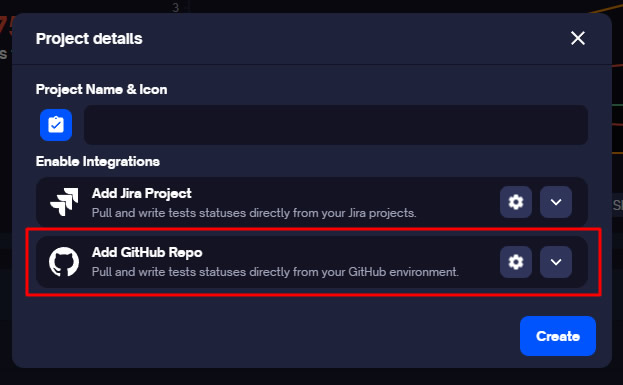
Integration is where most AI test case generation tools fail. Surface-level connectors that export a CSV are not the same as live, two-way sync that links a scenario to the pull request and issue it validates. Deep integration means that a status change in your tracker is reflected in your tests and vice versa, with no manual reconciliation. When you evaluate, push a real scenario through and confirm it lands linked to the right GitHub pull request and the right Jira or Linear issue. If it does not, you will pay for that gap every sprint.
Output Formats: Gherkin, BDD, and Automation-Ready Cases
The format a tool emits determines how much rework you inherit. For teams practicing behavior-driven development, clean Gherkin output that your Cucumber or SpecFlow suites can consume directly is non-negotiable. For automation-heavy teams, you want cases structured so they map cleanly to your existing scripts. A tool that only produces prose descriptions forces a translation step that erases the time savings you bought it for. Check that a candidate can generate Gherkin scenarios and parameterized cases in the formats your pipeline already speaks.
Human Review Gates and Traceability
Speed without a review gate is how you build automation debt. Every generated case should pass through a human checkpoint before it enters an active regression suite, and every case should trace back to the requirement that spawned it. That traceability turns a pile of AI output into an auditable quality picture. Tools that surface a clear review step and keep requirements-to-test links intact are the ones that scale past the pilot phase.
Because your existing stack should drive the weighting, the table below reframes the usual criteria list around workflow fit rather than treating every factor as equal.
| Evaluation criterion | What to check during the trial | Why it matters for workflow fit |
| Integration depth | Live two-way sync with GitHub, Jira, Linear, and CI | Removes manual reconciliation; the #1 scaling barrier |
| Output format | Clean Gherkin, BDD, and automation-ready structure | Prevents re-entry and translation rework |
| Review gates | Human approval step before cases hit regression | Controls hallucinations and builds team trust |
| Traceability | Requirement-to-test links preserved automatically | Turns generation into an auditable coverage story |
| Maintenance behavior | How cases adapt when features change | Predicts the long-term maintenance tax |
| Data handling | Where prompts and code are sent and stored | Protects IP and satisfies privacy review |
How Do the Best AI Tools for QA Testing Handle Real Workflows?
There is no single "best" tool, only the best fit for how your team works. Still, the market sorts into a few recognizable categories, and knowing them speeds up your shortlist. When people search for the best AI tools for QA testing, they are usually comparing across these four types without realizing that the categories imply very different workflow tradeoffs.

- Standalone AI generators and prompt assistants. These are flexible and cheap, and they shine for quick, one-off scenario drafting. The catch is that they live outside your stack, so everything they produce still has to be moved into your test management system by hand.
- AI-native automation platforms with self-healing. These lead on UI and end-to-end execution and adapt scripts when interfaces shift. They carry a heavier setup lift and can pull you toward a specific framework, which matters if your team is already invested elsewhere.
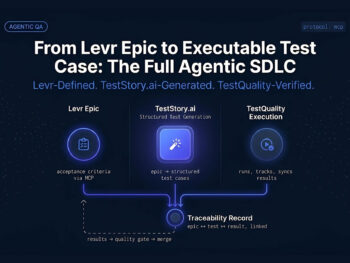
- AI baked into a test management platform. Generation, review, traceability, and reporting sit in one place. As one example in this category, TestQuality pairs AI test generation with native GitHub and Jira integration, drag-and-drop Gherkin feature file import, and QA Agents that assist from case creation through execution and maintenance, so generated cases land already linked to requirements and runs. Its companion tool, TestStory.ai, turns user stories into structured cases in Gherkin or BDD format and syncs them straight into the workflow, which keeps the review-and-execute loop in a single tool.
- In-house LLM setups via API or MCP. Building your own with a model API or Model Context Protocol connectors gives maximum control and customization. It also hands you maximum maintenance, since you now own the prompts, guardrails, and integrations yourself.
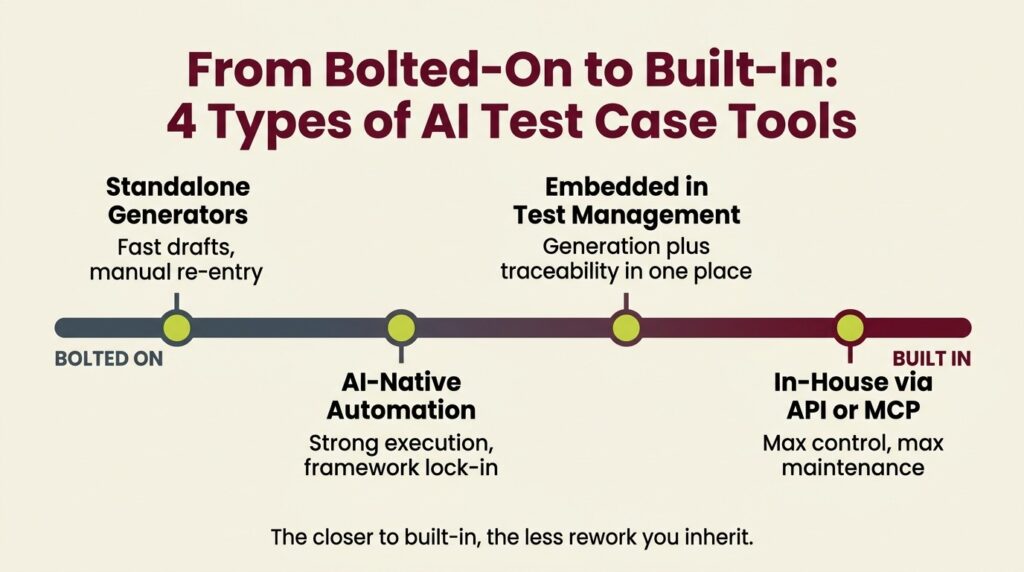
For most teams, the practical shortlist lands between categories two and three because those are the AI test case generation tools that keep generated work connected to the rest of the quality process. If you want a deeper look at how the underlying technology sorts these tools, this breakdown of how AI generates and manages test cases is a useful companion read.
What Should You Actually Test During a Trial?
A trial is where an AI test case builder evaluation either proves itself or exposes the gaps a sales deck hid. The mistake is running the vendor's sample project, which is engineered to look perfect. Bring your own mess instead. Use a genuinely ambiguous requirement, a legacy feature, and a fresh user story, and see how the tool behaves across all three.
Run Your Real Requirements Through It
Feed the tool the kind of half-formed requirement your product managers actually write, not a textbook example. The goal is to see whether it asks smart, clarifying questions or confidently generates cases for the wrong interpretation. Then check whether the output lands in your workflow, linked and ready, or as an orphaned document you have to file yourself.
Check Coverage Beyond the Happy Path
Any tool can test the golden path. The value is in the edge cases, negative scenarios, and boundary conditions that a tired human skips at 4 p.m. on a Friday. Prompt the tool specifically for those, then have a senior tester grade the results because trust is the real bottleneck. The Stack Overflow 2025 Developer Survey found that 84% of developers use or plan to use AI tools, while only 29% trust the accuracy of their output. That gap is why your evaluation has to measure coverage quality with a human in the loop, not assume it.
Measure the Maintenance Tax
The cost you can't see in a demo is maintenance. Change a feature mid-trial, and watch what happens to the related cases. Do they adapt, flag for review, or silently go stale? A tool that self-heals or clearly surfaces what broke saves you the slow bleed of maintaining a test suite that drifts out of sync with the product. This single check often separates two tools that looked identical on day one.
Choose the Tool That Fits, Then Let It Do the Heavy Lifting
The best AI test case builder evaluation ends with a tool your team barely notices because it lives inside the workflow instead of beside it. Weight integration, output format, review gates, and traceability above raw generation flash, run your own messy requirements through the trial, and measure the maintenance tax before you commit. You'll pick test building software that speeds up quality instead of adding a new silo to manage.
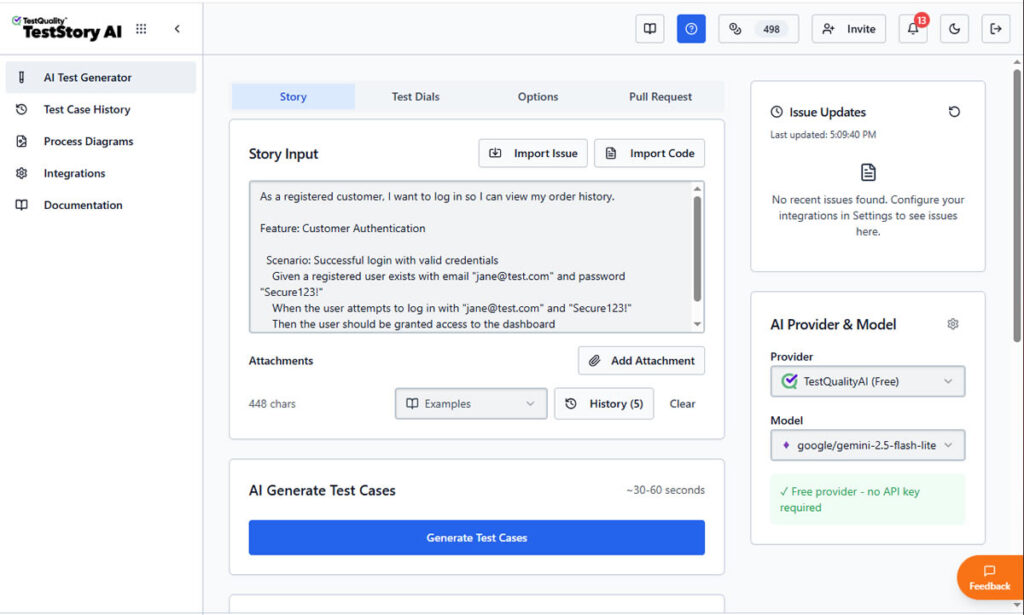
TestQuality is a QA platform with an AI-powered story-based test generation tool, native GitHub and Jira integration, Gherkin support, and QA Agents work together in one place, with TestStory.ai turning your user stories into review-ready cases through a chat-driven, agentic workflow. Try the free AI test case builder to generate cases from your own requirements, then start a free TestQuality trial and watch your evaluation criteria come to life inside your actual stack.
Frequently Asked Questions
What is the most important factor in an AI test case builder evaluation?
Workflow integration. A tool that generates strong cases but forces manual re-entry into your test management system will lose to a slightly plainer tool that writes directly into your GitHub, Jira, and CI workflow. Integration complexity is the top barrier to scaling AI in quality engineering, so weight it first.
How long should a trial of AI test case generation tools last?
Two to four weeks is usually enough to move past surface impressions. The first week covers basic functionality, and the following weeks reveal how the tool handles varied requirement types, edge cases, and maintenance when a feature changes. Shorter trials rarely expose the long-term maintenance tax.
Do the best AI tools for QA testing replace human testers?
No. They remove the repetitive drafting work so testers can focus on strategy, exploration, and edge cases. Because developer trust in AI output is still low, a human review gate before cases enter a regression suite remains essential for quality and traceability.
What output formats should test building software support?
At a minimum, look for clean Gherkin and BDD output for behavior-driven teams, plus an automation-ready structure that maps to your existing scripts. The right format prevents the translation rework that erases the time savings AI generation is supposed to deliver.
Can AI test case builders work with an existing automation framework?
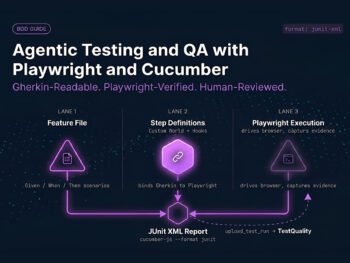
Yes. The strongest fits treat frameworks like Cucumber, SpecFlow, Selenium, and Playwright as complementary execution layers. They add generation, traceability, and reporting on top of your current automation rather than asking you to rip it out and start over.