
Test case management is the workflow modern QA teams use to organize, version, and scale test cases far beyond anything a spreadsheet can handle.
- A centralized, searchable repository replaces scattered spreadsheets and gives every tester one source of truth for what’s been tested and what hasn’t.
- Organizing test cases with folders, tags, priorities, and clear naming conventions makes large suites navigable and kills duplicate work.
- Version control and requirements traceability keep test cases accurate as the product changes, so a failure points straight to the code that broke.
- AI test case generation and QA agents are turning your test library from a passive archive into an active layer that helps create and maintain coverage.
If your test suite has outgrown its spreadsheet, a dedicated test case management tool is the upgrade that pays for itself inside the first sprint.
Your test suite started as a tidy spreadsheet. Ten cases, one tab, and everyone knew where everything lived. Then the product grew, three more testers joined, a second squad spun up, and now that file has 4,000 rows, six competing color-coding systems, and a version history that exists entirely in one person’s memory. Sound familiar?
Test case management is the discipline that keeps this scenario from happening. It’s the system that a modern test case management platform gives QA and dev teams to create, organize, execute, version, and maintain their test cases as both the product and the team scale. Done well, it’s the difference between testing that grows with your software and testing that collapses under its own weight.
The gap here is real and measurable. In one 2025 Applause survey of more than 2,100 software and QA professionals, only about a third of teams reported having comprehensive documentation for their test cases and plans. Most teams are running on partial coverage and hoping nobody notices. This guide breaks down how QA test case management actually works: how teams organize test cases, track them through constant change, and scale the whole operation without drowning in tabs.
What Is Test Case Management, Exactly?
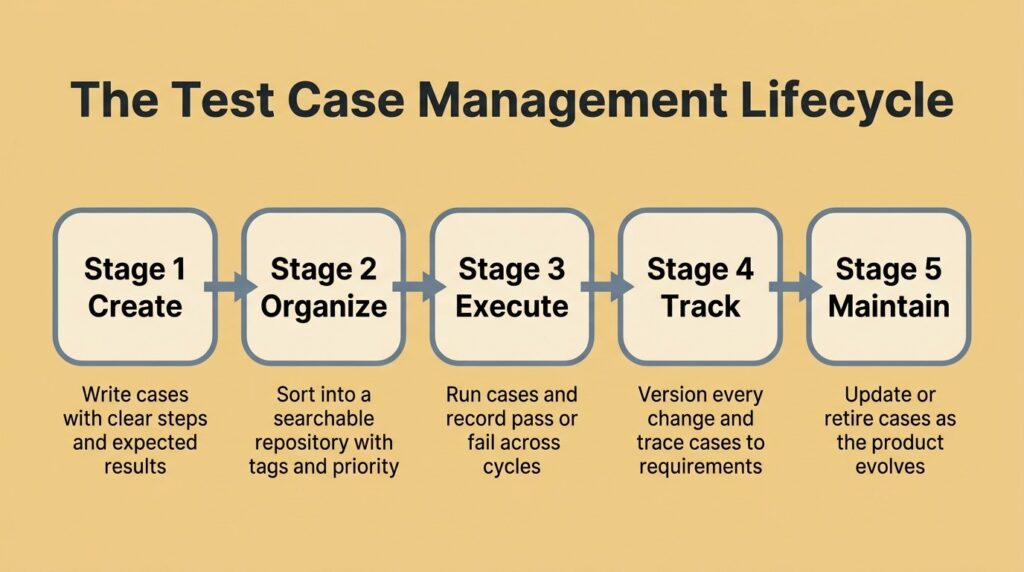
Test case management is the systematic process of creating, organizing, executing, tracking, and maintaining individual test cases across the software development lifecycle. Each test case is a small, self-contained check: a unique ID, an objective, preconditions, steps, and an expected result. The practice keeps thousands of those small checks accurate, findable, and tied to the software they’re meant to verify.
It’s easy to blur test case management with test management, but they’re not the same thing, and the distinction matters when you’re choosing a tool or assigning ownership.
How Is It Different From Test Management?
Test management is the wide-angle view. It covers the entire QA program: planning, resourcing, scheduling, risk, environments, and reporting across every testing effort, and a QA manager typically owns it. The case-management layer sits inside that and focuses on the lifecycle of the cases themselves, from the moment you write one to the day you retire it.
The whole team participates here because everyone touches the cases. Confusing the two is how you end up with beautiful high-level dashboards sitting on top of a test library nobody can navigate. You want both layers working, but the case layer is where daily testing lives or dies.
Why Do Spreadsheets Break Down as Your Test Suite Grows?
Spreadsheets are a reasonable place to start. They’re free, everyone knows how to use one, and for a solo tester with 50 cases, they work fine. The trouble is they scale poorly, right around the moment your testing actually starts to matter.
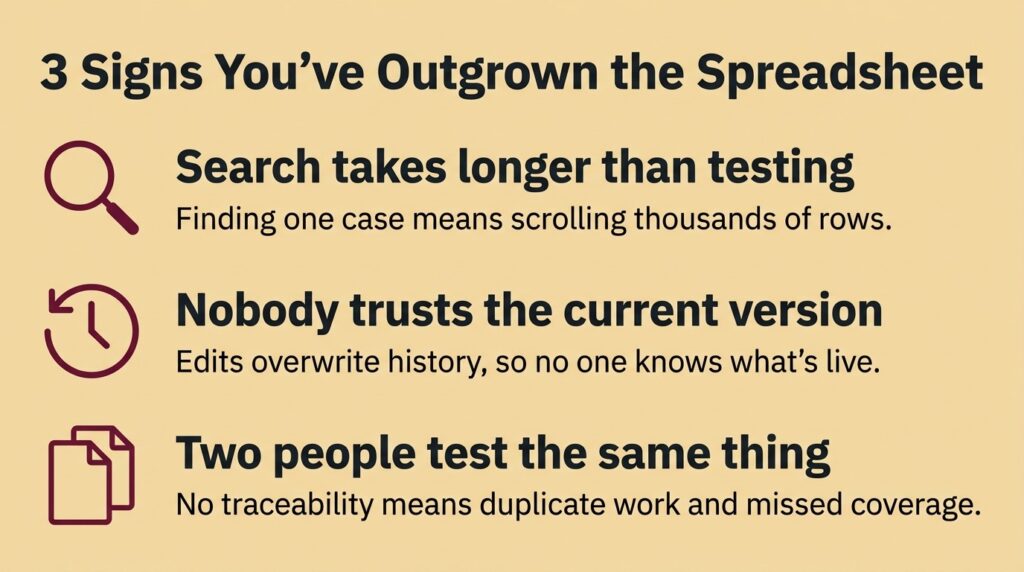
The common rule of thumb: once you pass roughly 200 test cases or more than three testers, a spreadsheet becomes a liability. Search slows to a crawl, onboarding takes days instead of hours, and two people test the same feature while an entire module goes unchecked. Generic project management tools fail from a different direction. They’re built for tasks and tickets, not test cases, so they can’t natively link a case to a requirement, track pass and fail history across cycles, or show your coverage at a glance.
Here’s where things tend to fall apart, specifically:
- No real version history. When a requirement changes, you overwrite the old steps and lose the record of what you used to test. Six months later, nobody can explain why a case looks the way it does.
- No traceability. Nothing connects a test case to the requirement it verifies or the defect it caught, so you can’t answer “is this feature actually covered?” without a manual audit.
- Tribal knowledge. Half the context, preconditions, and gotchas live in people’s heads, so the suite becomes unusable the moment a key tester takes a vacation or leaves.
To make the trade-offs concrete, here’s how the three common approaches stack up on the things that actually break at scale.
| Capability | Spreadsheet | Generic PM Tool | Dedicated Test Case Management Tool |
| Centralized, searchable repository | Limited | Partial | Yes |
| Version history on each case | Manual | Rarely | Built in |
| Requirements traceability | No | No | Yes |
| Execution history across cycles | No | Partial | Yes |
| Reuse cases across test runs | Copy-paste | Awkward | Native |
| CI/CD and issue-tracker integration | No | Limited | Yes |
| Comfortable past ~200 cases | No | Struggles | Designed for it |
Spreadsheets have a ceiling, and modern QA teams hit that ceiling faster than they expect.
How Do Modern QA Teams Organize Test Cases?
The heart of good test case management is structure a human can navigate without a map. If a tester can’t tell whether a case already exists in 30 seconds, they’ll write a duplicate, and duplicates are how suites bloat into something nobody trusts. Modern teams organize test cases around a few durable principles rather than whatever folder scheme felt right that afternoon.
Start With a Centralized Test Repository
Everything begins with a single centralized test repository: one place where every case lives, versioned and searchable, and visible to the whole team. A shared repository kills the “which spreadsheet is current?” problem and gives you a real answer to what’s been tested and what hasn’t. When developers see the same cases QA sees, the wall between the two teams gets a lot thinner.
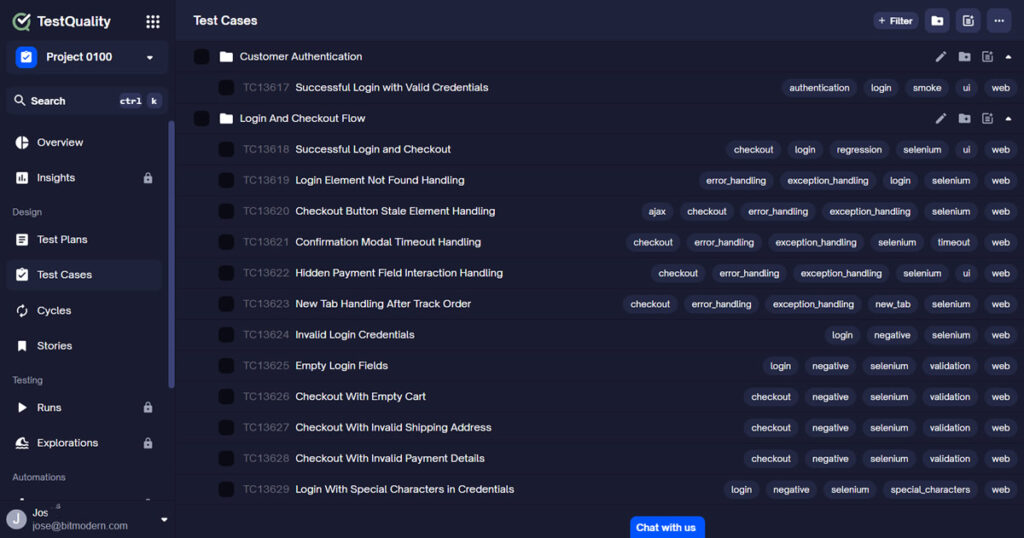
The repository is also where reuse becomes possible. Instead of rebuilding a smoke suite every release, you pull existing cases into a new run and keep their history intact, which saves more hours than most teams expect.
Use Hierarchy, Tags, and Priority to Stay Sane
Inside the repository, folders and suites help you organize test cases by module or feature, usually mirroring how the product itself is built. Tags cut across that hierarchy so you can pull every case marked @smoke, @regression, or @checkout on demand, regardless of where it lives. Priority levels tell you what to run when the clock is short and you can’t execute everything.
Good naming conventions tie it all together. A title like “Checkout, apply expired promo code, expect rejection” tells you exactly what the case does before you open it. Vague titles like “Test 47” are how libraries rot. It helps to look at real test case examples when you’re setting your own standard, since consistency makes the whole thing searchable later.
How Do You Track and Version Test Cases When Requirements Change?
Requirements change constantly, and every change ripples into your tests. The Applause survey found that 84% of teams struggle to reproduce defects with the test data they have on hand, often a symptom of cases and results that were never properly tracked. Tracking is the part of test case management that keeps your suite honest as the product moves underneath it.
Version control is the foundation. When you edit a case, a good tool preserves the prior version so you can see what changed, when, and why. That history is gold during audits, regression investigations, and those “wait, this used to pass” moments. Execution history does the same for runs: who ran the case, in which cycle, and whether it passed or failed, so you’re always working from evidence instead of vibes.
Link Everything With Requirements Traceability
The real payoff is requirements traceability: connecting each case to the requirement it verifies and each failure to the defect it produced. Forward traceability lets you confirm every requirement has tests behind it. Backward traceability lets a failed test point straight back to the feature and the code that broke. Teams that link their cases to different types of test cases and requirements can answer coverage questions in seconds instead of spending a day building a matrix by hand.
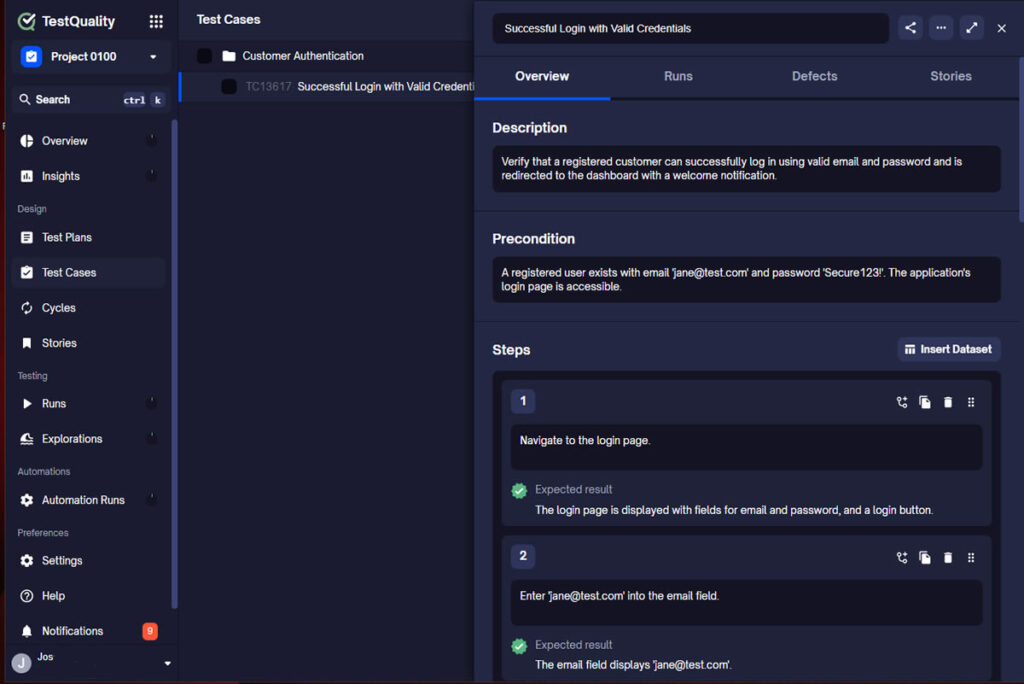
Traceability gets exponentially more useful when it reaches into the tools your developers already live in. When test statuses surface directly inside GitHub and Jira on the linked issue or pull request, QA and engineering finally share one view of quality, and shift-left testing starts being a workflow.

What Features Should a Test Case Management Tool Have?
Not every test case management tool is built the same, and the flashy feature list on a pricing page rarely matches what you’ll actually use. Weigh the capabilities that hold up as your suite and team grow, not the ones that demo well. Here’s a practical checklist.
- A centralized, searchable repository with folders, suites, and bulk editing, so large libraries stay navigable.
- Version control on every case, with side-by-side comparison of what changed between revisions.
- Requirements and defect traceability, ideally bidirectional, so coverage is a report and not a research project.
- Native integrations with your source control, issue tracker, and CI/CD pipeline, not clunky one-way exports.
- Support for both manual and automated results in one place, so your whole quality picture lives together.
- Customizable fields, statuses, and priorities, because your team’s terminology and workflow are not generic.
- Reporting that answers real questions: coverage, pass and fail trends, and release readiness at a glance.
If a tool nails these seven, the rest is polish. If it misses traceability or integration, no amount of polish will save you at scale, and you’ll be back in spreadsheet territory within a year.
How Do You Scale QA Test Case Management Across Teams?
Scaling is where QA test case management earns its place. Software teams are shipping faster than ever, and the broader software testing market has grown accordingly, reaching an estimated $54.44 billion in 2026 as organizations invest to keep quality up with velocity. More releases mean more cases, more cycles, and more people touching the same library, which is exactly the load informal systems can’t carry.
Scaling it well comes down to a few moves. Reuse cases aggressively across runs instead of rebuilding suites. Keep one shared repository as the source of truth rather than letting each squad fork its own. Wire automated results back into the same system so manual and automated coverage report together. And integrate testing into your CI/CD pipeline so every commit triggers the right checks and results land where the team already looks.
Where AI and QA Agents Change the Game
The newest shift is the move from passive test libraries to an active, AI-driven quality layer. Instead of a repository that just stores what you type, modern platforms use QA agents that proactively help across the workflow, from drafting cases to flagging coverage gaps to keeping suites current as the app evolves.
A big piece of that is AI test case generation. Tools that generate test cases from your user stories with AI can turn a requirement or epic into structured, ready-to-run cases in seconds, including Gherkin and BDD formats. That doesn’t replace tester judgment; it removes the blank-page grind so testers spend their time on the edge cases and exploratory work that actually need a human. For teams scaling both human-written and AI-generated code, an active quality layer is quickly becoming the baseline.
Frequently Asked Questions
What is the difference between a test case and test case management? A test case is a single check with an objective, preconditions, steps, and an expected result. Test case management is the broader process of creating, organizing, executing, versioning, and maintaining all of those cases together across the software development lifecycle, so the whole library stays accurate and usable as your product grows.
When should a team stop using spreadsheets for test cases? A common rule of thumb is to move to a dedicated test case management tool once you pass roughly 200 test cases or more than three testers. Past that point, spreadsheets lose their searchability, offer no real version history or traceability, and make duplicate work almost inevitable.
How does test case management improve test coverage? By linking each case to the requirement that it verifies through requirements traceability, test case management makes coverage gaps visible. You can confirm every requirement has tests behind it, spot untested features quickly, and trace any failure back to the specific requirement and code involved.
Can AI help with test case management? Yes. AI test case generation can turn user stories and requirements into structured, ready-to-run cases in seconds, and QA agents can proactively help organize, maintain, and update suites as the application changes. This shifts test case management from a passive archive to an active quality layer that keeps coverage current.
Ready to Manage Test Cases Like a Modern QA Team?
Test case management stops being a chore the moment your system does the heavy lifting: a real repository, honest version history, traceability into your dev tools, and AI that helps you create and maintain coverage instead of leaving you to do it all by hand. That’s the whole point of moving off the spreadsheet, and it’s the difference between QA that scales and QA that stalls.
TestQuality is an AI-powered QA platform that unifies manual and automated testing with native GitHub, Jira, and Linear integration, active test plans, and QA Agents that drive your workflow, plus TestStory.ai for generating quality test cases straight from your requirements. See how it fits your team with the full unified test management platform, then start your free TestQuality trial and get your test cases organized, traceable, and ready to scale.