
The right mix of test case types turns testing from busywork into real coverage.
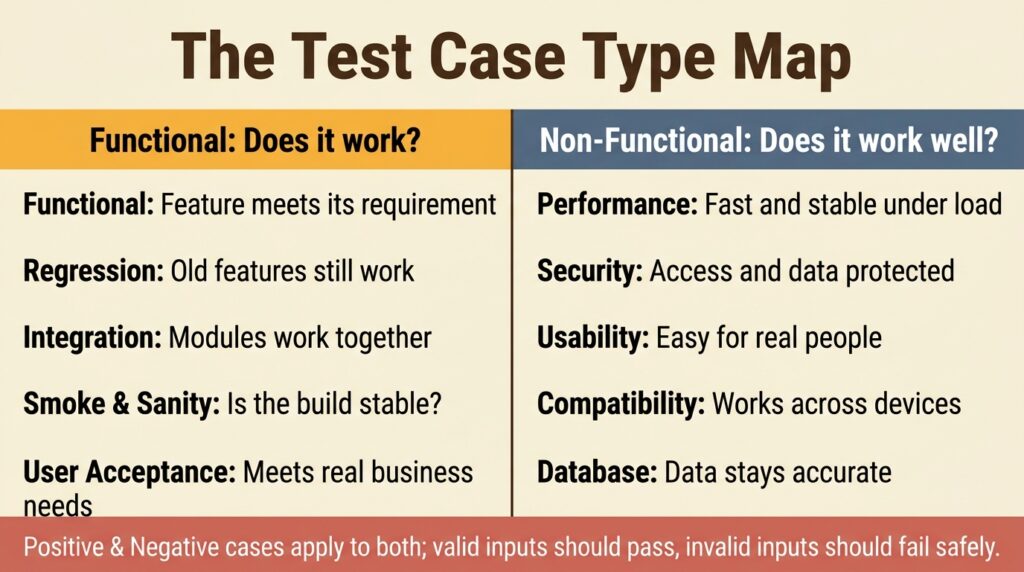
- Test cases are split into two big families: functional (does it work?) and non-functional (is it fast, secure, and usable?), with positive and negative variants cutting across both.
- A solid test case always includes the same parts: an ID, preconditions, steps, test data, and a clear expected result, which is exactly what a good template locks in.
- The login flow is the classic test case example because it packs positive, negative, and edge scenarios into one tiny feature.
- Free templates get you started, but AI-generated test cases and connected test management let you scale coverage without drowning in spreadsheets.
Start with a template to standardize your format, then let AI handle the volume so your team can spend its energy on the tests that actually matter.
Every bug that reaches production started as a test someone didn’t write. Understanding the different types of test cases in software testing is how you close those gaps on purpose instead of by luck, matching each kind of check to a specific way your software can fail. With AI now embedded across quality engineering workflows and code shipping faster than ever, knowing which test case type to reach for and having a modern test management platform to organize them separates teams that catch defects early from teams that firefight after release.
What Are the Main Types of Test Cases in Software Testing?
A test case in software testing is a documented set of conditions, inputs, and steps used to verify that a feature behaves the way it’s supposed to. There’s no single best type of test cases in software testing because the right choice depends on the risk you’re covering. Broadly, everything falls into two families: functional test cases that confirm the software does what it should, and non-functional test cases that confirm it does so quickly, securely, and pleasantly.
What’s Inside a Well-Structured Test Case?
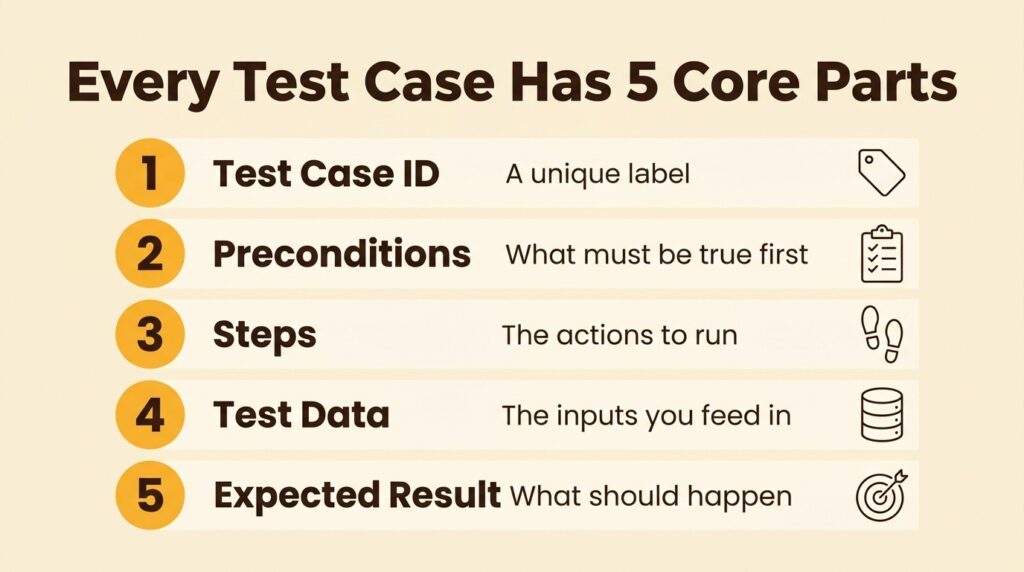
Whatever the type, a good test case follows the same skeleton, which is why templates work so well. Each one carries a unique test case ID, a short description of what’s verified, preconditions, the test data you’ll feed in, the step-by-step actions, a precise expected result, and fields for actual result and status during execution. That shared structure is also codified in the international standard for test documentation, so a good template simply operationalizes it.
Functional Types of Test Cases
Functional test cases are the workhorses. They verify behavior against requirements without caring how the code is built underneath, which is why most teams write them first. They map directly to user stories and acceptance criteria. Here are the ones you’ll reach for most:
- Functional test cases confirm that a single feature behaves per its requirements, like a discount code correctly reducing an order total.
- Regression test cases re-verify existing features after a code change, so a new release doesn’t break something that used to work.
- Integration test cases check that separate modules talk to each other correctly, such as the cart handing data cleanly to the payment service.
- Smoke and sanity test cases are quick, shallow passes that answer “is this build stable enough to bother testing further?”
- User acceptance test cases validate whole workflows against real business needs, usually run by or for the end user.
Non-Functional Types of Test Cases
Non-functional test cases check the qualities users feel but rarely name. A feature can pass every functional check and still crawl under load, leak data, or confuse a first-time user, so these types deserve deliberate attention too:
- Performance test cases measure speed, responsiveness, and stability under expected and peak load.
- Security test cases probe access controls, permissions, and data protection to keep the wrong people out.
- Usability test cases verify that real people can complete tasks without a manual.
- Compatibility test cases confirm consistent behavior across browsers, devices, and operating systems.
- Database test cases validate what happens behind the scenes, from data integrity to stored procedures.
Positive and Negative Test Cases
Cutting across both families is a dimension teams often skip: positive versus negative testing. Positive test cases feed valid inputs and confirm the happy path works, while negative test cases feed bad, empty, or malicious inputs and confirm the system fails gracefully instead of falling over. You need both because users will absolutely type their password into the username field, paste an emoji into a phone number box, and hit submit twice. A mature suite gives every important feature a balanced set of positive and negative cases rather than assuming people behave nicely.
To make the taxonomy concrete, here’s how the common categories line up against what they actually verify and a quick example for each.
| Test Case Type | What It Verifies | Quick Example |
| Functional | A feature behaves per requirements | Login with valid credentials lands on the dashboard |
| Regression | Old features still work after changes | A pricing update didn’t break the checkout total |
| Integration | Modules work together correctly | Cart data passes cleanly to the payment service |
| Performance | Speed and stability under load | Search returns results within two seconds at peak traffic |
| Security | Access and data stay protected | An account locks after five failed login attempts |
| Usability | Real users can finish tasks easily | A first-time user completes checkout unaided |
What Does a Real Test Case Example Look Like?
Taxonomy is useful, but you write coverage one test case at a time. The fastest way to internalize the structure is a real test case example filled in end-to-end, so let’s use the feature every product has: login. Notice how the same skeleton holds whether the outcome is a pass or a fail.
A Functional (Positive) Test Case Example
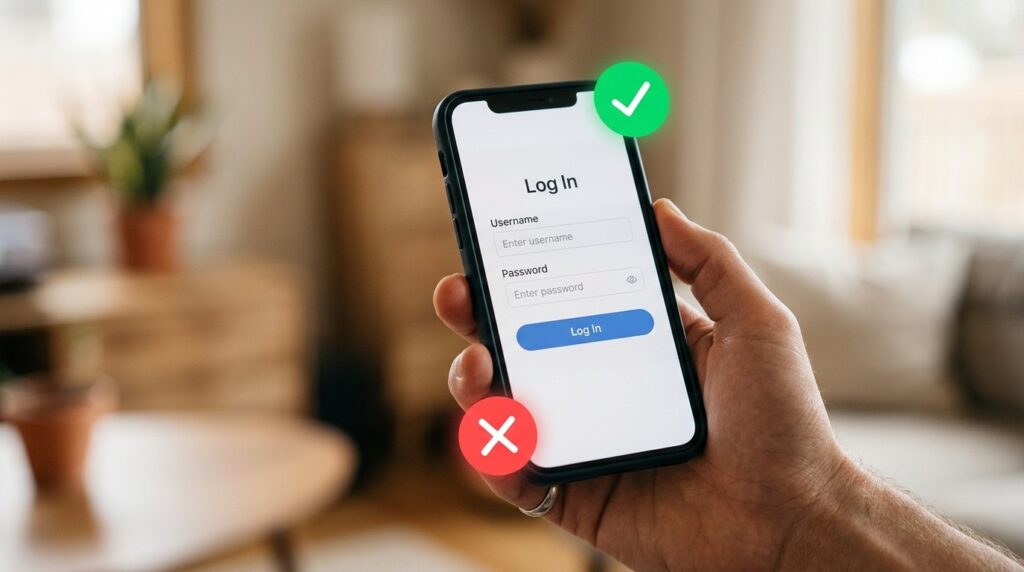
Here’s a clean happy-path case. Test Case ID TC-LOGIN-01 verifies successful login with valid credentials. The precondition is a registered user on the login page. The steps: enter a valid username, enter the matching password, and click Log In. The expected result is that the user is authenticated and lands on their dashboard within a couple of seconds. That’s it: one behavior, unambiguous steps, and a checkable outcome. For a deeper library, our roundup of 15+ sample software test cases covers many more feature types in this same format.
A Negative Test Case Example
Now flip it. Test Case ID TC-LOGIN-05 verifies that login is rejected with an invalid password. Same precondition, but the steps enter a valid username, an incorrect password, and click Log In. The expected result is a clear “Invalid username or password” message, no redirect, and no hint about which field was wrong. Negative cases are where security and usability overlap because the error has to help users without helping attackers.
Writing Test Cases in Gherkin for BDD
Teams practicing behavior-driven development often express these same cases in Gherkin, a plain-language syntax both engineers and non-technical stakeholders can read. A login case becomes “Given a registered user is on the login page, When they enter valid credentials, Then they are redirected to the dashboard.” The payoff is shared understanding: that scenario doubles as documentation and, with a framework like Cucumber, as an executable test.
Where Can You Find Free Test Case Templates?
Writing every case from a blank page is how formats drift and details go missing. Standardized test case templates fix that by giving everyone the same fill-in-the-blank structure, keeping documentation consistent as the team and the suite grow, and you don’t have to build one from scratch.
What Makes a Good Test Case Template?
A strong template captures the essential fields without becoming a chore to fill in: a test case ID, a description, preconditions, test data, numbered steps, an expected result, and space for actual result and status. Adding priority, test type, and a link back to the requirement it covers turns a flat list into something traceable. The trap is over-engineering: thirty columns that nobody fills in lose to a lean template people actually use.
Spreadsheet, Doc, or Test Management Tool?
Where you keep those templates matters more than some teams expect. A spreadsheet is free and familiar, but it falls apart on version control, collaboration, and reporting once you pass a few hundred cases. A purpose-built platform keeps the same template structure while adding execution tracking, history, and analytics. Our guide to test case management tools and templates breaks down when it’s worth the jump. Templates get you organized, but connected test management software keeps you organized at scale.
How Do You Scale These Types of Test Cases in Software Testing?
Knowing the types is step one. Producing and maintaining hundreds of them across every category, sprint after sprint, is where a lot of suites quietly rot. Two things fix that: disciplined writing habits and AI that shoulders the volume.
Best Practices for Writing Test Cases
A few habits keep your suite readable and durable, no matter which type you’re writing. Focus each case on one behavior so a failure points to exactly one cause. Describe outcomes from the user’s perspective, not implementation details, so the case survives a UI refactor. Keep step counts tight, generally under a dozen, and split anything longer into smaller cases you can chain into a suite. Consistent naming and a clear link back to the requirement keep the whole library searchable later, which is the difference between an asset and a graveyard.
Generating Test Cases With AI
Even great habits cap how much coverage a team can produce by hand. AI-powered test generation changes that math. Modern tools can generate test cases with AI straight from a user story in seconds, output them in Gherkin or standard step format, and cover edge cases that a tired human might skip. The most useful setups treat AI as an active intelligence layer rather than a passive drafting box, with QA Agents that help create, run, and maintain cases across the workflow. You still review and prioritize, but you start from a strong draft instead of a blank page.
Frequently Asked Questions About Test Cases
What are the main types of test cases in software testing?
They fall into two families. Functional types (functional, regression, integration, smoke, sanity, and user acceptance) confirm that the software does what it should. Non-functional types (performance, security, usability, compatibility, and database) confirm that it does so well. Positive and negative variants cut across both.
What is the difference between a test case and a test scenario?
A test scenario is a high-level description of what to test, such as “verify login functionality.” A test case is the detailed, repeatable script under it, with specific steps, data, and an expected result. One scenario usually spawns several test cases covering valid, invalid, and edge conditions.
What should a test case template include?
At minimum: a unique test case ID, a description, preconditions, test data, numbered steps, and an expected result, plus fields for actual result and status during execution. Adding priority, test type, and a link to the requirement it covers makes the case traceable and easier to maintain.
Can you generate test cases automatically with AI?
Yes. AI test case generation can turn a user story or requirement into a full set of cases in seconds, output them in Gherkin or standard format, and surface edge scenarios humans often miss. You still review and prioritize the output, but you start from a strong draft rather than a blank page.
How many test cases do you need for a feature?
There’s no fixed number. Cover the main positive paths, the important negative paths, and the risky edge cases without duplicating checks. A small login form might need five to ten cases; a checkout flow could need dozens across several types.
Turn Every Test Case Type Into a Living Library
A connected platform keeps your functional, regression, security, and usability cases live in one place, links to your GitHub and Jira issues, and pulls automated results back. TestQuality is an AI-powered QA platform that does exactly that, pairing native GitHub, Jira, and Linear integration with QA Agents that drive your test workflow, plus TestStory.ai to generate comprehensive test cases from your requirements in seconds. Skip the spreadsheet sprawl and start your free trial to see how AI-driven test management accelerates quality for both human-written and AI-generated code.