


AI-driven test creation cuts the most time-consuming parts of QA, freeing engineers to focus on strategy, exploration, and edge cases instead of typing the same scenarios over and over.
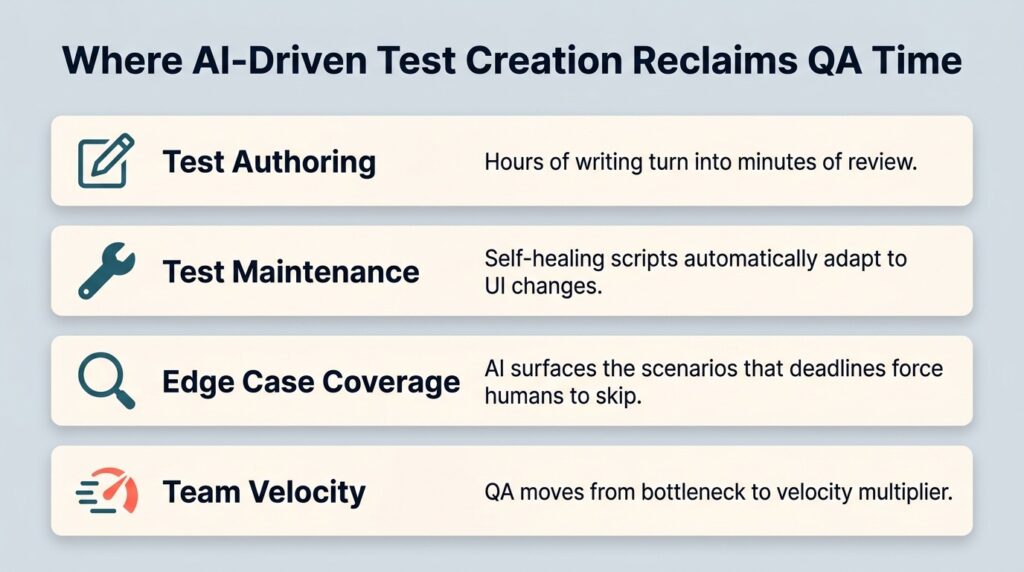
- Test authoring time drops when AI generates cases from user stories, acceptance criteria, and code changes.
- Maintenance overhead shrinks because self-healing scripts adapt to UI shifts without manual rewrites.
- Coverage expands beyond what humans can reasonably write by hand, including edge cases that get skipped under deadline pressure.
- QA teams shift from being a bottleneck to a velocity multiplier across the development lifecycle.
If your QA team is drowning in test backlog, AI-driven test creation is the difference between shipping on time and shipping late.
QA teams are buried. Sprint cycles keep compressing, releases get more frequent, and the test backlog grows faster than anyone can clear it. Manual test case writing, the kind where a tester reads a user story and translates it into 10 scenarios with steps and expected results, eats hours every week. According to the Capgemini World Quality Report, 68% of organizations are either actively utilizing Gen AI (34%) or have developed roadmaps following successful pilot implementations (34%), with test automation as the leading area where Gen AI is making an impact.
AI-driven test creation is the specific capability behind that shift, and once you see how it reshapes a QA workflow, going back feels unthinkable. This piece breaks down exactly where the workload reduction comes from, what a typical sprint looks like before and after adoption, and how teams measure the impact in hours, dollars, and release confidence.
What Does AI-Driven Test Creation Do?
At the simplest level, AI-driven test creation turns unstructured inputs, like user stories, acceptance criteria, requirements docs, or raw code diffs, into structured, executable test cases. Instead of a tester opening a blank document and starting from scratch, an AI engine reads the input and produces a draft test suite covering happy paths, negative paths, boundary conditions, and edge cases. The tester then reviews, edits, and approves.
Older "automation" tools automated test execution but still required humans to write every script by hand. Test automation AI goes upstream and tackles the authoring problem itself. Modern engines can output cases in plain language for manual execution, in Gherkin for BDD workflows, or in script form for direct handoff to frameworks like Selenium or Playwright.
The technical foundation is a combination of large language models, retrieval over your existing test corpus, and agentic workflows that can monitor a Jira ticket, generate cases, and post them back into the test management system without anyone asking. The industry is moving toward this "Active QA" model, where the platform actively helps create and maintain tests.
Where Does the QA Workload Actually Go Today?
Before talking about reduction, it helps to look at where QA hours disappear. In a typical sprint, a significant chunk of a tester's week tends to flow into a handful of unglamorous activities, and these aren't the parts of the job people signed up for.
- Authoring new test cases from requirements is often the largest single bucket, especially in fast-moving products with frequent story intake.
- Maintaining existing tests as the UI and APIs change consumes more time than most teams admit, particularly for legacy automation.
- Executing manual regression cycles before releases adds a recurring, predictable drain.
- Investigating flaky failures and triaging defects absorbs whatever time is left.
The first two categories, authoring and maintenance, are where AI QA testing has the biggest impact on the workload. The Capgemini report identifies a lack of comprehensive test automation strategies and reliance on legacy systems as key barriers to advancing automation efforts, as identified by 57% and 64% of respondents, respectively, suggesting most teams are still doing much of this work by hand. That's the gap AI closes.
There's also a subtler tax: context-switching. When a tester has to drop exploratory work to bang out 20 more test cases for a new feature, the quality of both activities suffers. AI authoring removes that interruption.
How Does AI Test Creation Reduce the Hours?
The answer comes down to five concrete mechanisms. Each one targets a specific drain on QA time, and stacking them produces compounding gains over a quarter.
1. Instant Test Case Drafts from User Stories
The biggest single win. A tester pastes in a user story or links a Jira ticket, and the AI returns a structured draft with steps, preconditions, and expected results in seconds. What used to be a long authoring task becomes a short review task. Multiplied across a sprint of dozens of stories, that's the difference between days of writing and hours of editing.
2. Edge Case Generation That Humans Skip
Under deadline pressure, testers consistently underweight the weird stuff: empty inputs, Unicode characters, concurrent sessions, timezone boundaries. AI doesn't get tired and doesn't have a deadline bias, so it surfaces edge cases the team would otherwise discover in production. In addition to workload reduction, that's defect prevention, which is the more expensive problem.
3. Self-Healing Scripts That Survive UI Changes
Maintenance is the silent killer of automation suites. A button moves, a CSS selector changes, and suddenly dozens of tests fail overnight. AI test case generation tools with self-healing capabilities automatically re-bind to the right element, often without anyone noticing the change happened. Teams report meaningful reductions in script maintenance once self-healing is in play, which directly converts to reclaimed engineering hours.

4. Coverage Gap Analysis
Some AI engines analyze your existing test suite against the codebase or requirements doc and flag where coverage is thin. Instead of a tester spending half a day auditing what's missing, the system surfaces it on demand. This analysis is especially useful when adopting shift-left testing practices, where catching gaps early is the whole point.
5. Automated Test Maintenance Suggestions
When requirements change, AI can propose updates to affected test cases rather than asking a human to hunt them down. Maintenance is the cleanup work nobody likes doing, and offloading it has an outsized morale effect on top of the time savings.
What Does the Workload Look Like Before and After?
Here's a side-by-side illustration for a hypothetical mid-size QA team handling a typical two-week sprint with around 35 user stories. The table below features illustrative scenarios, not measured benchmarks, intended to show the relative magnitudes of where AI-driven test creation tends to compress effort.
| QA Activity | Manual Approach | AI-Driven Approach | Relative Reduction |
| Test case authoring | High effort | Low effort, mostly review | Significant |
| Test maintenance | Recurring drain | Reduced via self-healing | Significant |
| Edge case coverage work | Often skipped under pressure | Surfaced automatically | Moderate to large |
| Regression execution prep | Manual setup repeated each sprint | Reusable AI-generated assets | Moderate |
| Overall sprint workload | Heavily weighted to authoring | Shifted to review and exploration | Net team capacity reclaimed |
Capacity that used to vanish into authoring and maintenance gets reinvested into exploratory testing, security work, performance tuning, and the strategic quality conversations that get pushed aside when everyone's drowning. Test automation is the leading area where Gen AI is making an impact, with 72% of respondents reporting faster automation processes as a result of Gen AI integration, which lines up with what teams describe in their own retrospectives.
How Does AI-Driven Test Creation Fit Into Existing Workflows?
Generating test cases in a vacuum doesn't help if you can't get them into your test management system, link them to requirements, and execute them as part of the sprint. The teams seeing real workload reduction are using AI authoring that plugs directly into their existing test automation AI ecosystem rather than living in a separate sandbox.
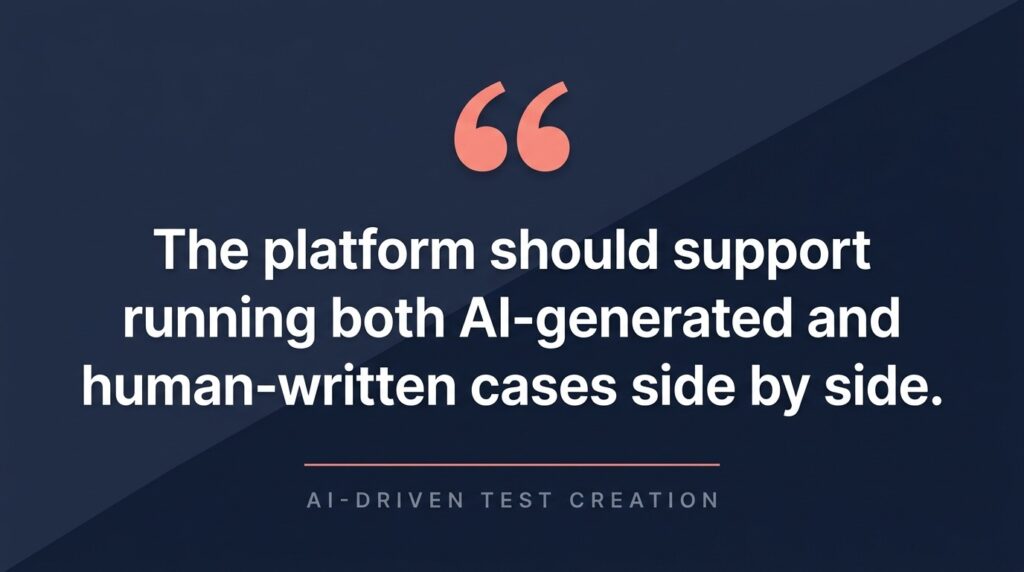
Look for integrations with Jira, GitHub, and Linear so that AI-generated cases flow back into the same place where stories live. Native Gherkin output matters if you're running BDD, since you avoid a manual conversion step. The platform should support running both AI-generated and human-written cases side by side.
For teams already invested in a testing stack, the question becomes whether to bolt on a standalone AI generator or use a unified platform with built-in AI capabilities. The unified path almost always wins on workload because it eliminates the integration tax that comes with stitching tools together. As the Thoughtworks Technology Radar and similar industry analyses have observed, AI-assisted test generation is most effective when it's tightly coupled to the rest of the SDLC rather than treated as a standalone novelty.
What AI Test Case Generation Tools Should You Evaluate?
The market has moved fast, and a handful of platforms now offer credible AI test case generation tools. Here's how the main categories stack up and what each is realistically good for in an AI QA testing workflow.
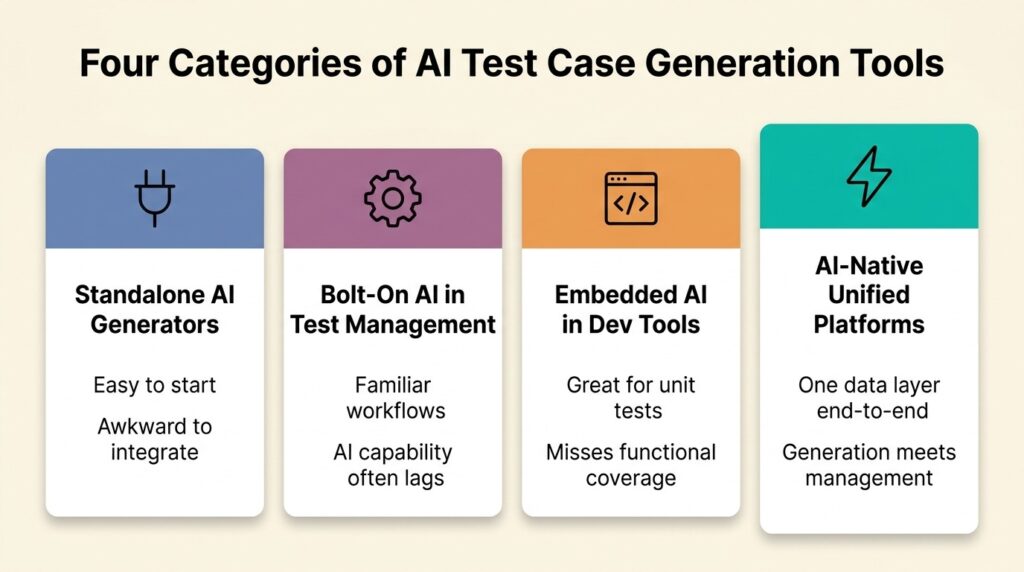
Standalone AI test generators. Tools that focus narrowly on generating test cases from user stories, with limited or no built-in test management. They're cheap to start with but require manual export and integration into wherever your team tracks and executes tests. Fine for experimentation, awkward for production workflows.
Test management platforms with bolt-on AI. Established platforms that have added AI generation as a separate module. The integration tends to be cleaner than a standalone, but the AI capability is often a thin wrapper around an external model, and updates lag behind dedicated AI vendors.
Embedded AI in dev tools. GitHub Copilot and similar assistants can generate unit tests inline as developers write code. Useful for unit-level coverage but doesn't replace functional or end-to-end test creation, and the output lives outside any test management system.
AI-native unified platforms. Platforms built around AI from the start, where test generation, management, execution, and reporting share one data layer. TestQuality sits in this category, with its QAMind AI engine generating cases from Jira, GitHub, or Linear stories directly into the test management workflow. Output supports both manual test format and Gherkin for BDD teams, and the platform's QA Agents handle generation, edge case surfacing, and maintenance suggestions inside the same UI where execution happens. The free AI test case builder gives teams a low-friction way to try the generation engine on their own stories before committing to a paid plan.
Frequently Asked Questions
How much QA time can AI-driven test creation actually save? Teams typically report meaningful reductions in test authoring and maintenance hours per sprint once the workflow is dialed in. The exact figure depends on the volume of new stories, the maturity of your existing test suite, and how well the AI tool integrates with your tracking system, so it pays to pilot before extrapolating.
Does AI replace QA engineers? No, it changes what they do. The repetitive authoring and maintenance work shrinks, and engineers spend more time on exploratory testing, risk analysis, security review, and strategic quality conversations. The job becomes more interesting and arguably more valuable, not less.
Are AI-generated test cases reliable enough to trust? The good ones are, with human review. Modern engines produce drafts that catch the obvious paths plus edge cases humans often miss, but every generated suite still benefits from a tester's review before execution. Treat AI as a force multiplier, not a replacement for judgment.
Can AI test creation work for BDD and Gherkin workflows? Yes. The better platforms output cases directly in Gherkin syntax, with Given/When/Then structure intact, so BDD teams don't have to convert anything.
What's the fastest way to see if AI-driven test creation will work for my team? Run it against a real user story you'd otherwise write by hand. Compare the AI draft to what you would have produced, measure how much editing it needs, and extrapolate across a sprint. Most teams know within a week whether the workload reduction is real for their context.
Ready to Reclaim Your QA Capacity?
The case for AI-driven test creation is hard to argue with. Teams adopting it are reclaiming meaningful engineering capacity every sprint, catching edge cases their manual processes missed, and finally moving QA out of the bottleneck seat. The teams that don't are watching their backlogs grow while competitors ship faster.
TestQuality is the AI-powered QA platform built for this shift. QA Agents handle test case generation from your Jira, GitHub, or Linear stories, TestStory.ai's chat interface turns acceptance criteria into structured tests in seconds, and everything lives in the same unified workspace your team already uses for execution and reporting. Start with the free AI test case builder and see how much capacity your team can reclaim this sprint.


