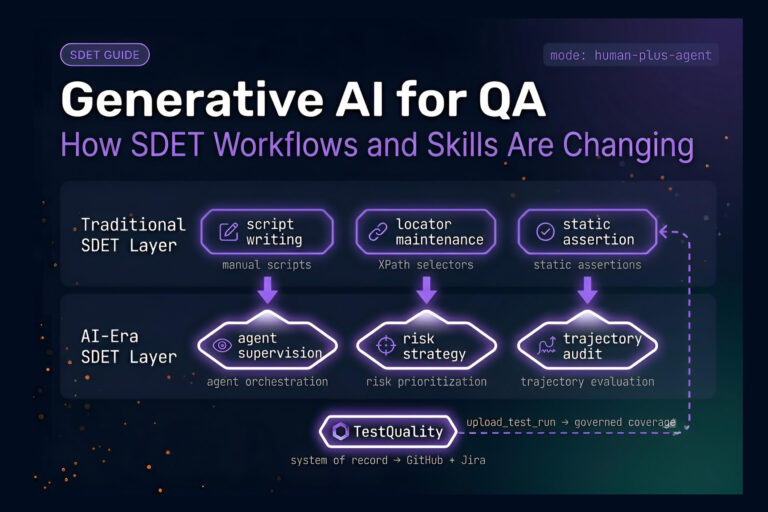
The right QA test management system features turn QA from a bottleneck into a release-accelerator.
- Centralized test case management, native Jira and GitHub integration, and unified manual plus automated execution are non-negotiable in 2026.
- Real-time reporting, requirements traceability, and role-based collaboration separate decent tools from great ones.
- AI-powered test case generation and agentic QA workflows are quickly becoming baseline requirements.
Evaluate platforms against your actual workflow, not a generic feature checklist. Free trials and freemium test plan builders make this easier than ever.
Picking a QA test management system without knowing exactly which features matter is how teams end up six months in, hating their tool, and quietly migrating tests back to spreadsheets. According to the Capgemini World Quality Report, 68% of organizations are either actively using Gen AI in their quality engineering processes (34%) or have built roadmaps following successful pilot implementations (34%), which means the QA test management system features you choose today are going to look very different from the ones that worked three years ago.
This post breaks down which test management tool features actually matter for QA engineers, developers, and managers running modern release cycles. We’ll cover the must-haves, the differentiators, the AI-driven capabilities reshaping the category, and how to evaluate options when every vendor claims to do everything.
Why Do QA Test Management System Features Matter So Much?
QA teams are shipping faster than ever, and the tools that worked for quarterly releases buckle under weekly or daily deploys. The global software testing market reached $55.8 billion in 2024 and is projected to grow to $112.5 billion by 2034, at a 7.2% CAGR, which tells you how seriously enterprises are taking quality investment. The best platforms integrate deeply, surface results in real time, and remove friction between testers, developers, and stakeholders.
Beyond market growth, there’s a more immediate reason to care about QA test management system features. Fragmented tooling, where test cases live in one system, defects in another, automation results in a third, and reports in a spreadsheet, is a major hidden cost in QA. Every context switch is wasted time, and every disconnected workflow is a place where coverage gaps hide. Strong test case management software consolidates that mess.
What Problems Does a Good Test Management System Solve?
It solves the problems that come from QA being a team sport played across multiple tools. When test cases, defects, requirements, and CI results all live in different places, nobody has a clear picture of release readiness. A capable platform pulls those threads together so a QA manager can answer “are we ready to ship?” in seconds, not days. That’s the bar.
What Are the Must-Have QA Test Management Features?
Some features are foundational. If a platform lacks any of these, walk away. These are the test management tool features that every serious team needs, regardless of size or methodology.
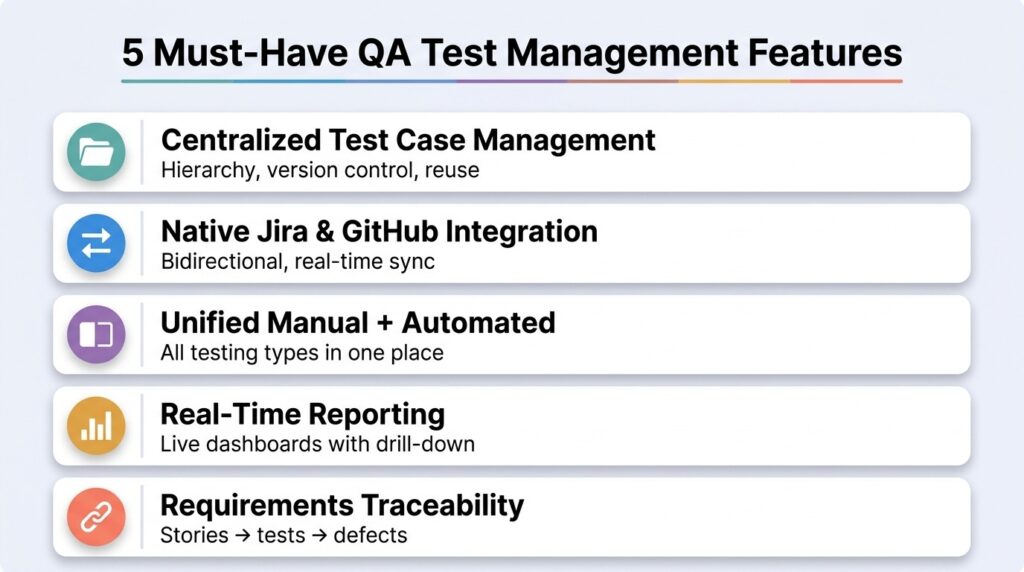
Here’s the short version before we go deeper:
- Centralized test case repository with version control, reusability, and bulk actions
- Native Jira and GitHub integration that’s real-time and bidirectional
- Unified manual and automated test execution in a single interface
- Real-time reporting and dashboards with drill-down analytics
- Requirements traceability linking user stories to test cases and defects
Centralized Test Case Management
Test case management software should let you create, organize, edit, clone, and reuse test cases without friction. Look for hierarchical folder structures, version control on every case, custom fields, bulk edit operations, and the ability to attach screenshots, videos, or files inline. The platform should also handle Gherkin and BDD-style cases natively if your team uses those, since converting test cases between formats is a soul-draining exercise.
Test case reuse is where teams find massive time savings. A well-designed platform lets you build a case once and run it across multiple test plans, environments, or releases without copy-pasting. That sounds obvious until you try a tool that doesn’t do it well.
Native Integration With Jira, GitHub, and CI Systems
Integration depth is the differentiator between modern and legacy QA software. Surface-level integration (push a button, send data to Jira) is not real integration. What you want is bidirectional, real-time sync so a defect logged in your test management tool appears in Jira instantly, with status updates flowing both directions. Same for GitHub: pull requests, commits, and issue links should connect directly to test cases without manual mapping.
CI/CD integration matters just as much. Your platform should ingest automated test results from Jenkins, CircleCI, GitHub Actions, and similar pipelines, then correlate them with the manual cases in your suite. Without that, automation runs in a silo, and you lose the unified view that justified buying the tool in the first place.
Unified Manual and Automated Test Execution
Splitting manual and automated testing across two platforms is a common yet painful mistake that QA teams make. Modern QA platforms should include execution support for both in one place: detailed step-by-step manual execution with pass/fail/block logging on one hand, and automated result aggregation from Selenium, Playwright, Cypress, and your unit test frameworks on the other. The point is to see total coverage across all testing types in a single dashboard.
This area is also where you check for shift-left capability. Can the platform run tests against pull requests? Can developers trigger relevant test suites before merging? If yes, you’ve found a tool built for how teams actually work in 2026.
What Differentiates a Good QA System From a Great One?
Once must-haves are covered, differentiators come from how much friction the platform removes from day-to-day work. These features won’t appear on every vendor’s homepage, but they decide whether your team adopts the tool or abandons it.
Real-Time Reporting and Customizable Dashboards
You shouldn’t have to wait for end-of-sprint reports to know if a release is on track. A great QA test management system surfaces real-time status across runs, builds, environments, and teams, with widgets you can rearrange to fit different stakeholder views. QA managers need defect velocity and coverage gap reports. Engineering directors need release readiness summaries. Executives need quality KPIs they can put in a board deck. One platform, many views.
Drill-down matters here. A pass-rate metric that doesn’t let you click into the failing tests, see the linked defects, and trace back to the original requirement is just decoration. Good dashboards are interactive.
Requirements Traceability and Coverage Mapping
Traceability is the feature that separates compliance-friendly platforms from the rest. The system should let you link requirements or user stories directly to test cases, then to executions, then to defects, so anyone can ask “is this requirement tested?” and get an answer in seconds. Linking requirements directly through executions to defects is the standard way to maintain visibility across the development lifecycle and meet audit requirements in regulated industries.
Role-Based Collaboration and Permissions
QA is a team activity, but not everyone needs the same access. Look for granular role-based permissions: testers can edit cases, developers can view results and log defects, stakeholders can see dashboards but not change anything. Comments, mentions, and approval workflows on test cases also matter, since they capture the small decisions that otherwise get lost in Slack threads.
How Do AI-Powered Features Change the Equation?
The biggest shift in QA test management system features over the last two years has been AI moving from “experimental add-on” to “core capability.” Teams using AI-assisted test creation are faster at building coverage, especially for repetitive or edge-case scenarios. Platforms that haven’t built AI into their workflow are already starting to feel dated.
The most valuable AI capabilities include test case generation from user stories or requirements, edge case suggestions during manual case writing, predictive analytics on flaky tests, and intelligent test prioritization based on code changes. Some platforms now offer agentic QA workflows where AI agents proactively assist throughout test creation, execution, and maintenance, which is where the category is clearly headed.
The pragmatic question to ask any vendor: Does AI actually save my team time on real work, or is it a marketing wrapper around a chatbot? Demos should prove the first, not the second.
Comparing Core QA Test Management System Features at a Glance
Here’s a quick reference for evaluating any platform you’re shortlisting. Use this table as your feature checklist when sitting through demos.
| Feature Category | What to Look For | Why It Matters |
| Test case management | Hierarchical structure, version control, bulk edit, BDD support | Foundation of any QA software workflow |
| Integrations | Native Jira and GitHub sync, CI/CD ingestion, automation framework support | Removes silos between QA and dev tools |
| Execution | Manual and automated in one interface, real-time status | Single source of truth for coverage |
| Reporting | Customizable dashboards, drill-down, exportable reports | Faster decisions, better stakeholder visibility |
| Traceability | Requirements to cases to defects, gap reports | Confident releases, audit-readiness |
| Collaboration | Role-based access, comments, approvals | Reduces lost context across team |
| AI capabilities | Test case generation, edge case suggestions, agentic workflows | Speed and coverage in modern release cycles |
| Test planning | Reusable, shareable, living test plans | Aligns QA with product and engineering |
Which Categories of Test Management Tools Lead on These Features?
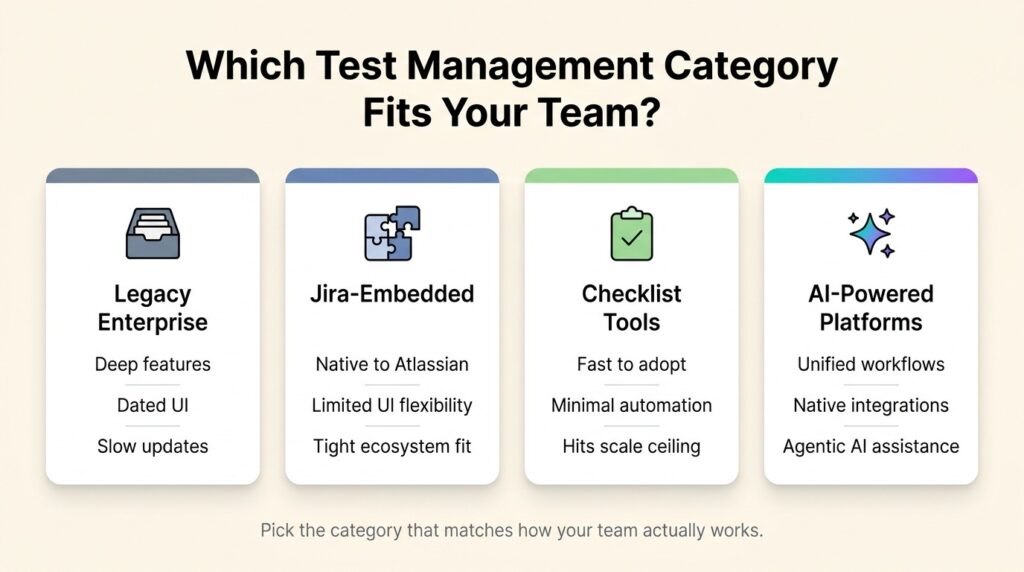
Below are the categories you’ll encounter when evaluating test management tool features. Each one has tradeoffs that shape how well it covers the feature criteria above.

Legacy Enterprise Platforms
These tools have been in the category for a decade or more, with deep feature sets and large user bases. They tend to handle test case management and reporting well, but interfaces often feel dated, feature velocity is slower, and integrations are frequently bolted on rather than native. Teams report friction migrating off them and frustration with how long it takes to ship new capabilities.
Jira-Embedded Test Management
A handful of tools live entirely inside Jira as add-ons. They’re a strong fit if your team operates almost exclusively within the Atlassian ecosystem and wants test cases, runs, and defects in the same workspace as everything else. The tradeoff is that the test management UI tends to be constrained by Jira’s interface, which makes deep test plan management and unified manual-plus-automated dashboards harder to deliver.
Lightweight Checklist Tools
Some platforms focus on simple, fast, checklist-style manual testing. They’re easy to adopt, often free at a small scale, and great for exploratory testing. The limitations show up quickly: limited or no automation support, shallow integrations, basic reporting, and no real path to scale once your team starts running serious CI/CD pipelines.
AI-Powered Platforms
This newer category combines unified manual and automated execution, native real-time integration with Jira and GitHub, agentic AI workflows for test creation and maintenance, and a modern UX designed for actual day-to-day use. The leading platforms in this space include freemium entry points like free test plan builders, which let teams evaluate the core experience without upfront cost.
TestQuality sits in this category as an AI-powered QA platform built around live Jira and GitHub integration, with a unified interface for manual and automated test execution. It includes a free test plan builder that doubles as a living document and a fully integrated planning layer once teams move into the full platform. TestStory.ai, its AI test case generation capability, converts user stories and requirements into BDD-ready cases in seconds, and its QA Agents assist testers across creation, execution, and maintenance workflows. Native CI/CD ingestion supports Jenkins, CircleCI, GitHub Actions, and Travis, with real-time result correlation to manual cases.
A broader breakdown of how platforms compare across these categories is covered in this analysis of leading test management tools.
How Should You Evaluate Your Options?
Pick two or three platforms that pass the must-have checklist, then run actual trials with real test data. Vendor demos are designed to look great. Trials are where you find out if a tool actually fits your workflow. Test the integrations against your live Jira instance. Run a real automation pipeline through the CI ingestion. Have the team try AI-assisted case creation on a real user story.
Pricing matters too, but it’s secondary to fit. A cheap tool your team won’t use is more expensive than a moderately priced one that becomes the QA backbone. If your team builds on agile workflows, this guide to test management tools built for agile QA is a useful starting point.
FAQ
What are the most important QA test management system features for small teams? Small teams should prioritize centralized test case management, native Jira and GitHub integration, and unified manual plus automated execution. Real-time dashboards and AI-assisted case creation are valuable add-ons that scale well as the team grows.
Is requirements traceability worth it if my team isn’t in a regulated industry? Yes. Even outside compliance use cases, traceability is the fastest way to spot coverage gaps before a release. It also makes “are we ready to ship?” conversations much shorter.
How important is AI in a modern test management tool? Increasingly critical. AI-driven test case generation, edge case suggestions, and predictive analytics save time, and agentic QA workflows are becoming a standard expectation for teams shipping at modern release velocity.
Can a QA software platform replace my CI/CD reporting? It complements it, not replaces it. A good platform ingests CI/CD results and correlates them with manual test cases so you see total coverage in one place, while your CI/CD system remains the source of truth for pipeline health.
What’s the difference between test management software and test case management software? The terms are often used interchangeably, but test management is broader and covers planning, execution, reporting, and traceability across the entire QA lifecycle. Test case management is one component of that larger workflow.
Build Your QA Stack Around Real Work, Not Feature Lists
The best QA test management system features disappear into your workflow, so your team spends time on testing instead of fighting the tool. Centralized case management, native integrations, unified execution, real-time reporting, traceability, and AI-driven workflows are the foundation. Everything else is either a differentiator or a distraction.
To see what an AI-powered platform with QA Agents, live GitHub and Jira integration, and a fully unified manual plus automated workflow actually feels like, start a free TestQuality trial and put the feature checklist to work on your own test data.