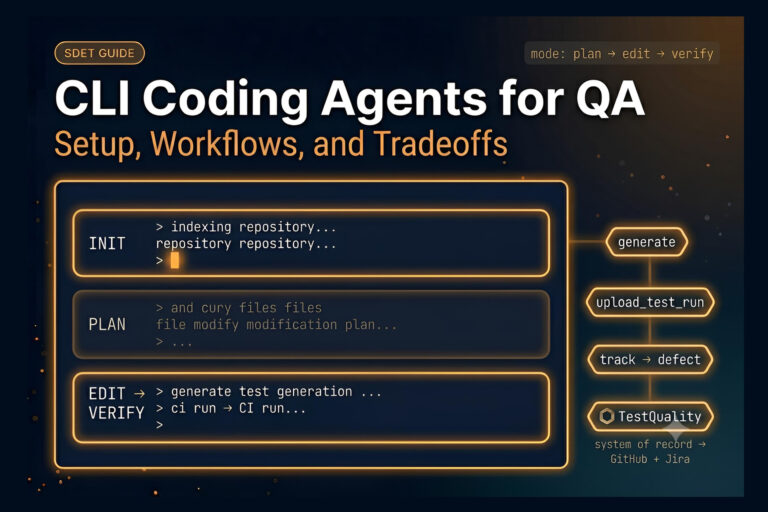
The right test management software connects your test plans, dev tools, and results into one system that actually keeps up with how you ship.
- Modern test management software is defined by integration depth, unified manual and automated testing, and requirements traceability.
- Native GitHub and Jira integration plus CI/CD support are baseline requirements in 2026.
- AI-powered test case generation and QA Agents are becoming the real dividing line between passive test repositories and active QA platforms.
- Run a structured trial against your own workflow before you commit, and weigh import and migration ease heavily if you’re switching tools.
If your tests still live in spreadsheets or a tool that can’t see your pipeline, you’re paying for it in coverage gaps and slow releases. Shortlist platforms that plug straight into your stack and let you evaluate them for free.
Choosing test management software is one of the most impactful decisions your QA team will make this year, and it’s also one of the easiest to get wrong. Pick a tool that can’t talk to your pipeline, and you’ll spend the next two years copying results between tabs. Pick one that fits how your team actually builds software, and the right QA test management software turns testing from a bottleneck into a competitive edge.
This guide walks through what this software is, why it matters now, the features that separate the leaders from the also-rans, how the main categories compare, what you should expect to pay, and how to run an evaluation that doesn’t end in buyer’s remorse.
The stakes keep rising because the market keeps growing. The global software testing market reached $54.44 billion in 2026 and is on track to nearly double by 2031, driven by enterprises wiring quality gates directly into their CI/CD pipelines. Testing has shifted from a post-release checkpoint to an always-on engineering practice, and the tooling has to keep pace. That’s exactly the gap a good test management platform is built to close.
Ready to ditch the spreadsheets? Start a free 14-day test management trial with no credit card required, and see how your team’s testing feels when everything lives in one place.
What Is Test Management Software, Exactly?
Test management software is the operational hub where your team plans, organizes, executes, and reports on every testing activity across a project. It centralizes your test cases, links them to requirements or user stories, tracks execution status, surfaces defects, and produces reporting that stakeholders can act on immediately instead of waiting for a manual export. In plain terms, it’s the difference between knowing exactly what’s tested and hoping someone remembers.
The core value is requirements traceability. A solid tool draws a clear line from a business requirement all the way through to a test result, so when a regression shows up or a release gets blocked, you can instantly see which tests covered which features and precisely where the gap opened. That visibility separates teams that ship with confidence from teams that ship and then anxiously watch the error logs. Understanding the fundamentals of test case management best practices is the first step toward getting real value out of any platform you choose.
How Is Test Management Software Different From a Bug Tracker or a Spreadsheet?
A bug tracker like Jira records what’s broken, but it doesn’t know what you intended to test or whether your coverage is complete. A spreadsheet can hold test cases, but it can’t execute them, link them to code changes, or tell you a thing about trends over time. Test management software sits above both, orchestrating the plan, execution, and evidence in one connected view.
The practical result is fewer blind spots. When your test cases, requirements, and defects all live in the same system, nobody has to reconcile three sources of truth at 6 p.m. before a release. You get one answer to “are we ready to ship” instead of a debate.
What Does a Test Management System Manage?
A capable test management system manages the full lifecycle of a test: creation, organization into suites and folders, scheduling into runs, execution across environments, and the results that come back. It also manages the relationships between those tests and everything around them, from requirements and milestones to defects and automation results. This connective tissue turns scattered testing efforts into a measurable quality program.
Good platforms extend that management to people and processes too. They tell testers what to run next, capture who ran what and when, and roll individual results up into coverage and pass/fail metrics that a manager can use. If you want a deeper look at which numbers are worth watching, our breakdown of software quality metrics that matter is a useful companion.
Why Do QA Teams Need Test Management Software in 2026?
Software is being built faster than manual tracking can keep up with. Agile development and DevOps practices have compressed release cycles to the point where teams validate every commit within minutes, and legacy approaches can’t scale to that cadence. When the pipeline never sleeps, your test management can’t either.
There’s also a quality-of-life argument that’s easy to underrate. QA engineers lose real hours every week to context switching, manually updating statuses, and hunting for requirements buried across tools. A platform that surfaces test results inside the workflows developers already use hands those hours back and cuts the friction that makes people skip steps.
What Does Disconnected Testing Actually Cost You?
Disconnected testing is expensive in ways that don’t show up on an invoice. Coverage gaps slip through because nobody can see the whole picture, regressions get caught in production instead of in review, and every handoff between manual and automated testing becomes a place for information to leak. The Capgemini World Quality Report has repeatedly flagged tool fragmentation and weak traceability as top blockers to QA efficiency, and most teams feel it long before they can name it.
The compounding cost is trust. When leadership can’t get a straight answer on release readiness, testing gets treated as a delay rather than a safeguard, and QA loses its seat at the table. QA test management software that produces clear, current reporting is how testing earns that seat back.
How Has AI Changed What a Test Management Tool Can Do?
Until recently, a test management tool waited passively for a QA engineer to author every case by hand. Modern platforms now act as an active intelligence layer, using AI-powered test case generation to turn user stories, requirements, and feature descriptions into structured test cases in seconds, often in Gherkin or BDD format, ready to drop into your suite.
The bigger shift is agentic. Instead of a static repository, the best platforms deploy QA Agents that proactively assist across the workflow, from drafting cases to analyzing why a run failed. AI test case generation tools let you generate coverage from a chat interface, which is a genuine change in how test creation feels day to day. The whole category is drifting toward autonomous software testing, with QA Agents taking on more of the workflow every quarter.
What Features Should You Look for in a Test Management Tool?
With dozens of platforms competing for attention, the trick is separating capabilities that move the needle from features that just pad a comparison chart. The best QA test management software reliably nails the set of features below for teams working in modern pipelines. Treat it as your shortlist filter, not a wish list.
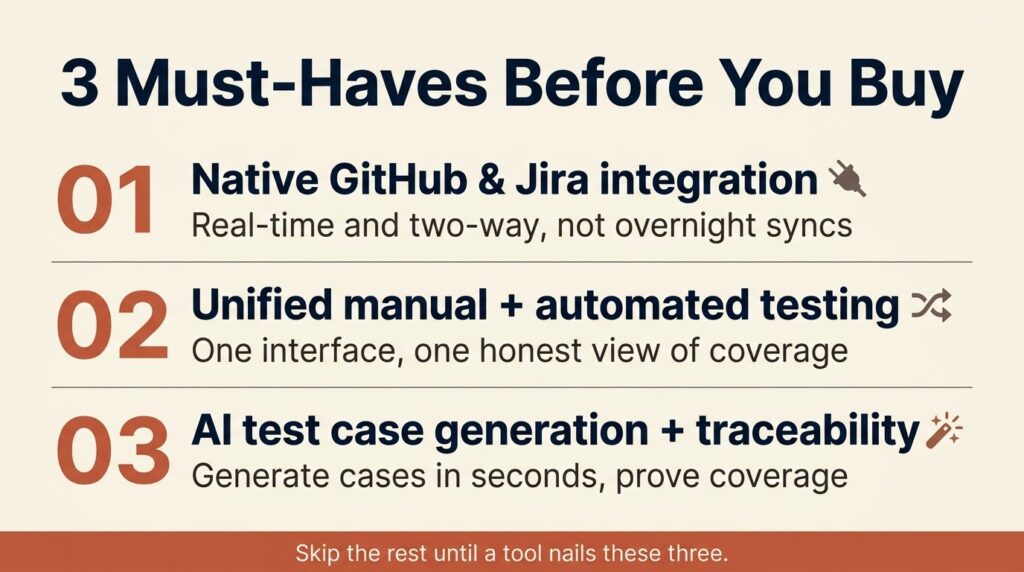
Here are the seven features worth anchoring your evaluation around:
- Unified manual and automated testing. Look for a single interface that handles manual test execution and ingests automated results together. Keeping them in separate tools creates a coverage blind spot that gets painful at scale.
- Native GitHub and Jira integration. Real-time, two-way links to your version control and issue tracker are the foundation everything else sits on. Bolt-on connectors that sync overnight don’t count.
- Requirements traceability. Every test should map back to a requirement and forward to a defect, so coverage is provable rather than assumed.
- AI test case generation. The ability to generate cases from requirements or user stories, ideally in Gherkin, turns hours of authoring into minutes.
- Flexible, active test planning. A test plan should drive your execution, not sit in a static doc nobody opens. Building a solid test plan is far easier when the plan itself is a living, actionable artifact.
- Reporting and analytics that stakeholders trust. Real-time dashboards for pass/fail, coverage, and trends, with no manual export step.
- CI/CD compatibility. Direct hooks into Jenkins, GitHub Actions, and similar systems so tests run automatically on every change.
None of these features is exotic, but very few tools do all seven well. The ones that do are worth trialing.
Why Does Unified Test Management Matter More Than Any Single Feature?
Unified test management is the feature that makes the other ones useful. When manual sessions, automated runs, and exploratory testing all report into one place, you finally get a complete view of coverage instead of three partial ones. That single pane is where gaps become visible and where confidence comes from.
Fragmentation is the silent killer of QA velocity. Teams that juggle a manual tool here, an automation dashboard there, and a spreadsheet for planning spend more time reconciling than testing. Consolidating that stack is usually the biggest efficiency win available to a QA team, which is why it tops most serious evaluations.
How Do Test Management Platforms Compare?
Test management software covers a handful of distinct approaches with tradeoffs. Knowing which bucket a tool falls into tells you most of what you need before you ever book a demo. The table below breaks down the main options so you can match an approach to your team’s reality.
| Approach | Best for | Integration depth | AI capabilities | Typical pricing |
| Spreadsheets and docs | Tiny teams, one-off projects | None | None | Free upfront, costly at scale |
| Legacy enterprise suites | Regulated, audit-heavy orgs | Broad but heavy | Plugin or add-on | High, seats plus services |
| Jira-embedded apps | Teams living entirely inside Jira | Deep in Jira, thin elsewhere | Emerging | Mid, per user |
| Modern unified platforms | Agile and DevOps teams on GitHub & Jira | Native, live, two-way | Built-in generation and agents | Low to mid, tiered seats |
| Open-source tools | Budget-first, hands-on teams | Manual or custom | None | Free plus maintenance overhead |
The categories break down like this in practice.
When Do Spreadsheets and Legacy Suites Make Sense?
Spreadsheets are fine right up until they aren’t. For a solo tester on a short project, a sheet is faster than onboarding a platform. The moment you add a second tester, an automation suite, or a stakeholder who wants a status report, the spreadsheet becomes a liability.
Legacy enterprise suites earn their keep in heavily regulated environments where audit trails, granular permissions, and compliance documentation are non-negotiable. The tradeoff is weight. They tend to feel dated, take real effort to configure, and price out smaller teams. If your primary driver is FDA or SOX readiness rather than developer velocity, they’re worth a look, but most product teams find them heavier than they need.
How Do Jira-Embedded Tools Compare to Modern Unified Platforms?
Jira-embedded apps live inside Jira and never make you leave it, which is a genuine advantage if your entire team already works there all day. The catch is that their strength is also their ceiling: they’re deep inside Jira and comparatively thin everywhere else, so connecting to GitHub, automation frameworks, or CI systems can feel like an afterthought.
Modern unified platforms treat live integration with the tools you already use as the core of the product rather than a plugin. TestQuality is a clear example of this category. It’s purpose-built for native GitHub and Jira integration, unifies manual and automated testing in one interface, and is anchored by an active Test Plan Builder that lets a plan drive your test management process instead of sitting in a static file. It layers in AI through TestStory.ai for generating test cases from requirements, supports Gherkin and BDD workflows, and leans into QA Agents that assist across creation, execution, and analysis. For teams building on GitHub and Jira who want AI-driven capabilities without stitching five tools together, it hits the sweet spot the table describes, and there’s a completely free test planning tier to evaluate it risk-free.
For a wider view of the field, our roundup comparing the top test management tools is a good next read.
Which Integrations Matter Most for Test Management?
Integrations are where a test management system either becomes the center of your workflow or an isolated silo you forget to update. In a DevOps-first world, seamless connection to your existing toolchain is the difference between QA that accelerates delivery and QA that drags on it. This is the section to scrutinize hardest during any trial.

Jira deserves special attention because of how entrenched it is. According to annual developer survey data, Jira has topped the list of most-used collaboration tools among developers for years running, which means your test management software almost certainly needs to speak Jira fluently and in real time. A one-way nightly sync won’t cut it when developers and testers need the same picture at the same moment.
Why Are GitHub and Jira the Non-Negotiables?
GitHub and Jira sit at the two ends of the workflow that testing has to bridge: code and requirements. Native, two-way integration means a failed test can link straight to the issue that tracks it and the commit that caused it, closing the loop without anyone copying IDs between tabs. That real-time link is the backbone of shift-left testing, where you validate pull requests before they ever merge.
When these integrations are live rather than batch, traceability becomes automatic. Developers see test results inside the tools they already have open, and testers stop chasing status updates.
How Should a Test Management Tool Handle CI/CD and Automation Frameworks?
Your platform should pull automated results directly from your CI/CD system, whether that’s Jenkins, GitHub Actions, CircleCI, or something else, so that every pipeline run feeds the same dashboard as your manual testing. Without that hook, automation lives in one world and management in another, and you’re back to reconciling. CI/CD compatibility makes testing continuous.
Automation frameworks deserve a clear-eyed framing here. Tools like Selenium, Playwright, and Cypress execute your automated tests, while frameworks like Cucumber and SpecFlow execute your Gherkin scenarios. These are complementary execution layers, not competitors to a test management platform. The platform’s job is to unify the results with everything else, so a strong tool connects to all of them and treats the output as first-class data rather than an import chore.
How Much Does Test Management Software Cost?
Pricing for test management software varies, from free open-source tools to enterprise suites where the average customer spends five figures a year. The right way to read a price tag is against the value and the scale you actually need, not against the sticker alone. A cheap tool that can’t scale past a handful of users is rarely the bargain it looks like.
Before you compare numbers, it helps to understand the models themselves because they shape total cost more than the per-seat figure does.
| Pricing model | How it works | What to watch for |
| Pure per-seat | Flat price for every user | Costs balloon as the team grows |
| Seat tiers or bands | Priced in blocks (10, 20, 30 seats) | Pay for the whole band even if partly filled |
| Freemium plus paid | Free core, paid advanced features | Confirm the free tier is genuinely usable |
| Enterprise or quote | Custom pricing and services | Negotiate migration and onboarding upfront |
A freemium entry point is worth calling out because it changes the risk. A free test planning tier lets you build and share real test documentation before you spend a cent, then upgrade only once the tool has proven itself in your workflow. That kind of low-commitment on-ramp is a much safer way to evaluate than a two-week countdown clock, and it’s increasingly common among modern platforms.

How Do You Evaluate and Roll Out a Test Management System?
Selecting a test management system is about aligning a tool with your team’s maturity, process, and goals. The teams that get this right run a structured evaluation instead of a vibe check, testing the QA test management software against their own workflow rather than a vendor demo. Here’s a framework that keeps the process honest.
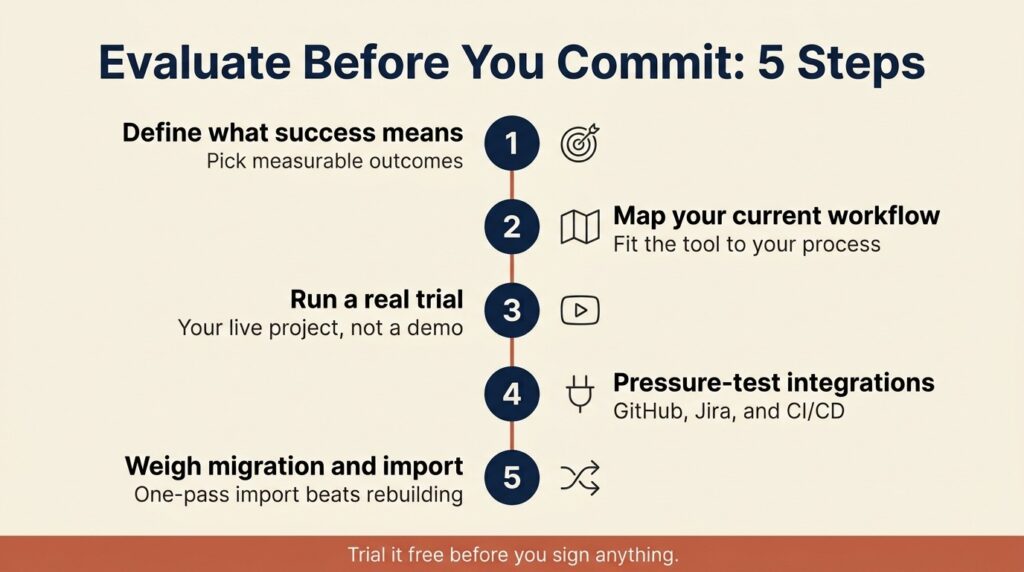
Work through these steps in order before you commit:
- Define what success means. Shorter release cycles, better traceability, fewer escaped defects: pick measurable outcomes so you can judge candidates against real impact.
- Map your current workflow. The best platform fits your established process with minimal forced change, so document how your team plans, executes, and reports today.
- Run a real trial. Put a live project into each finalist and see how it feels, not how it demos.
- Pressure-test the integrations. Confirm the GitHub, Jira, and CI/CD connections work the way you need before anything else.
- Weigh migration and import. If you’re switching tools, the ability to import your existing test cases in one pass is often the biggest factor in whether the move succeeds.
Why Does Import and Migration Make or Break a Switch?
Switching test management tools is rarely a one-month decision, which is exactly why import capability matters so much. A strong importer lets you quickly pull existing test cases, requirements, and results into the new platform instead of rebuilding everything by hand. That’s frequently the difference between a migration that happens and one that stalls in committee.
The teams that successfully switch usually start a fresh project in the new tool, prove it works, then migrate their historical tests. A good importer collapses that timeline. When you’re trialing, ask specifically how existing data comes across because a smooth import is worth more than a dozen minor feature wins.
How Do You Drive Adoption Once You’ve Chosen?
Even the best platform fails if nobody uses it, so plan the rollout as carefully as the selection. Start with a pilot team, get a genuine win on the board, then expand with that proof in hand rather than mandating a big-bang switch. Intuitive design does a lot of the heavy lifting because a tool people can learn in minutes gets adopted, but a tool that needs weeks of training gets abandoned.
Stakeholder buy-in is the other half. Bring developers, QA, and management into the evaluation early so the choice reflects how the whole team works rather than how one person hoped it would. Adoption is a people problem at least as much as a tooling one, and treating it that way makes the investment pay off.
Put Your Test Management on Autopilot
Choosing test management software comes down to a simple test of your own: does it plug into the tools you already use, unify your manual and automated testing, and give you a straight answer on quality without a manual export? If a platform clears that bar and lets you evaluate it for free, you’re most of the way to a decision you won’t regret. The right tool turns testing into the thing that lets you ship faster instead of the thing that slows you down.
TestQuality is an AI-powered QA platform that pairs native GitHub and Jira integration with active test plans, unified manual and automated testing, and QA Agents that drive your workflow, while TestStory.ai’s chat interface and agentic capabilities generate coverage in seconds for both human-written and AI-generated code. Start your free TestQuality trial today, no credit card required, and see how much faster quality moves when your whole team is finally testing in one place.
Frequently Asked Questions
What is the difference between a test management tool and test automation?
A test management tool organizes, executes, and reports on all of your testing, both manual and automated, and links it back to requirements and defects. Test automation frameworks like Selenium or Playwright actually run the automated tests. The management tool is the layer that unifies automated results with everything else into a single, traceable view of quality.
Can I migrate my test cases from Excel or a legacy tool?
Yes, most modern test management software supports importing test cases from spreadsheets, CSV files, and legacy platforms. The quality of that importer varies between tools, so it’s worth confirming during a trial exactly how your existing cases, requirements, and results come across. A strong import capability is often the deciding factor when teams switch tools.
Do I need a test management system if my team already uses Jira?
Jira is excellent at tracking issues, but it isn’t built to manage test plans, coverage, or execution across environments. A dedicated test management system that integrates natively with Jira gives you real traceability and reporting while keeping everything connected to the issues your team already tracks. You get the best of both instead of forcing Jira to be something it isn’t.
How does AI test case generation actually work?
AI test case generation takes your user stories, requirements, or feature descriptions and automatically produces structured test cases, often in Gherkin or BDD format. Tools that offer it can turn hours of manual authoring into seconds, and the output drops straight into your existing test management workflow. It expands coverage by catching edge cases that are easy to overlook when writing cases by hand.
Is there free test management software worth using?
There are capable free and open-source options, and several commercial platforms offer genuinely usable free tiers, such as free test planning that you can upgrade later. Free tools make the most sense for small teams or for evaluating a platform risk-free before committing budget. The key is confirming the free tier does real work rather than acting as a locked demo.