Key Takeaways
Choosing the right QA test management software is one of the highest-leverage decisions a QA team makes in 2026.
- Modern QA test management software must go beyond storing test cases: it needs to actively connect your test plans to CI/CD pipelines, developer workflows, and AI-powered generation.
- Native integrations with GitHub and Jira are no longer a bonus feature; they are a baseline requirement for teams working in agile and DevOps environments.
- AI capabilities, including automated test case generation from requirements and agentic QA workflows, are rapidly becoming key differentiators among leading platforms.
- The right evaluation framework weighs integration depth, BDD/Gherkin support, unified manual and automated testing, and pricing fit before anything else.
If your team is still managing tests through spreadsheets or a tool that doesn't connect to your dev stack, you're leaving real coverage gaps and release time on the table.
Picking QA test management software used to mean comparing a handful of legacy platforms and choosing whoever had the longest feature list. That era is over. The software testing market reached $54.44 billion in 2026, driven largely by enterprises embedding quality gates directly into CI/CD pipelines and shifting QA from a post-release checkpoint to an always-on engineering practice. Requirements traceability, live test planning, shift-left practices, and BDD/Gherkin support are now table stakes for any platform worth evaluating. The question isn't whether your team needs a test management tool; it's whether the one you're considering can actually keep pace with how software is being built today.
This guide covers the features that matter in 2026, how leading platforms compare, what to expect on pricing, and how to run a structured evaluation before committing to a trial.
What Does QA Test Management Software Actually Do?
QA test management software is the operational hub where your team plans, organizes, executes, and reports on every testing activity across a project. It centralizes test cases, links them to requirements or user stories, tracks execution status, surfaces defects, and provides reporting that stakeholders can act on immediately rather than after a manual export.
The core value is traceability. A solid test management tool creates a clear line from a business requirement all the way through a test result. When a regression surfaces or a release gets blocked, you can immediately identify which tests covered which features and exactly where the gap opened. That visibility is what separates teams that ship confidently from teams that ship and then anxiously monitor Slack.
What's changed in 2026 is the shift toward AI-Powered QA. The best test case management software no longer waits passively for a QA engineer to manually author every case. Modern platforms leverage powerful, agentic QA workflows to create and run test cases, and analyze test results automatically from a chat interface or directly within your IDE. Understanding this shift, where your test management tool acts as an expert QA agent rather than just a repository, is essential before you start comparing options.
What Features Should You Look for in QA Test Management Software?
With dozens of platforms competing for QA teams' attention, the key is identifying which capabilities actually move the needle for your workflow versus which are simply baseline expectations. Here's a structured breakdown.
What Core Test Case Management Capabilities Are Non-negotiable?
The foundation of any test case management software is how it handles test case creation, organization, and execution. Look for a platform that supports both manual test execution and the ingestion of automated test results within the same interface. Keeping these workflows in separate tools creates a coverage blind spot that compounds over time and becomes genuinely painful at scale.
Traceability is equally critical. Every test case should be linkable to a requirement, user story, or ticket so your team can answer "what has been tested for this feature?" without digging through multiple tools. Reporting should surface defect rates, coverage percentages, and execution progress in real time, not as a post-cycle export.
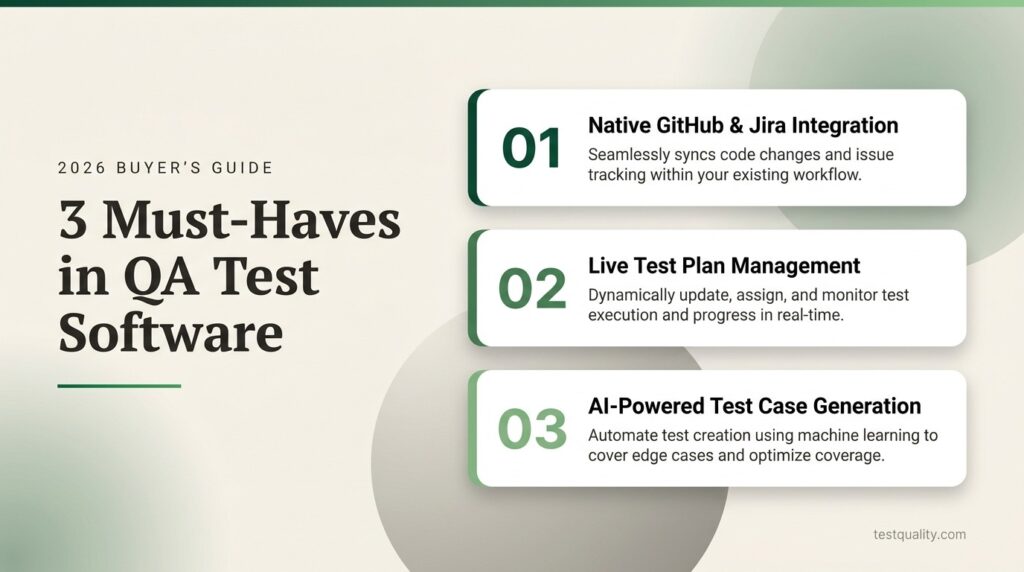
Test plan management deserves its own emphasis. Most platforms treat the test plan as a static document: exported as a PDF and immediately out of date. A live, active test plan that directly drives your test management process is a meaningful architectural difference, and it's one of the clearest separators between truly modern platforms and legacy tools with a refreshed UI. Teams who have worked through building structured, living test plans will quickly feel the difference in practice.
How Important Is Integration Depth with Your Dev Stack?
Integration is where most platforms either earn long-term adoption or quietly lose teams after a few frustrating months. A test manager tool that requires manual syncing with GitHub or Jira creates friction that QA engineers eventually route around. The result is testing data in silos, defects linked to the wrong tickets, and coverage gaps that only emerge at release time.
Native, real-time integrations with your version control and issue tracking systems should be a hard requirement. This means bidirectional Jira sync so test results automatically link to issues, and GitHub integration that lets teams run tests against pull requests directly, supporting shift-left testing practices at the code review stage rather than at the end of a sprint.
Beyond GitHub and Jira, look at how the platform connects to your CI/CD pipeline. Support for Jenkins, CircleCI, GitHub Actions, and similar systems should be built in, not bolted on through community plugins. Consider also whether the platform accepts results from the frameworks your automation team already runs: Selenium, Playwright, Cypress, and similar tools. The strongest platforms accept test results from virtually any framework via a flexible CLI or API, so you're not locked into a specific automation stack to get reporting value from your QA test management software.

How Are AI Capabilities Changing What QA Teams Should Expect?
The most impactful capability right now is AI-powered test case generation. Modern AI builders (like TestStory.ai) go far beyond generic outputs by acting as an expert QA agent trained on decades of testing best practices. They can ingest context directly from user stories, Jira or Linear issues, GitHub defects, and even process diagrams (Visio, BPMN, UML) to automatically produce structured test cases in seconds. This allows teams to scale software testing coverage alongside fast-moving feature development, using strategy controls like "Test Dials" to fine-tune scope and edge cases without losing the human touch.
Look for platforms that output AI-generated tests in formats your team already uses. Gherkin/BDD output is particularly valuable for teams practicing behavior-driven development, because the generated scenarios are immediately usable in Cucumber or similar frameworks without reformatting. Beyond generation, the concept of QA Agents represents the next meaningful phase: AI that proactively monitors coverage gaps, suggests test prioritization based on recent changes, and assists throughout the workflow rather than just generating artifacts on demand. Teams evaluating platforms in 2026 should ask specifically how AI is embedded in the workflow, not just offered as an optional sidebar.
How Do the Top Platforms Compare?
When QA teams are shortlisting QA test management software, the same four or five names tend to come up. Here's an honest look at how leading options compare across the criteria that matter most for agile and DevOps teams. The table reflects publicly available positioning and commonly reported user experience for each platform.
| Feature | TestQuality | TestRail | Zephyr Scale | Xray |
| Native GitHub Integration | Yes, real-time | Limited | No | No |
| Native Jira Integration | Yes, real-time | Plugin-based | Jira-embedded | Jira-embedded |
| Live Test Plan Management | Yes | No | No | No |
| BDD/Gherkin Support | Yes, native | Limited | Partial | Yes |
| AI Test Case Generation | Yes | Add-on | Limited | Limited |
| Unified Manual + Automated | Yes | Yes | Yes | Yes |
| Standalone (not Jira-dependent) | Yes | Yes | No | No |
| Free Trial | Yes, 14-day | Yes | Limited | Limited |
Zephyr Scale and Xray both operate inside Jira, which works well if your entire team already lives in that environment. The tradeoff is dependency on Jira licensing and constraints imposed by Jira's architecture. TestRail remains widely used with a mature feature set, though teams moving off it frequently cite slow support and an approach to test planning that hasn't kept pace with modern workflows. Platforms with robust import capabilities make that migration substantially faster than starting from scratch.
What Pricing Models Should You Expect?
Pricing in the test management tool market has evolved toward more accessible entry points, though enterprise platforms still carry significant total cost of ownership when all dependencies are factored in.
Here's what to expect across market segments:
- Entry-level/startup tier: Starting around $10–$20 per user per month, typically with a minimum seat count of around 10–20. Most offer 14-day free trials with no credit card required.
- Mid-market: Roughly $25–$50 per user per month, usually with advanced reporting, broader integration options, and dedicated support tiers.
- Enterprise/Jira-embedded: Often requires direct sales contact, and total cost of ownership must include your underlying Jira licensing. Effective per-user costs in these models frequently run well above the published tier price.
The most important thing to evaluate alongside sticker price is whether the integrations your workflow depends on are included or gated behind higher tiers. Run the full calculation against your actual stack before treating any platform's entry price as representative of what you'll actually pay.
How Do You Evaluate a Test Manager Tool for Your Team's Needs?
Selecting QA test management software should follow a structured process. Start by mapping your existing stack: document which Jira instance you're running, which CI/CD platforms you use, and which automation frameworks your team has already invested in. Any candidate platform needs to integrate with what you have. This single step eliminates a surprising number of candidates early.
Next, define your actual coverage gaps. Is your test plan a Google Doc that's perpetually out of date? Are manual and automated results living in separate tools with no unified view of release readiness? Knowing your top two or three pain points keeps the evaluation from becoming a feature bingo exercise.
Then run a real trial on a real project. Import existing test cases if the platform offers an importer, connect your integrations, and run a test cycle. How long that setup takes tells you more about genuine integration depth than any demo. Teams distributed across North America and EMEA should also verify that the platform's collaboration and access controls work smoothly across time zones and organizational boundaries.
Finally, pressure-test the reporting. Can a development manager look at the dashboard at end-of-cycle and immediately understand coverage status and release readiness? Reporting that requires manual exports or heavy configuration defeats the purpose of centralized test management.
The broader stakes here are real. According to the Consortium for Information and Software Quality, poor software quality costs the U.S. economy at least $2.41 trillion annually. The right test management platform doesn't just organize tests; it actively reduces the risk of quality gaps becoming production incidents that are exponentially more expensive to resolve.
Frequently Asked Questions
What is QA test management software? QA test management software is a unified platform that helps development and QA teams plan, organize, execute, and report on all software testing activities. Modern tools act as an AI-driven QA hub that centralizes test cases, tracks execution status, links tests to requirements for full traceability, and leverages agentic workflows to provide real-time visibility into quality coverage across a project.
How is a test manager tool different from a test automation framework? A test automation framework like Selenium or Playwright is the engine that runs automated tests. A test manager tool is the platform that organizes, tracks, and reports on those results, while also managing manual tests, traceability, and test planning. They work together rather than replacing each other.
What integrations should QA test management software have? At minimum: native Jira and GitHub/GitLab integration, CI/CD pipeline support (Jenkins, GitHub Actions, CircleCI), and the ability to ingest results from popular automation frameworks. Bidirectional, real-time sync is substantially more valuable than one-way exports or plugin-based connections.
Is AI test case generation reliable enough to use in production workflows? Yes, but generic AI often falls short. It becomes highly reliable when the AI agent is trained specifically on QA best practices and allows teams to control testing strategy (such as targeting specific scopes or compliance needs) before generation. When integrated via MCP (Model Context Protocol) into developer workflows like Claude, Cursor, or Copilot, AI-generated test cases dramatically reduce the time to achieve meaningful coverage, especially for teams managing AI-generated code where feature velocity outpaces manual authoring capacity.
How long does it take to migrate from TestRail to a different platform? Migration complexity depends on your test case volume and the import capabilities of the target platform. Platforms with robust importers can compress this from weeks to days. Running a parallel project in the new platform before a full migration is a low-risk way to validate fit before committing.
Stop Settling for a Passive Test Repository
The QA test management software market in 2026 rewards teams that treat their test management layer as an active, AI-assisted part of the development workflow. The platforms worth your time offer deep native integrations, live test planning, unified coverage of manual and automated tests, BDD/Gherkin support, and AI capabilities that accelerate test creation without requiring you to rebuild your existing stack.
TestQuality is built for exactly this environment. With native GitHub and Jira integration, live test plan management, Gherkin/BDD support, and AI-powered test case generation through TestStory.ai, it functions as a true AI-powered QA platform rather than a passive test repository. QA Agents proactively support teams across the entire workflow, from generating test cases from requirements to surfacing coverage gaps before releases ship, and it handles quality assurance for both human-written and AI-generated code. With a 14-day free trial and no credit card required, there's no friction in seeing what active test management changes. Start your free trial today and experience the difference firsthand.