
Well-structured Gherkin test scenarios reduce maintenance overhead while improving cross-team collaboration.
- Declarative scenarios that describe behavior instead of implementation survive UI changes without constant rewrites.
- Consistent naming conventions and step reusability eliminate redundant code across your test suite.
- Independent scenarios enable parallel execution and simplify debugging when failures occur.
- Regular refactoring sessions prevent technical debt from accumulating in your feature files.
Start treating your Gherkin scenarios like production code: version control them, review them, and refactor them relentlessly.
Your Gherkin test scenarios looked perfect six months ago. Now they're a tangled mess that breaks every time someone updates a button color. Teams across the software industry struggle with this exact problem. Shift-left testing continues gaining momentum precisely because teams recognize the value of catching issues early. But that value evaporates when your test management approach creates more problems than it solves.
The difference between Gherkin test scenarios that scale gracefully and those that become maintenance nightmares comes down to a handful of deliberate choices made early in your BDD process. These choices compound over time. Get them right, and your test suite becomes living documentation that actually helps your team ship faster. Get them wrong, and you'll spend more time fixing broken tests than finding actual bugs.

What Makes Gherkin Test Scenarios Truly Maintainable?
Maintainability in Gherkin encompasses how easily scenarios can be understood, modified, extended, and debugged by any team member, not just the person who wrote them. Maintainable scenarios survive application changes, team turnover, and scaling challenges without requiring complete rewrites.
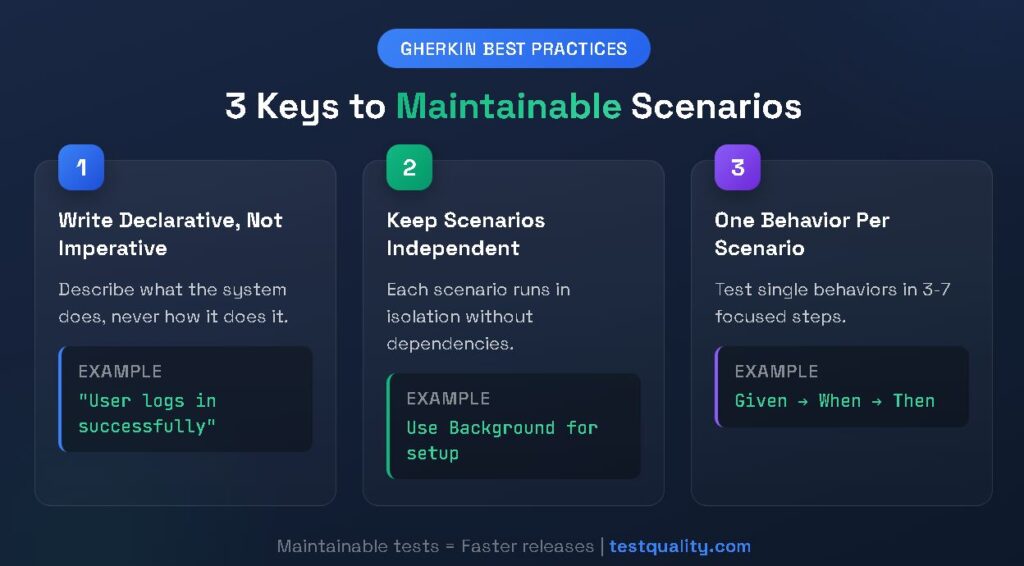
The core principle is straightforward: scenarios should describe what the system does, never how it does it. This separation of concerns means your scenarios remain valid even when the underlying implementation changes. A login scenario shouldn't care whether authentication happens through OAuth, SAML, or a custom solution. It should only care that a user with valid credentials gains access to their dashboard.
Why Declarative Beats Imperative Every Time
Declarative scenarios express business intent in natural language. Imperative scenarios read like step-by-step technical instructions. The distinction might seem subtle, but it fundamentally changes how your test suite ages.
Consider the maintenance implications. When a UI redesign moves the login button from the top-right corner to a centered position, imperative scenarios that specify "click the button in the top-right corner" all break simultaneously. Declarative scenarios that simply state "the user logs in" continue working because the implementation details live in step definitions, not scenarios themselves.
Teams practicing Gherkin best practices report spending less time on test maintenance when they commit to declarative style from the start.
What Are the Essential Do's for Writing Readable Test Scripts?
Creating readable test scripts requires intentional effort across several dimensions. These practices might feel slower initially, but they pay dividends as your test suite grows.

Use Business Language Consistently
Write scenarios using terminology your product owners and business analysts actually use. If your stakeholders call it a "shopping cart," don't call it a "basket" in your scenarios. This consistency creates a ubiquitous language that bridges technical and non-technical team members.
The vocabulary you establish becomes your team's shared understanding of system behavior. When disputes arise about expected functionality, well-written scenarios serve as the authoritative source of truth that everyone can read and understand.
Keep Steps Atomic and Focused
Each step should represent exactly one action or assertion. Combining multiple actions in a single step creates scenarios that are harder to debug and impossible to reuse. When a test fails, you should know immediately which specific action caused the problem.
Atomic steps also enable reusability. A step like "the user is logged in" can appear in hundreds of scenarios. A step like "the user navigates to the login page and enters their credentials and clicks submit and waits for the dashboard" cannot be reused anywhere.
Follow the Given-When-Then Pattern Strictly
The Given-When-Then structure exists for a reason. Given steps establish preconditions. When steps trigger actions. Then steps verify outcomes. Mixing these responsibilities creates confusing scenarios that mislead readers about what's actually being tested.
Here's what proper structure looks like:
gherkin
Scenario: Customer applies valid discount code
Given a customer has items in their cart totaling $100
And a valid 10% discount code exists
When the customer applies the discount code
Then the cart total should be $90
And the discount should be itemized on the receipt
Each section has a clear purpose. Readers immediately understand the context, action, and expected outcome.
What Common Don'ts Tank Scenario Quality?
Avoiding anti-patterns is equally important as following best practices. These mistakes seem harmless initially but create cascading problems as your test suite matures.

Avoid Implementation Details in Scenarios
Technical details like CSS selectors, database field names, API endpoints, and specific UI element identifiers never belong in Gherkin scenarios. These details change frequently during development and create brittle tests that fail for reasons unrelated to actual functionality.
Bad example:
gherkin
When I click the element with id "btn-submit-login"
And I wait for the API call to "/api/v2/auth/login"
Then the div with class "dashboard-container" should be visible
Good example:
gherkin
When the user submits their login credentials
Then they should see their personal dashboard
The good example survives any refactoring that maintains the same business functionality.
Never Chain Dependent Scenarios
Each scenario must be executable in complete isolation. Scenarios that depend on previous scenarios having run first create fragile test suites that fail unpredictably based on execution order.
This anti-pattern often emerges when teams try to reduce setup code. Instead of writing proper Background sections or setup steps, they assume scenario A has already created the test data needed by scenario B. When parallel execution gets introduced or a developer runs a single scenario for debugging, everything falls apart.
Stop Writing Novel-Length Scenarios
If your scenario exceeds seven steps, it's testing too many things at once. Long scenarios are hard to understand, difficult to maintain, and usually indicate that multiple behaviors have been conflated into a single test.
For comprehensive guidance on writing effective Gherkin tests, break complex workflows into multiple focused scenarios that each test one specific behavior.
How Do Good and Bad Scenarios Compare Side-by-Side?
Visual comparison makes the difference between maintainable and problematic scenarios immediately clear. The table below contrasts common patterns:
| Aspect | Problematic Approach | Maintainable Approach |
| Language Level | "Click #login-btn and wait 3 seconds" | "The user logs in successfully" |
| Scenario Length | 15+ steps covering entire workflow | 3–7 steps testing single behavior |
| Data Handling | Hardcoded values: "email@test.com" | Parameterized: "a valid email address" |
| Step Reusability | Unique steps per scenario | Shared steps across feature files |
| Failure Diagnosis | "Something failed in the checkout flow" | "Discount calculation failed for percentage codes" |
| Update Frequency | Every UI change breaks multiple scenarios | UI changes rarely affect scenarios |
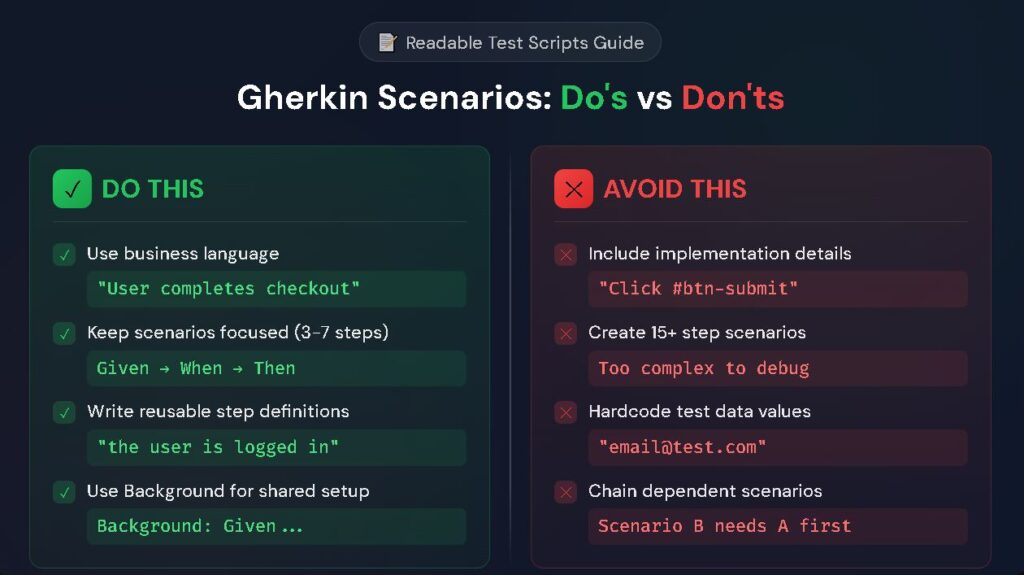
The maintainable approaches share a common thread: they describe business behavior at a level of abstraction that remains stable even as technical implementation evolves.
How Do You Keep Gherkin Test Scenarios Independent?
Independence between scenarios is non-negotiable for maintainable test suites. Here's how to achieve it:
- Use Background sections for shared setup: Common preconditions that apply to all scenarios in a feature file belong in the Background section, not repeated in each scenario
- Create test data within each scenario: Never assume data exists from previous test runs or other scenarios.
- Clean up state after execution: Either reset application state to baseline or design tests that don't depend on specific state.
- Avoid global variables in step definitions: Each scenario should operate with its own isolated context.
- Design for parallel execution: If your scenarios can run simultaneously without interference, they're truly independent.
Teams adopting these patterns find that debugging becomes simpler. When a scenario fails, you know exactly which scenario to examine without tracing dependencies through a chain of previous tests.
Background Sections Done Right
Background sections reduce repetition without creating dependencies. They execute before each scenario in the feature file, establishing consistent starting conditions.
gherkin
Feature: Shopping cart management
Background:
Given a registered customer is logged in
And the customer's cart is empty
Scenario: Adding first item to cart
When the customer adds "Wireless Headphones" to their cart
Then the cart should contain 1 item
Scenario: Removing an item from cart
Given the customer has added "Wireless Headphones" to their cart
When the customer removes "Wireless Headphones"
Then the cart should be empty
Each scenario can run independently because the Background establishes fresh state before each execution.
What Tools and Workflows Support Long-Term Maintainability?
Sustainable maintainability requires more than good writing habits. Your tooling and team workflows must reinforce the practices that keep readable test scripts healthy over time.
Version Control for Feature Files
Treat Gherkin files exactly like production code. Store them in version control, require code reviews for changes, and track history so you can understand why scenarios evolved. This discipline catches problematic changes before they merge into your main branch.
Code reviews for Gherkin scenarios should involve both technical and non-technical reviewers. Developers catch step definition issues while product owners verify that scenarios accurately reflect business requirements.
Regular Refactoring Sessions
Schedule dedicated time to review and improve existing scenarios. As your application evolves, scenarios that once made sense may become confusing or redundant. Proactive refactoring prevents technical debt from accumulating in your test suite.
Refactoring sessions should examine step reusability, naming consistency, and scenario focus. Look for opportunities to extract common patterns into shared steps and eliminate duplicated logic across feature files.
Teams treating test code with the same rigor as production code experience fewer quality issues and faster delivery cycles.
Integration with CI/CD Pipelines
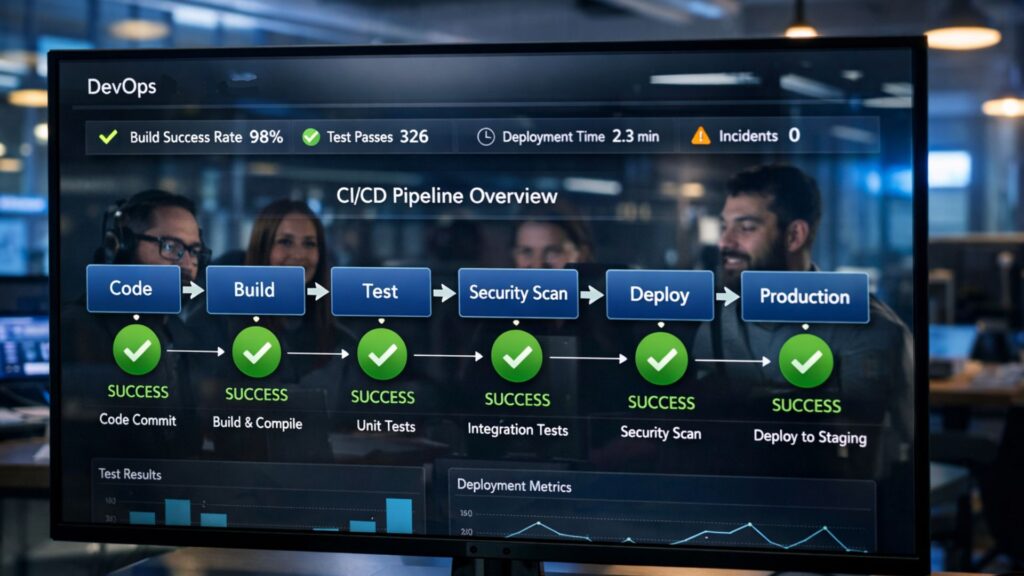
Your Gherkin test scenarios should run automatically on every code change. This continuous feedback loop catches regressions immediately and prevents broken scenarios from persisting unnoticed. Fast feedback encourages developers to keep scenarios passing rather than ignoring them.
Configure your pipeline to generate clear reports that link failed scenarios back to specific changes. When failures occur, the person who introduced the change should be able to quickly understand which behavior broke and why.
FAQ
How many steps should a Gherkin scenario contain? Most experts recommend keeping scenarios between three and seven steps. This range provides enough context to meaningfully test a behavior while remaining easy to read and debug. Scenarios exceeding seven steps usually test multiple behaviors and should be split into separate, focused scenarios.
Should I write Gherkin scenarios in first-person or third-person? Either perspective can work, but consistency matters most. Third-person ("the user logs in") provides clarity about which actor performs each action, especially useful when scenarios involve multiple user roles. First-person ("I log in") feels more natural for user-centric scenarios but can create ambiguity in complex systems.
How often should teams refactor their Gherkin test scenarios? Schedule refactoring sessions at least quarterly or whenever you notice patterns like duplicated steps, confusing language, or scenarios that frequently break without corresponding application changes. Treating refactoring as ongoing maintenance rather than one-time cleanup keeps your test suite healthy.
Can Gherkin scenarios replace traditional test documentation? When written well, Gherkin scenarios serve as living documentation that stays synchronized with actual application behavior. However, they complement rather than replace other documentation forms. Technical architecture decisions, deployment procedures, and edge case notes still benefit from traditional documentation approaches.
Embrace Maintainability as a Competitive Advantage
Maintainable Gherkin test scenarios are an investment that compounds over time. Teams that prioritize maintainability ship faster because they spend less time fighting their test suite and more time delivering features. They onboard new team members faster because scenarios serve as readable documentation. They catch regressions earlier because tests actually run and pass reliably.
The practices outlined here require discipline. Writing declarative scenarios takes more thought than copying UI selectors. Keeping scenarios independent demands careful design. Regular refactoring requires protected time. But the alternative is worse: unmaintainable test suites that provide false confidence while consuming ever-increasing maintenance effort.
For teams seeking a test management platform purpose-built for modern DevOps workflows, TestQuality offers seamless integration with GitHub and Jira alongside comprehensive support for Gherkin best practices and BDD testing. Start your free trial and experience how unified test management transforms your approach to quality.