
Creating a Custom Test Plan Template
Consider crafting a custom test plan template if a standard template doesn’t perfectly align with your project’s unique requirements. This tailored approach ensures optimal fit and effectiveness.
Crafting a comprehensive and effective test plan is paramount to ensuring software quality. While generic templates offer a solid foundation, tailoring a test plan to a specific project’s needs is often essential.
Organizations can streamline the testing process by creating a custom test plan template, enhance efficiency, and improve overall product quality. This guide provides a step-by-step approach to developing a custom test plan template, empowering QA teams to create tailored documentation that aligns with project objectives and requirements.
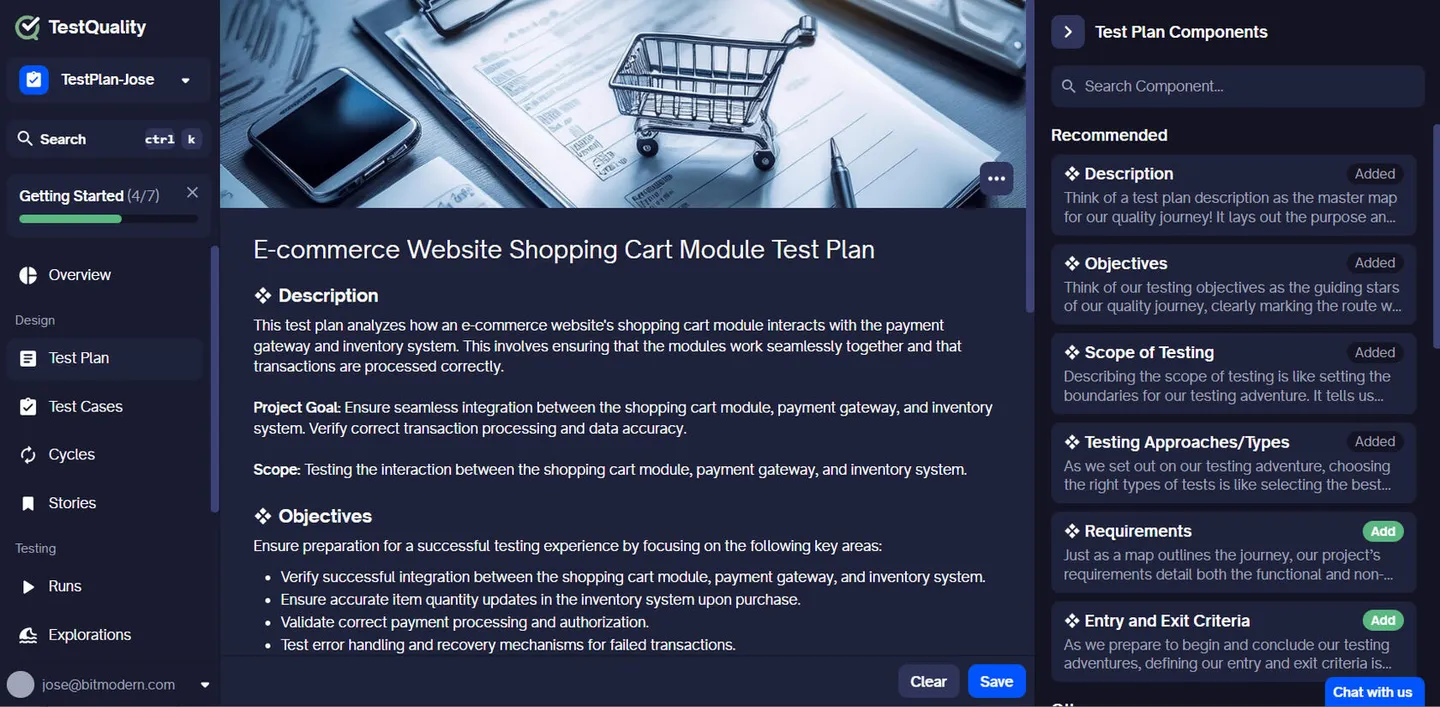
TestQuality Free Test Plan Template
2. Analyze Project Requirements
Thoroughly examine the project’s scope, complexity, and specific needs. Identify key stakeholders, their expectations, and potential challenges. Ask yourself questions like:
- What are the primary goals and objectives of the project?
- What are the critical functionalities and features?
- What are the project timelines and deadlines?
- What are the potential risks and dependencies?
- What are the compliance and regulatory requirements?
By understanding these aspects, you can tailor the template to address the project’s specific demands.
3. Gather Existing Templates
Leverage existing templates within your organization or industry as a starting point. Analyze their strengths and weaknesses to identify elements that can be incorporated into your custom template. Consider templates from:
- Previous projects: Analyze successful and unsuccessful projects to learn from past experiences.
- Industry standards: Explore templates commonly used in your industry for best practices.
- Template repositories: Utilize online resources or industry forums for available templates.
Combining elements from different sources can create a robust foundation for your custom template.
4. Define Template Structure
Create a clear and logical structure for your template. Consider the following sections:
- Project overview: Project goals, objectives, and scope.
- Test objectives: Specific goals for the testing process.
- Test items: Software components to be tested.
- Test strategy: Testing methodologies and approaches.
- Test environment: Hardware, software, and network requirements.
- Test schedule: Testing phases and timelines.
- Test deliverables: Expected outputs from the testing process.
- Test responsibilities: Roles and responsibilities of team members.
- Risk assessment: Potential risks and mitigation strategies.
- Approvals: Signatures and dates for document approval.
You can add or remove sections based on project needs.
5. Include Essential Elements
Ensure your template covers all critical components necessary for effective test planning:
- Clear and concise language: Use plain language to enhance readability.
- Detailed descriptions: Provide clear explanations of test objectives, scope, and criteria.
- Traceability: Establish links between requirements, test cases, and defects.
- Flexibility: Allow for modifications as the project evolves.
- Version control: Maintain different versions of the template for various project types.
By incorporating these elements, you create a comprehensive and informative test plan.
6. Consider Flexibility
Design the template to accommodate different project types and sizes. Use placeholders or optional sections to allow for customization. For example:
- Include sections for specific testing types (e.g., performance, security) if applicable.
- Provide options for different levels of test detail (high-level or detailed).
- Offer flexibility in defining test deliverables based on project requirements.
A flexible template can adapt to changing project needs without compromising its core structure.
7. Review and Refine
Continuously evaluate and improve your custom template based on feedback and project outcomes. Incorporate lessons learned from completed projects to enhance its effectiveness. Regularly review and update the template to ensure it remains relevant and aligned with evolving project requirements.
By following these steps and incorporating feedback, you can create a custom test plan template that significantly improves your testing process.
8. Conclussion
Developing a custom test plan template requires careful consideration of project specifics, stakeholder input, and industry best practices. By following the outlined steps, organizations can create a flexible and adaptable template that serves as a valuable asset throughout the software development lifecycle.
A well-crafted custom test plan template not only improves test planning efficiency but also contributes to the overall success of software projects. Remember, a successful test plan is a living document that should be continuously reviewed and refined to meet evolving project needs.
Would you like to explore specific examples of test plan templates for different project types or industries?