


AI-powered Gherkin generation eliminates the bottleneck of manually translating requirements into executable BDD scenarios.
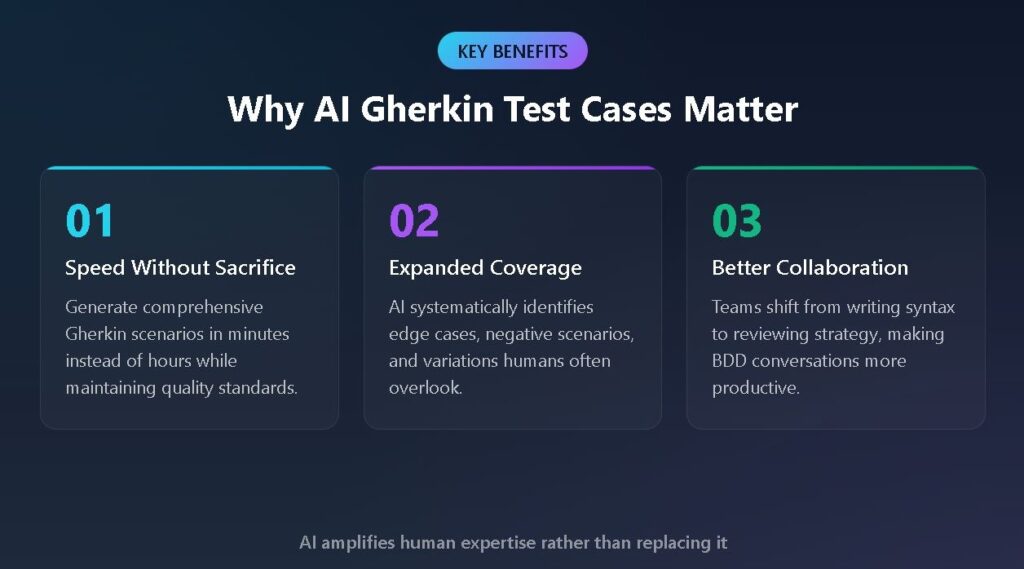
- Teams using AI Gherkin test cases can accelerate test creation, often completing in minutes what previously took hours, while catching edge cases that manual writing typically misses.
- Effective Gherkin AI tools parse natural language requirements, user stories, and acceptance criteria to produce structured Given-When-Then scenarios instantly.
- BDD AI testing works best when human testers review and refine AI-generated scenarios rather than treating outputs as final.
- Integration with existing test management workflows and CI/CD pipelines maximizes the value of AI-generated Gherkin.
Start treating AI as your BDD co-pilot, not a replacement for your testing expertise.
Writing Gherkin scenarios by hand used to be the price of admission for behavior-driven development. You'd gather your product owner, developer, and QA engineer around a whiteboard, hash out acceptance criteria, then spend hours translating that conversation into properly formatted feature files. That manual process made sense when teams shipped quarterly. It falls apart when you're pushing code multiple times per week.
McKinsey research shows 88% of organizations now use AI in at least one business function. Meanwhile, QA teams still handcraft test scenarios the same way they did a decade ago. AI-powered test generation changes the equation. Modern test management platforms offer intelligent agents that transform user stories into properly structured Gherkin scenarios in seconds. The output isn't perfect, but it's a foundation that skilled testers can refine rather than build from scratch.

This guide walks you through how AI Gherkin test cases work, when they deliver the most value, and how to integrate AI-assisted BDD into your existing workflow.
What Are AI Gherkin Test Cases?
AI Gherkin test cases are BDD scenarios generated by artificial intelligence rather than written manually. These tools use natural language processing to interpret requirements, user stories, or plain English descriptions and output properly formatted feature files using Given-When-Then syntax.
The underlying technology combines large language models trained on thousands of BDD examples with domain-specific rules that ensure output follows Gherkin conventions. When you feed the system a user story like "As a customer, I want to reset my password via email," the AI identifies key actors, actions, preconditions, and expected outcomes, then structures them into executable scenarios.
AI excels at systematically identifying variations, edge cases, and negative scenarios that human testers might overlook. A manual approach might produce two or three scenarios for a password reset feature. An AI-assisted approach might generate a dozen covering valid inputs, invalid formats, expired tokens, and rate limiting.
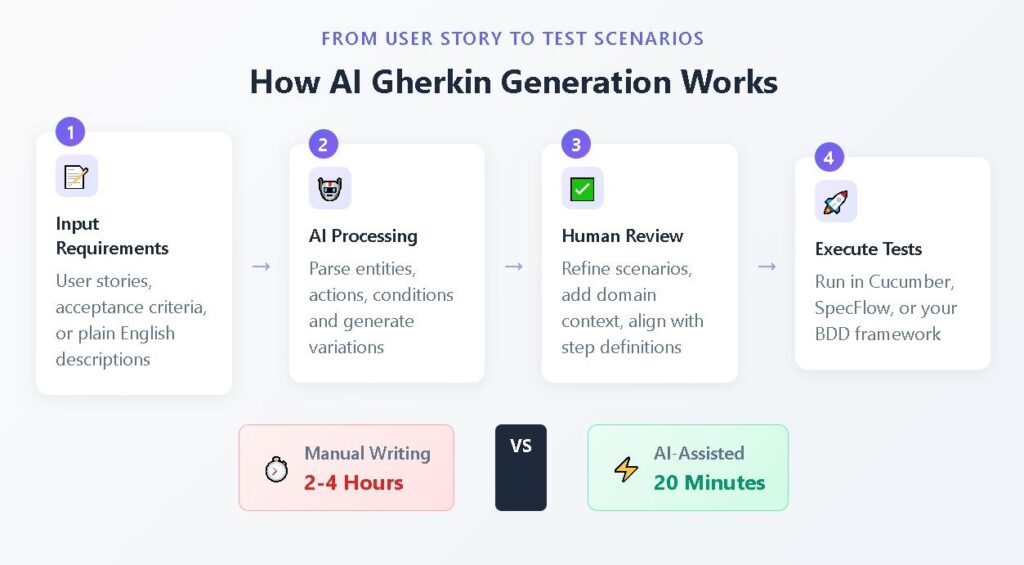
The Core Components of AI-Generated Gherkin
Most AI Gherkin generators operate through three distinct phases.
- Requirement parsing extracts structured information from unstructured text, identifying entities, actions, conditions, and outcomes.
- Scenario construction transforms parsed elements into Gherkin syntax using templates and patterns from training data.
- Variation generation expands initial scenarios into multiple test cases covering positive paths, negative paths, and boundary conditions.
This final phase is where AI adds the most value, systematically exploring the test space in ways manual testing approaches rarely achieve.
How Does Gherkin AI Transform BDD Testing?
Traditional BDD workflows follow a predictable pattern. Product owners describe features. The Three Amigos meeting brings together business, development, and QA to define acceptance criteria. Testers translate criteria into Gherkin scenarios. Developers implement step definitions.
Instead of replacing this workflow, Gherkin AI accelerates the most time-consuming step while preserving valuable collaboration. Instead of starting from a blank feature file, testers begin with AI-generated drafts that capture essential structure. The conversation shifts from "how do we write this" to "what did we miss?"
Before AI: The Manual Gherkin Workflow
Picture a typical sprint planning session. The product owner presents a new social login feature. The team discusses requirements and assigns the story to development.
The QA engineer receives acceptance criteria as bullet points: "User can log in with Google. User can log in with GitHub. System displays error if login fails. User remains logged in for 30 days."
From these four bullets, the tester must manually construct feature files, considering successful logins for each provider, failed logins from network issues, session persistence, expiration, and logout behavior. Each scenario requires careful attention to Given-When-Then syntax and consistent step phrasing. A thorough job takes two to four hours. A rushed job creates technical debt.
After AI: The Assisted Gherkin Workflow
Same sprint, same feature, different approach. The QA engineer pastes the user story and acceptance criteria into an AI-powered test generation tool. Within seconds, the system produces a complete feature file with scenarios covering variations the tester might have missed, data-driven tests using Scenario Outlines, and consistent step phrasing.
The tester spends 20 minutes reviewing and refining rather than four hours building from scratch. During the next Three Amigos session, the team reviews AI-generated scenarios together. "Did the AI capture what we intended? What edge cases should we add?" This discussion proves more productive than debating Gherkin syntax.
Executive Summary
The Shift from Legacy "AI-Assist" to Agentic QA
Stop debugging scripts; start managing agents.
If your QA strategy in 2026 relies on writing prompts to generate brittle code, you are simply trading manual test writing for manual test maintenance. The industry is rapidly pivoting away from legacy AI-assist tools, which act as glorified autocomplete engines, toward Agentic QA.
Evaluators must recognize the critical difference: legacy test management forces QA teams to act as manual translation layers. Even first-generation 'AI copilots' require constant prompt-engineering, manual mapping to Gherkin criteria, and babysitting to ensure requirements trace back to Jira or GitHub. Agentic platforms like, like TestStory.ai, bypass this entirely. They don't just autocomplete steps; they ingest your system context to architect, generate, and map production-ready test suites autonomously in under 30 seconds.
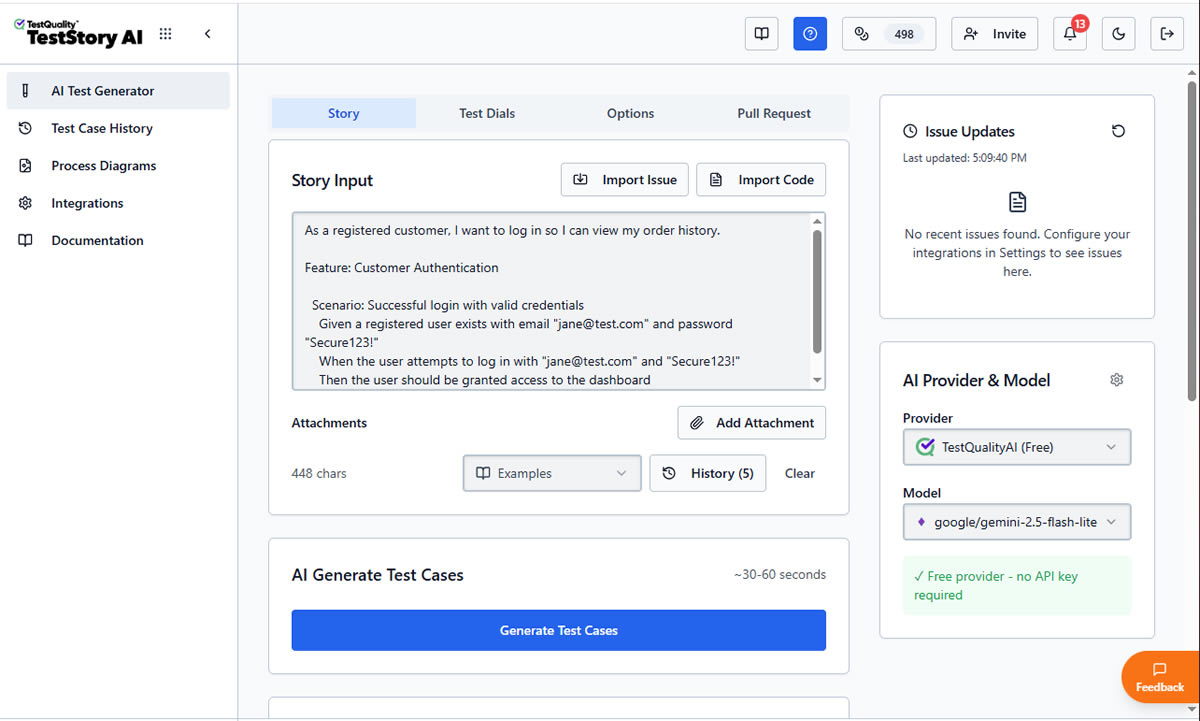
The Agentic Benchmark: Why TestStory.ai Replaces Generic AI Generators
Most AI test case generators are structurally "dumb." They lack specific control mechanisms, resulting in bloated, un-executable test suites. We built TestStory.ai to solve the engineering friction points of test design and coverage validation:
Deep Context Extraction (Zero-Prompting): TestStory natively connects to Jira, GitHub, and Linear. It ingests your Epics, User Stories, and PRs, translating them into comprehensive test cases instantly.
Diagram-to-Test Autonomy: Don't write requirements if you already have the architecture mapped. TestStory autonomously parses complex process diagrams (Visio, Lucidchart, PNG, PDF), understanding UML, BPMN, ERD, and System Architecture to instantly map out state transitions, edge cases, and strict acceptance criteria.
Precision Control via "Test Dials": We replaced generic prompt engineering with deterministic controls. Engineers use "Test Dials" and reusable "Preset Packs" to rigidly define test scope, target audiences, and specific test types (e.g., Smoke, Regression, Integration) ensuring strict alignment with your existing QA strategy.
IDE & Dev Workflow Native (MCP Integration): TestStory's MCP architecture plugs the agent directly into your development environment. Trigger TestStory's QA logic natively inside Claude, Cursor, and VSCode/Copilot, passing the output seamlessly into test management systems like TestQuality.
Enterprise Data Sovereignty: Your proprietary logic is never used to train our base models. TestStory allows you to utilize your own AI provider keys, ensuring strict compliance and zero data leakage.
The benchmark for 2026 isn't how fast an AI can write a script; it's how much test maintenance debt the agent eliminates.
No credit card required.
Step-by-Step: Generating AI Gherkin Test Cases from User Stories
The gap between a user story and executable Gherkin scenarios is one of the biggest time sinks in agile testing. Let's walk through exactly how AI bridges that gap with concrete before and after examples.
Example 1: E-Commerce Shopping Cart
Before (User Story Input):
As an online shopper
I want to add items to my shopping cart
So that I can purchase multiple products in a single transaction
Acceptance Criteria:
- User can add items from product pages
- Cart updates in real-time
- User can change quantities
- User can remove items
- Cart persists across sessions
After (AI-Generated Gherkin):
gherkin
Feature: Shopping Cart Management
As an online shopper
I want to manage items in my shopping cart
So that I can purchase multiple products efficiently
Background:
Given the user is logged into their account
And the product catalog is available
Scenario: Adding an item to an empty cart
Given the shopping cart is empty
When the user adds "Wireless Headphones" to the cart
Then the cart should contain 1 item
And the cart total should reflect the item price
Scenario: Adding multiple quantities of the same item
Given the shopping cart contains 1 "Wireless Headphones"
When the user increases the quantity to 3
Then the cart should show quantity 3 for "Wireless Headphones"
And the cart total should update accordingly
Scenario: Removing an item from the cart
Given the shopping cart contains "Wireless Headphones"
When the user removes "Wireless Headphones" from the cart
Then the shopping cart should be empty
Scenario: Cart persistence across sessions
Given the user has added "Wireless Headphones" to the cart
When the user logs out and logs back in
Then the cart should still contain "Wireless Headphones"
Scenario Outline: Adding items with different statuses
Given the product "<product>" has status "<status>"
When the user attempts to add "<product>" to the cart
Then the system should "<result>"
Examples:
| product | status | result |
| Wireless Mouse | in_stock | add the item successfully |
| Gaming Keyboard | out_of_stock | display unavailable message |
| USB Hub | pre_order | add with pre-order notice |
The AI generated five test scenarios from the bullet-point acceptance criteria, including a Scenario Outline for product availability variations and a Background section for common preconditions. A human tester needs to review whether steps match existing conventions and whether additional edge cases apply, but the structural foundation is complete.
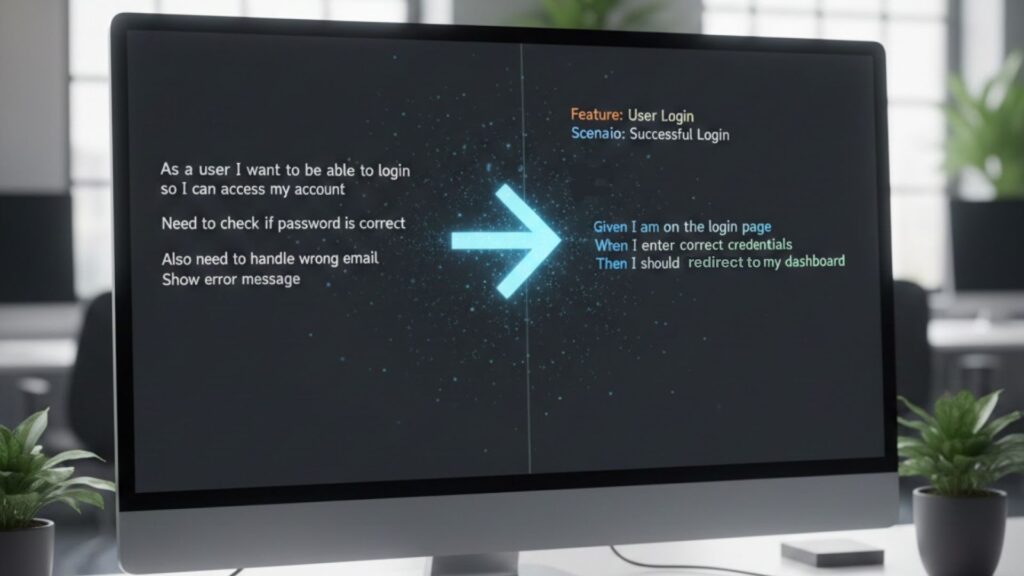
Example 2: User Authentication Flow
Before (Plain English Description):
"We need to test login functionality. Users enter email and password. Correct credentials show dashboard. Wrong credentials show error. There's a forgot password link."
After (AI-Generated Gherkin):
gherkin
Feature: User Authentication
Users must authenticate to access protected resources
Scenario: Successful login with valid credentials
Given a registered user exists with email "user@example.com"
And the user is on the login page
When the user enters valid credentials
And the user clicks the login button
Then the user should be redirected to the dashboard
Scenario: Failed login with incorrect password
Given a registered user exists with email "user@example.com"
When the user enters incorrect credentials
Then the user should see "Invalid credentials" error message
Scenario: Password reset request
Given the user is on the login page
When the user clicks the forgot password link
And the user enters "user@example.com"
Then a password reset email should be sent
From a casual three-sentence description, the AI produced multiple scenarios covering successful authentication, failure modes, and password reset. This example demonstrates how BDD AI testing expands sparse requirements into comprehensive coverage.
What Makes Effective BDD AI Testing?
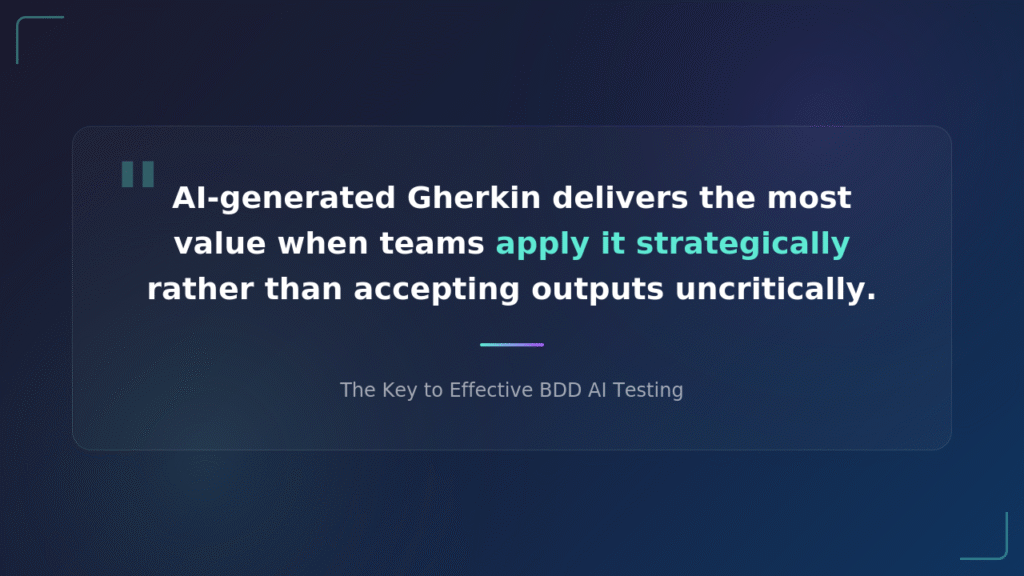
AI-generated Gherkin delivers the most value when teams apply it strategically rather than accepting outputs uncritically. These practices separate teams that accelerate their testing from those that just add another tool.
Provide rich context in your inputs. A user story with detailed acceptance criteria, edge case notes, and business rules produces better scenarios than a vague description. Include information about user roles, system states, and integration points.
Treat AI output as a first draft. Review AI scenarios with your team. Question whether Given conditions establish realistic states. Verify that When actions match your actual patterns. Confirm that Then assertions capture meaningful validations. Teams effectively using BDD and Cucumber know that the conversation around scenarios matters as much as the scenarios themselves.
Maintain consistency with existing step definitions. Configure tools to reference your step library when possible, or establish a refinement step where you align AI-generated steps with your automation framework's expectations.
Use AI for coverage expansion. After creating base scenarios, prompt the AI to identify additional edge cases, negative scenarios, and boundary conditions. Targeted expansion reveals test gaps that manual analysis might miss.
Integrate AI generation into your existing workflow. Teams seeing the best results embed AI tools directly into test management platforms rather than treating generation as a separate activity.
How Does Manual vs. AI-Generated Gherkin Compare?
This comparison highlights key dimensions affecting day-to-day testing work.
| Dimension | Manual Gherkin Writing | AI-Assisted Generation |
| Initial creation time | 2–4 hours per feature | 5–20 minutes per feature |
| Edge case coverage | Dependent on tester experience | Systematic identification |
| Consistency | Varies by author | Pattern-based standardization |
| Syntax accuracy | Human, error-prone | Structurally correct |
| Domain specificity | High with experienced testers | Requires human refinement |
| Team collaboration | Discovery through discussion | Review and refinement focus |
| Maintenance effort | High for large suites | Regeneration possible |
| Learning curve | Steep for BDD newcomers | Lower barrier to entry |
The table reveals that AI excels at speed, consistency, and coverage breadth while humans remain essential for domain accuracy and contextual refinement.

What Are Common Challenges with AI Gherkin Test Cases?
Shifting from manual Gherkin writing to AI-assisted generation is one of the most impactful changes QA teams can make. Gartner predicts that 40% of enterprise applications will feature task-specific AI agents by 2026, up from less than 5% in 2025. However, understanding common pitfalls helps teams implement AI-assisted testing more effectively and set realistic expectations.
Challenge 1: Generic or Vague Scenarios
AI models sometimes produce scenarios that are technically correct but lack specificity. A scenario like "Given the user is logged in / When the user performs an action / Then the result is successful" provides no testing value.
Solution: Provide detailed inputs with specific field names, business rules, and concrete examples. Flag any scenario that could apply to a different application without modification.
Challenge 2: Misaligned Step Definitions
AI-generated steps may not match your existing automation framework. The AI might phrase a step as "When the user enters their email address" while your step definition expects "When user types email into login field."
Solution: Configure AI tools to reference your existing step library. Establish a standardization pass to align AI steps with established patterns.
Challenge 3: Over-Generation of Test Cases
AI tools emphasizing comprehensive coverage can produce dozens of scenarios from a single user story. Maintaining large test suites creates its own burden.
Solution: Prioritize ruthlessly using risk-based approaches. Select the most valuable scenarios for automation rather than accepting everything the AI produces.
Challenge 4: Missing Business Context
AI excels at structural analysis but lacks a deep understanding of your specific business domain. Scenarios may miss regulatory requirements, industry-specific edge cases, or partner integrations.
Solution: Involve product owners and domain experts in scenario validation alongside technical testers. Use AI generation to accelerate the process while preserving the domain expertise that ensures scenarios actually test what matters.
Challenge 5: Hallucinated Requirements
Large language models sometimes generate scenarios for features that don't exist or behaviors that aren't required.
Solution: Cross-reference AI output against your actual requirements documentation. Flag scenarios that reference functionality not mentioned in source materials.
FAQ
Can AI completely replace manual Gherkin writing?
No. AI generates structural foundations and identifies systematic variations, but human testers remain essential for domain-specific refinement and ensuring scenarios test what matters for your application.
How accurate are AI Gherkin test cases?
Accuracy depends on input quality and the specific tool. Well-designed generators produce structurally correct Gherkin that captures requirements essence. Domain-specific details and step definition alignment require human review.
How does AI Gherkin generation integrate with existing BDD frameworks?
AI-generated Gherkin produces a standard feature file format compatible with Cucumber, SpecFlow, Behave, and other frameworks. The main integration challenge involves aligning generated steps with existing step definition libraries.
Is AI Gherkin generation suitable for regulated industries?
Yes, with appropriate controls. AI-generated scenarios require human review and approval, satisfying most regulatory requirements. Teams should maintain audit trails, treat AI output as draft documentation, and ensure traceability to formal requirements.
Harness AI Gherkin Generation for Faster Quality Assurance
The key insight from teams successfully using AI Gherkin test cases is that the technology amplifies human expertise rather than replacing it. Testers spend less time on syntax and structure, more time on strategy and analysis. Product owners see their requirements translated into testable scenarios faster.
Effective implementation requires the right platform. Modern QA solutions leverage intelligent agents that proactively assist testers throughout the workflow, from writing Gherkin acceptance criteria to generating comprehensive test scenarios.
TestQuality's unified platform combines professional-grade test management with TestStory.ai's intelligent agents. Whether you're importing stories from Jira or building a test suite from scratch, start your free trial to experience how AI-driven QA transforms your testing process.


